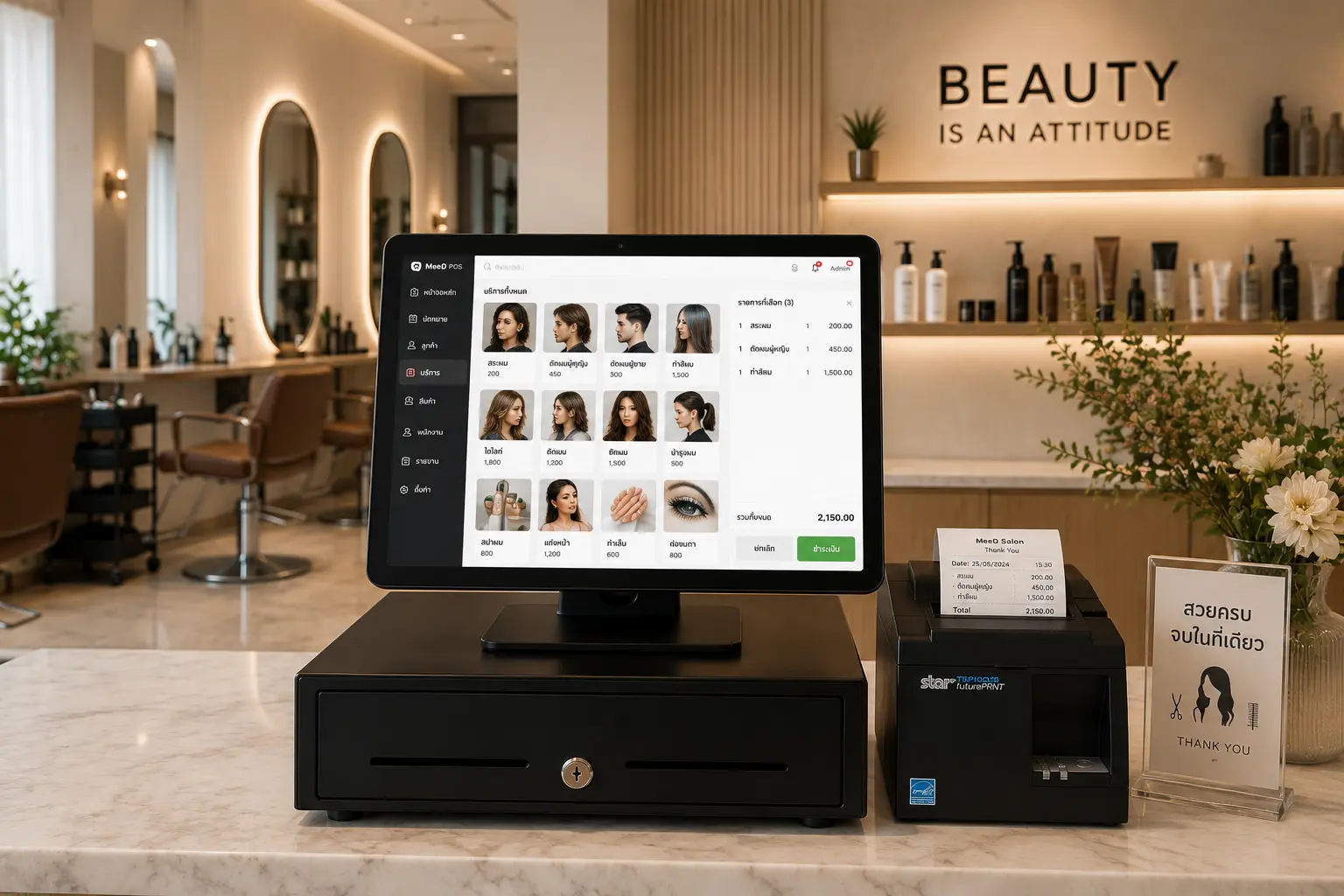
POS System for
Salons
Schedule services, manage stylist queues, calculate commissions, and sell retail products — all from one system. Built for salons, hair studios, nail bars, and spas that need real-time data, the same way it works forcoffee shops andrestaurants
Easy Service Management
Add services, set tiered pricing, and start using it right away
Queue & Appointments
Record customer history, manage stylist queues, and cut wait times
Track Sales by Stylist
See how much each stylist brings in, with automatic commission calculation
Analyze Top Services
Know which services are most popular to plan improvements precisely
Automatic Stylist Commission — No More Manual Tallying
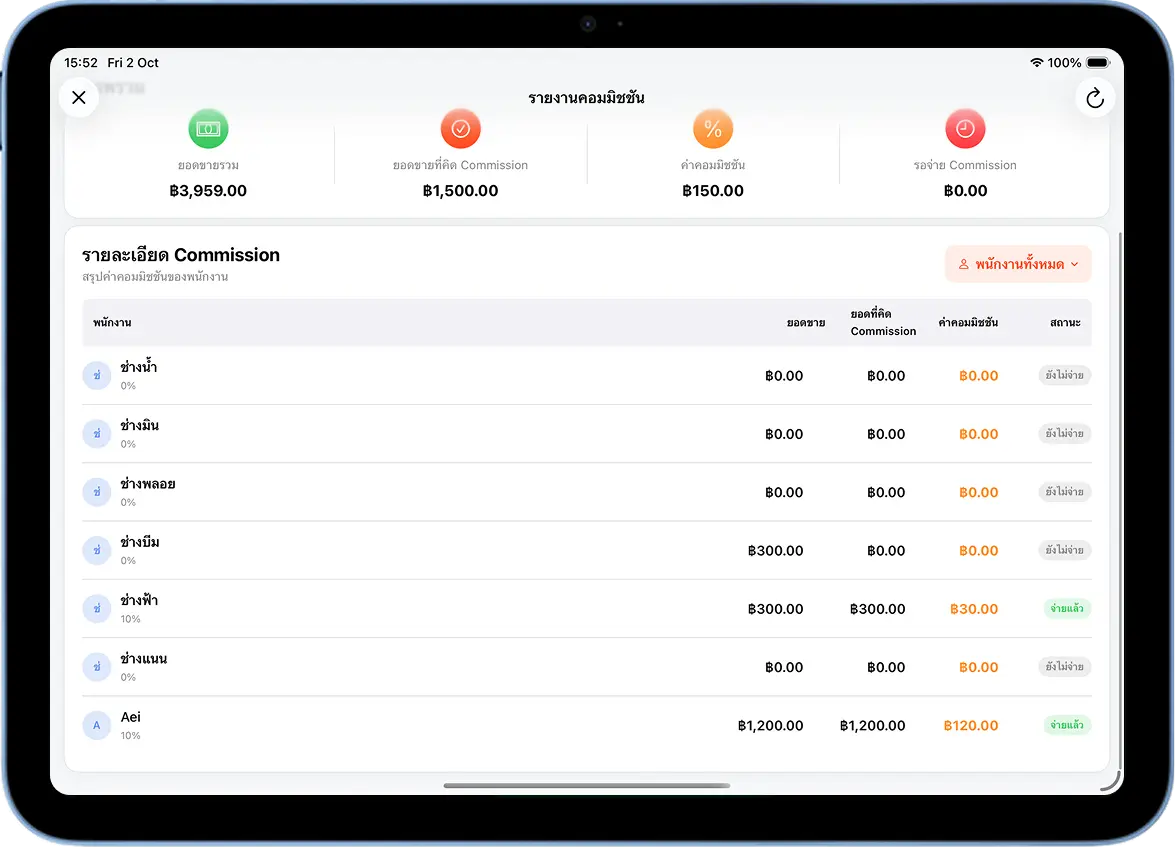
A salon differs from a general retail shop in that revenue per bill is usually tied to the stylist who performed the service, not just the shop's total sales. MeeD POS's salon system lets staff select the stylist right when closing a bill — the system records sales per stylist and calculates commission automatically at the rate the shop sets, so no one has to add up bills by hand at month end.
Beyond commission, the system also manages queues and advance appointments, records each customer's service history, and connects to amember and loyalty points system to bring customers back. Read more about turning one-time visitors into regulars atCustomer Relationship Management (CRM): Turning Walk-Ins Into Regulars
Booked Ahead or Walked In — No Customer Falls Through the Cracks
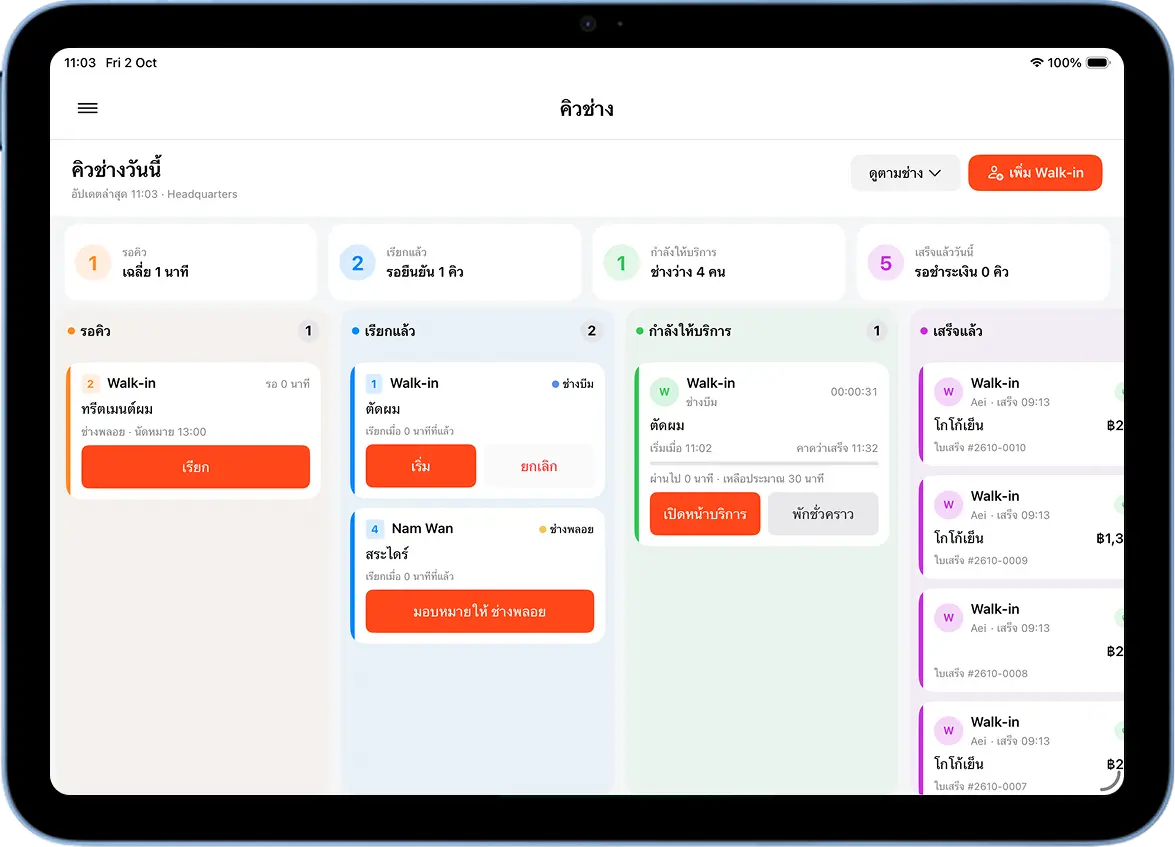
Most salons deal with two kinds of customers at once — people with a booked appointment, and walk-ins who show up without one. The system splits this into two pages that work together: the booking calendar is for recording advance appointments and seeing every stylist's full-day schedule, while the walk-in queue is for checking in customers who didn't book ahead and calling them in the moment a stylist is free.
Staff see both the booked schedule and the live walk-in line in the same system, with no need to track them in two separate places or risk missing a customer waiting at the front desk.
Manage Appointments in One Place, See Every Stylist's Full-Day Schedule
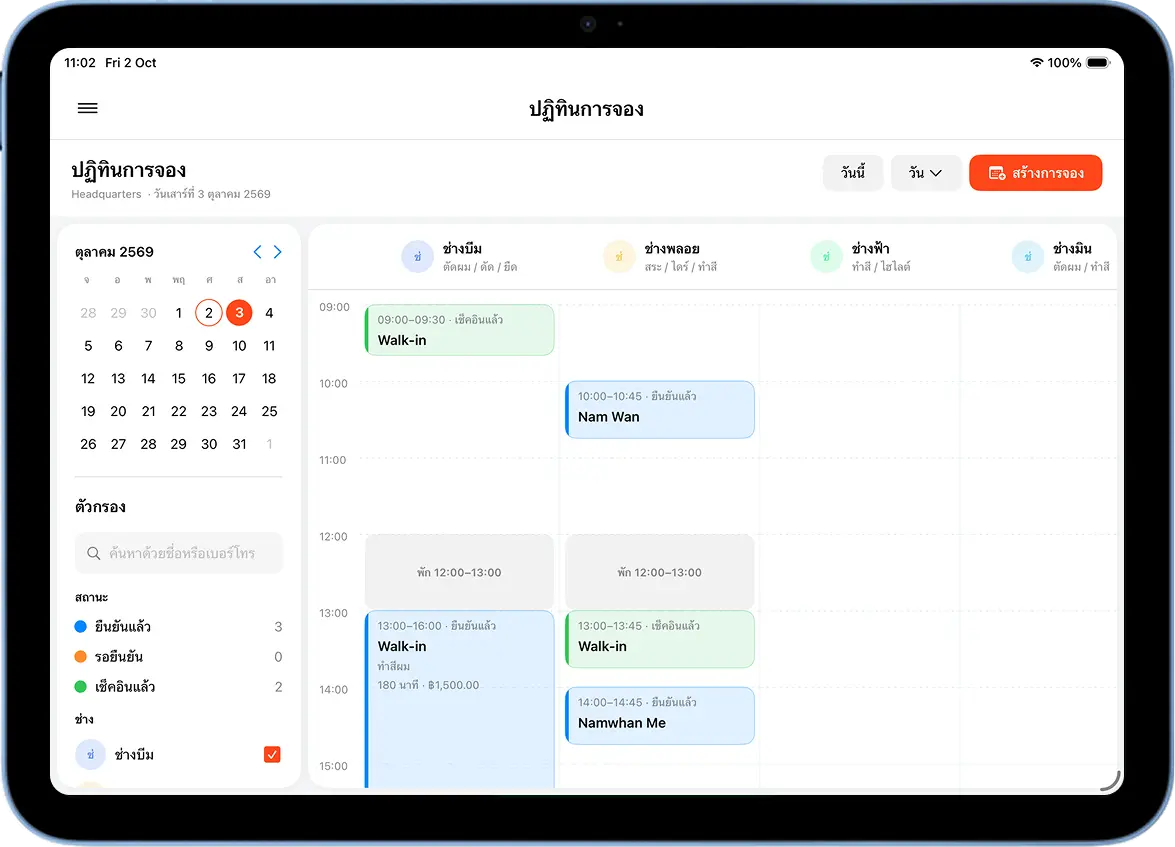
MeeD POS's booking calendar records customer appointments in advance — date, time, requested service, and preferred stylist — all on one screen, with no need for a notebook or a separate chat thread to track bookings.
Staff open the calendar and see every stylist's full-day schedule at once, knowing instantly who's free and who's booked at any given time. That makes it easy to take a new booking or reschedule one accurately, without double-booking a stylist.
Booked Appointments and Walk-In Queue, in One System
Whether a customer books ahead or just walks in, staff manage it from the same screen.
1. Book an Appointment Ahead
Customers book a time through the booking calendar, choosing their stylist and service before arriving at the salon
2. Check In a Walk-In Instantly
Walk-in customers who didn't book ahead can check into the queue right away, without switching to a different screen
3. See the Whole Day's Queue at a Glance
Staff see both booked appointments and waiting walk-ins together, alongside each stylist's schedule for the day
4. Call the Next Customer In
Once a stylist is free, the system helps call in the next customer in line — no need to track two separate lists
Complete Features for Salons, Hair Studios & Spas
Queues, bookings, staff management, and commissions — all in one system.
Front-of-House Services
Haircuts, washes, coloring, perms, nails, spa, massage — with standard/premium service tiers
Assign a Stylist
Select the stylist who performed the service to calculate commission and track sales per stylist
Booking Calendar
Manage customer appointments in one place — see every stylist's full-day schedule
Walk-In Queue
Track customers waiting without an appointment, and call them in once a stylist is free
Change Stylist Mid-Service
Start a service, add line items as you go, and switch who's handling each item instantly — synced automatically across every device
Staff & Service Management
Set up the service menu, staff work schedules, and each stylist's days off
Commission System
Set a commission rate per stylist or per service, review totals, and mark commissions as paid from a dedicated report page
Customer Notes
Record precautions or allergies on a customer's profile — staff see them every time that customer comes in
Service Packages
Cut + wash + style bundles at special prices, member discounts, birthday discounts
Sell Retail Products
Shampoo, conditioner, serum, hair-care products, with retail stock tracking
Multiple Payment Methods
Cash, QR code, PromptPay, credit cards, with receipt printing
Complete Reports
Sales by service, revenue by stylist, staff shift reports, commissions
Recommended Hardware for Salons
MeeD POS hardware for reception counters, payments, and receipt printing
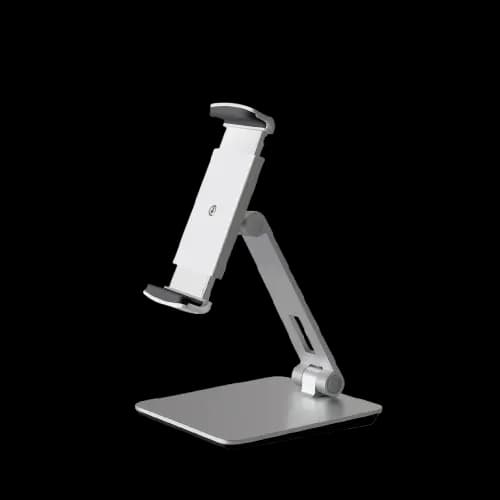
White iPad & Tablet Stand — Aluminum and ABS
฿990
A clean white adjustable stand suited to a salon reception counter.
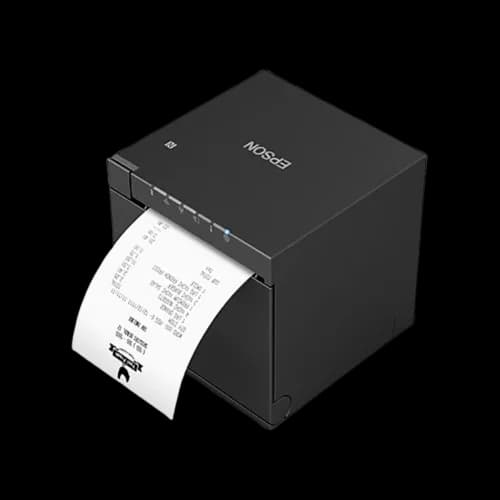
Epson TM-m30III 80mm Receipt Printer
฿14,900
A compact 300 mm/s receipt printer with USB, LAN, Bluetooth, and Wi-Fi.
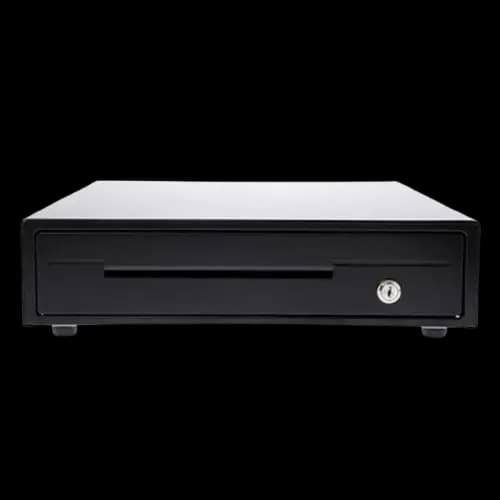
MAKEN EK-350 Cash Drawer — 4 Bill and 8 Coin Slots
฿2,000
A durable steel cash drawer with RJ11 automatic opening through a compatible printer.
Frequently Asked Questions for Salons
Answers to the questions salon owners ask most.
How is stylist commission calculated?
Select the stylist who performed the service when opening the order — the system records sales per stylist and calculates commission automatically at the rate you set. Set commission rates per stylist or per service, and mark commissions as paid from a dedicated report page.
Can I schedule appointments in advance?
Yes — the system has a booking calendar for advance appointments, recording customer history and past services, helping reduce wait times and plan stylist schedules ahead of time.
How do I handle walk-in customers without an appointment?
There's a separate walk-in queue page from the booking calendar — staff can check a walk-in customer in right away, then call them in once a stylist is free.
Can I switch stylists partway through a service?
Yes — while a service is in progress, you can add line items and switch who's handling each one instantly, synced automatically across every device. Commission is calculated to match whichever stylist actually performed each item.
Can I sell retail products like shampoo and conditioner with stock tracking?
Yes — add retail products as sale items separate from services. The system tracks stock and alerts you when items run low, helping you plan reorders accurately.
Can I record a customer's precautions or allergies in the system?
Yes — record a note directly on the customer's profile, such as a chemical sensitivity or other precaution. Staff see this note every time that customer comes in, so there's no need to remember or ask again.
Does it support multiple salon or spa branches?
Yes — the system supports multi-branch management. View sales, commissions, and stock reports across all branches from a single dashboard.
What are the terms of the free trial?
A free 30-day trial, no cost, no credit card required. Set up your service list and start using it right away.
Ready to Elevate Your Salon?
Try MeeD POS free for 30 days — no cost, no credit card required.
Start Free Trial