Receipt Printers Supported by MeeD POS
Choose receipt and kitchen printers for an iPad POS. Connect over LAN, USB, or Bluetooth depending on the model, and set them up yourself with our guides — no technician or IT team required.
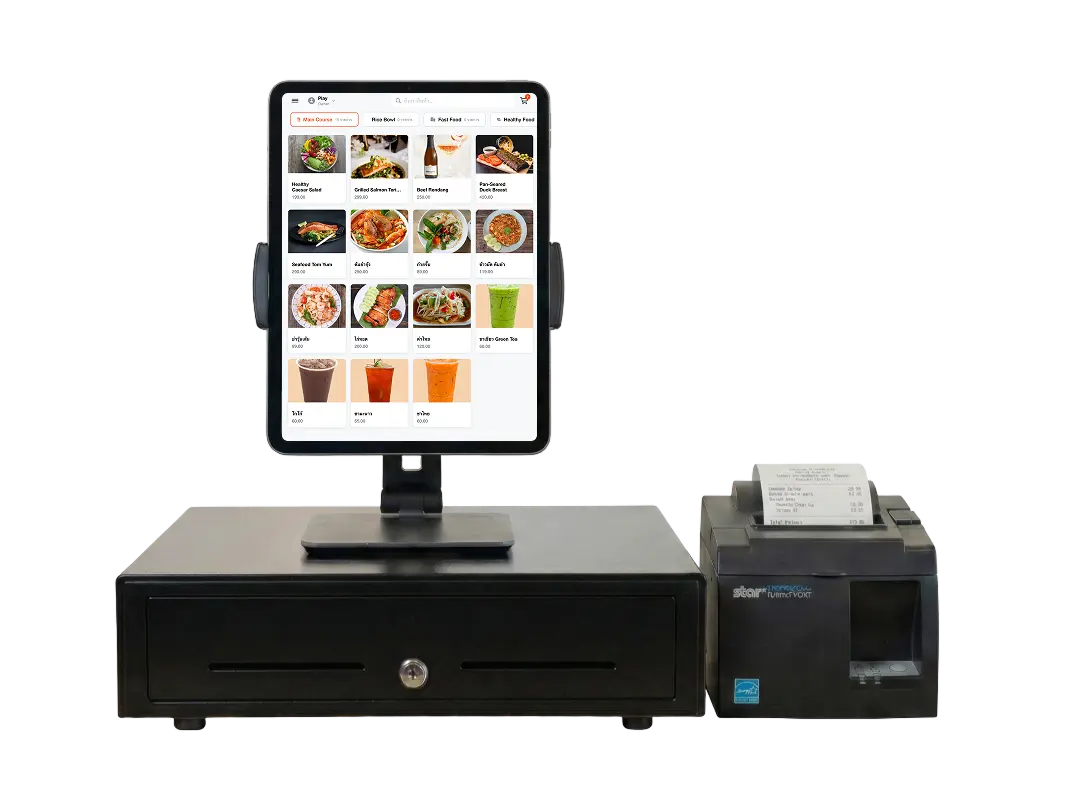
Compare Popular Models
See the details side by side before you decide.
| Feature | Xprinter ฿3,500-5,500 | Epson ฿8,500 - ฿14,500 Recommended | Star ฿9,400 |
|---|---|---|---|
| Reliability | ●●○○ (Decent) | ●●●● (Highly reliable, long-lasting) | ●●●● (Reliable, great for mobile) |
| Print Speed | Moderate (~200mm/s) | Very fast (~250-300mm/s) | Fast (~200-250mm/s) |
| Connectivity | LAN / USB (some models) | LAN / Bluetooth / USB (most complete) | USB / Bluetooth (mobile-focused) |
| Ease of Setup | LAN requires an in-shop network | Easy — available in LAN, Bluetooth, and USB models (iPad-compatible) | Easy (especially for iPad) |
| Durability | Moderate | High (built for heavy use) | High (global brand) |
| Best For | Small shops / starting budget | Restaurants / cafés / larger shops | iPad POS / food trucks / mobile |
| Standout Feature | Affordable, good value | Reliable + fast + high standard | Excellent iOS connectivity |
| Things to Consider | May struggle under heavy use | Pricier than other brands | Fairly pricey, USB on some models |
| MeeD POS | ✅ Supported | ✅ Best supported | ✅ Supported (great for iPad) |
Supports Every Connection Type
MeeD POS supports a range of printer connection types — pick the one that fits your shop's layout.
USB
Plug in directly and go, no setup needed
LAN
Multiple devices share one printer over the network
Bluetooth
Great for iPad POS, no wiring needed in the shop
Standards and Reliability
Elevate your iPad point-of-sale operation with international standards you can trust during even the busiest rush. Our system is built to work with hardware officially MFi (Made for iPad) certified, and connects to leading printer brands like Epson and Star through standard software straight from the manufacturer — for reliable printing with no interruptions, so your business runs smoothly.
MFi Certified
The official standard Apple certifies for accessories that work with iPad
Official Epson & Star Partners
Connects through standard software straight from the manufacturer, for reliable performance
Reliable Through Every Rush
Every print goes through without a hitch, handling high customer volume without the system going down
Recommended Models for MeeD POS
Models we've tested and confirmed work well with MeeD POS — choose based on your shop size and budget.

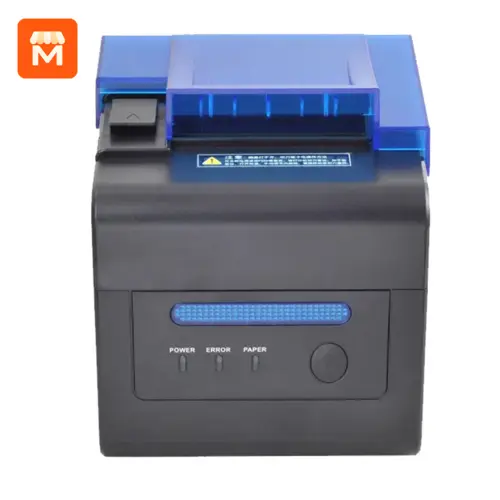
Xprinter XP-Q807K
Receipt Printer
An affordable 80mm printer, great for shops just starting out — easy to set up and ready to use instantly.
- Supports 80mm paper
- LAN connection
- Great for small–medium shops
- Easy setup, ready to use instantly
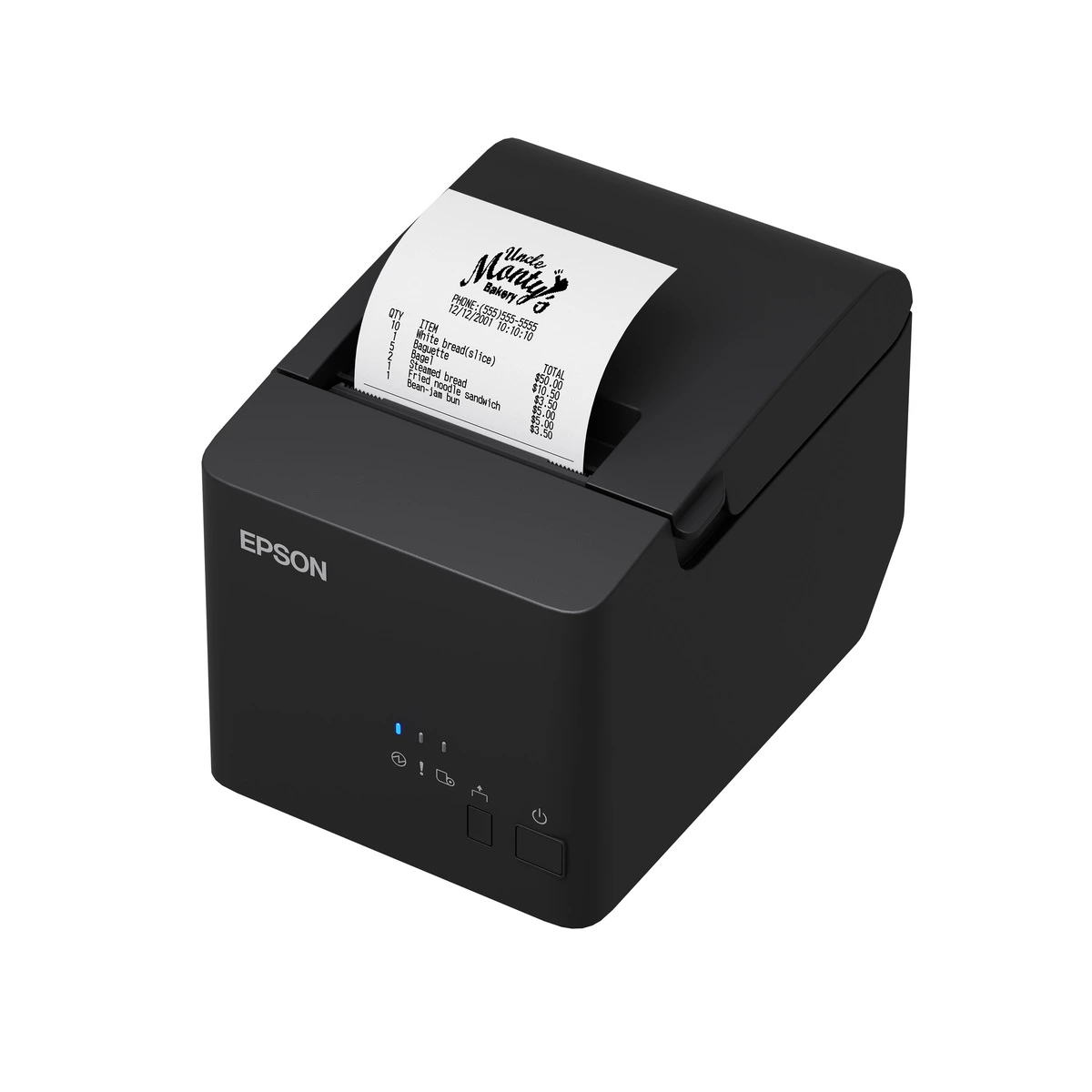
Epson TM-T82XII
Receipt Printer, Kitchen Printer
A standard POS printer with high reliability — fast printing, durable, and built for heavy daily use.
- Global brand (Epson)
- Fast, durable, handles heavy use
- Supports 80mm paper
- LAN support
- Great for shops that need high reliability
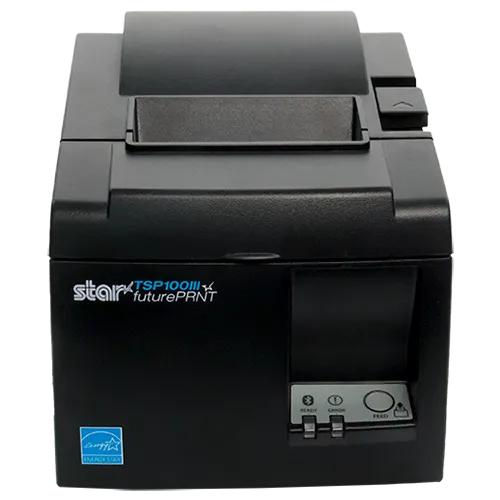
Star TSP143IIIU
USB Printer
A USB printer that connects straight to the iPad by cable — no network setup, great for cafés and food trucks.
- Global brand
- Direct USB connection
- Supports iOS / iPad POS
- Great for cafés / food trucks
- Easy setup, no network needed
Every Model Works With MeeD POS Instantly
No extra drivers to install — add the printer in the app and start printing receipts right away.
Which Receipt Printer Should You Choose?
Tell us about your shop, and the MeeD POS team will recommend the best fit.
Small shop / limited budget
Xprinter XP-Q807K
Serious shop / daily heavy use
Epson TM-T82XII
Single iPad / no network in the shop
Star TSP143IIIU (USB)
Up and Running Step by Step
No technician or IT team needed — do it yourself.
Plug In the Printer
Connect via USB, LAN, or Bluetooth
Add It in the MeeD POS App
Set up the printer in the app following the setup guide
Start Selling Instantly
Print receipts right away, no drivers to install
Which Printer Fits Your Shop?
The MeeD POS team is ready to advise you at no cost.
Chat via LINE
Talk to our team instantly — fast, to-the-point answers.
Chat via LINE NowTalk to Sales
Let our team help you choose the right model for your shop.
Contact SalesSee the full POS hardware lineup at the hardware page →
Printer setup guides: Set up Xprinter (LAN) · Set up Star TSP143IIIU (USB) · Set up Epson TM-m30III · Assign a printer to each kitchen station