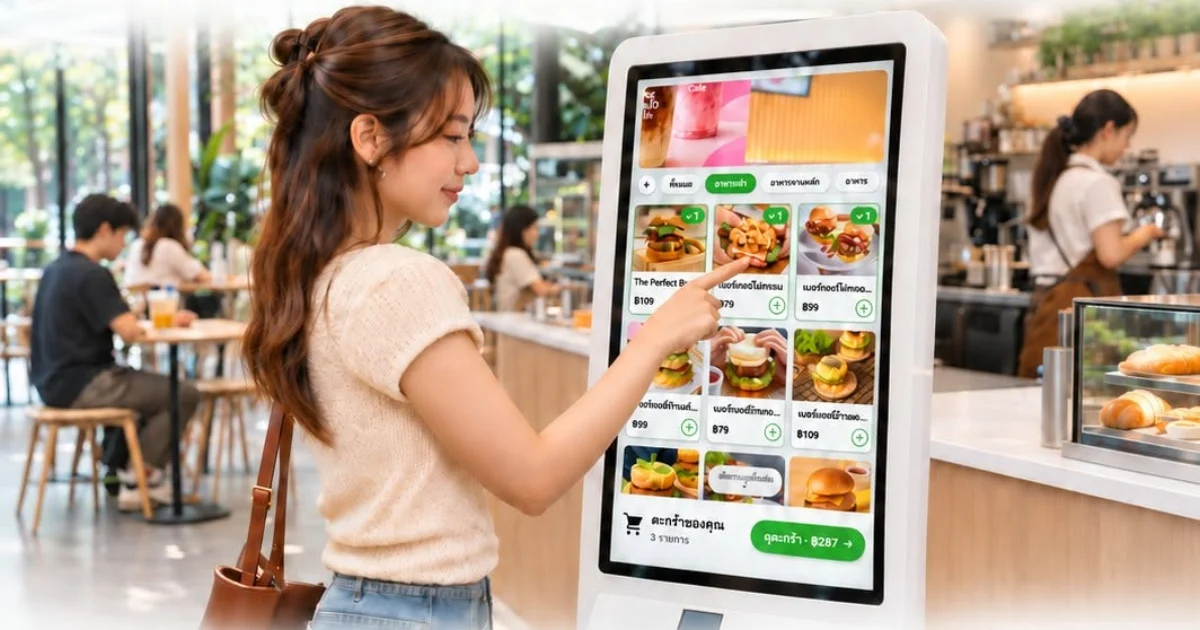
Self-Ordering Kiosk
Order. Pay. Pick up.
Let guests choose their food, review their order, and pay with PromptPay QR or cash at the counter. Orders go directly to MeeD POS, helping pay-first restaurants reduce routine order-taking and make better use of staff time.
Less routine order-taking
Give staff more time for food preparation and guest service.
Orders straight to POS
Reduce handwritten tickets and repeated data entry.
Made for pay-first service
QR payment or cash paid at the counter.
Dine-in or takeaway
Guests choose their order type at the start.
MeeD Kiosk at a glance
MeeD Kiosk is a self-service restaurant ordering system for pay-first service. Guests choose food, review their basket, and select a payment method on a restaurant-provided touchscreen. Orders go directly to MeeD POS with a queue number for food pickup.
- Best suited to
- Quick-service restaurants, rice and meal shops, cafés, and takeaway businesses that collect payment before food handover.
- Device used for ordering
- A restaurant-provided touchscreen; guests do not need to install a mobile ordering app.
- POS connection
- Direct connection to MeeD POS so staff can view order items and status without re-entering them.
- Payment options
- PromptPay QR through a mobile banking app, or cash paid to a staff member at the counter.
- Food collection
- Guests keep the queue number shown after submission. Cash orders are paid at the counter before food collection.
- Pricing and setup
- Request a quote from the MeeD team based on hardware, ordering points, and restaurant configuration.
What is a self-ordering restaurant kiosk?
A self-ordering kiosk is a touchscreen ordering station provided by the restaurant. Guests browse food photos and prices, choose items, and review their basket before submitting an order. It suits quick-service restaurants, rice and meal shops, cafés, and takeaway businesses where customers pay before collecting their food.
MeeD Kiosk connects directly to the MeeD restaurant POS system. Guests order on the kiosk while staff receive the items in the same system. Less listening, writing, and re-entering orders means the team can spend more time preparing, packing, and handing over food.
- Guests see food photos and prices and choose at their own pace.
- Reviewing items and quantities helps reduce miscommunication.
- Add an ordering point during busy periods with less counter entry work.
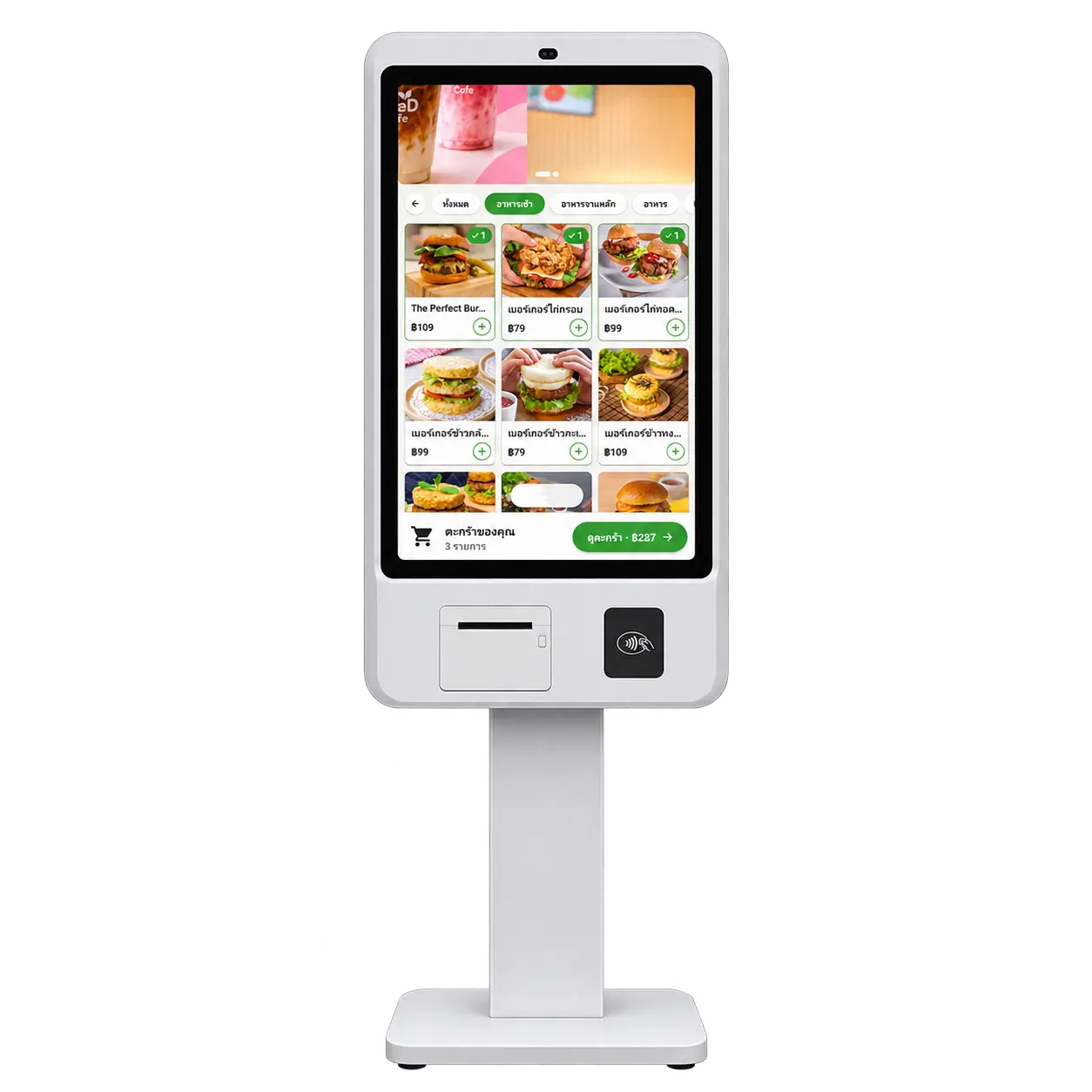
How does ordering through a kiosk work?
From menu selection to a POS order, one clear step at a time.
1. Choose your food
Select dine-in or takeaway, then browse food photos and menu categories.
2. Review the order
Check items, quantities, and the basket total before proceeding to payment.
3. Choose how to pay
Scan a PromptPay QR code or select cash and pay a staff member at the counter.
4. POS order and queue number
Items go directly to MeeD POS. Guests keep their queue number to collect their food.
See the MeeD Kiosk ordering screens
Explore each step, from starting an order to receiving a queue number.
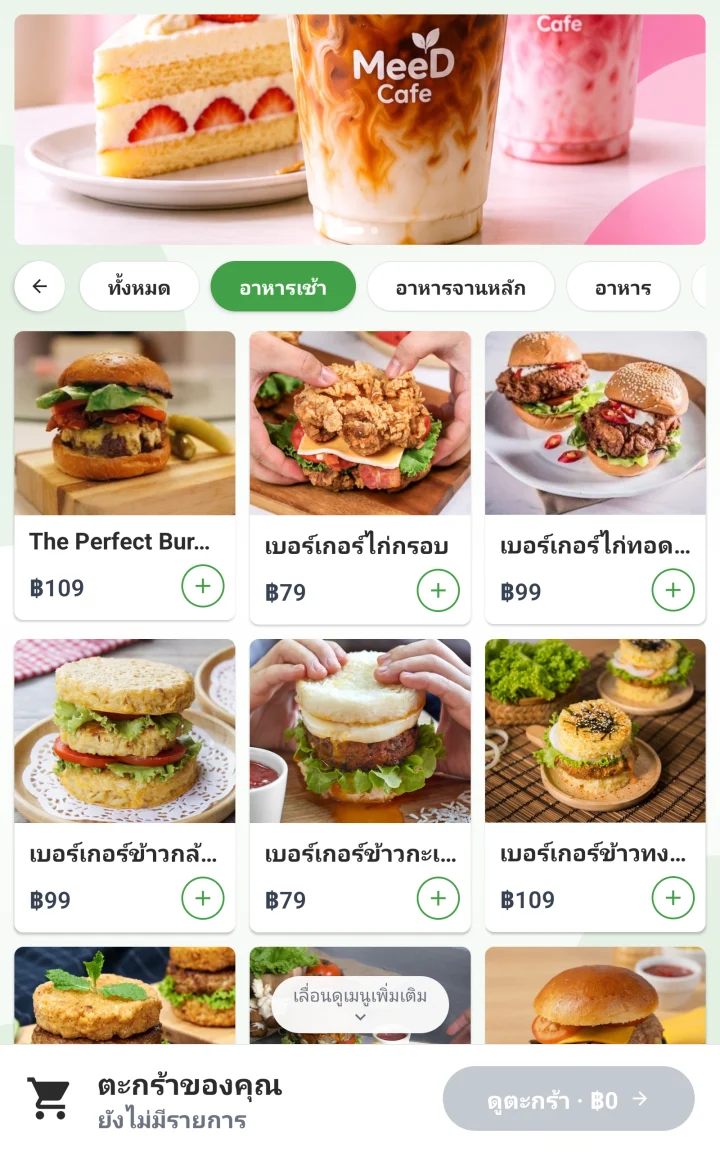
See the food. See the price. Choose.
Guests browse photos, switch categories, and add items without waiting for a cashier to read the menu. It adds another ordering point during busy periods.
- Food photos and prices together
- Browse by menu category
- Basket summary and selected-item total
Kiosk features for smoother counter service
Let guests handle ordering while your team focuses on preparing food.
Photo menus and prices
Show food photos, prices, and categories so guests can browse and add items to their own basket.
Dine-in and takeaway
Capture the order type at the start so staff can plan serving or takeaway packaging.
Review before submitting
Guests can change quantities, remove items, or return to the menu before moving to payment.
PromptPay QR or counter cash
Offer QR payment through a banking app and a cash option paid to staff at the counter.
Direct MeeD POS connection
Kiosk orders go straight to MeeD POS, reducing the need for staff to enter the same items again.
Queue-based order tracking
Guests receive a queue number. Staff can view payment-pending, waiting, preparing, and ready orders in the order management screen.
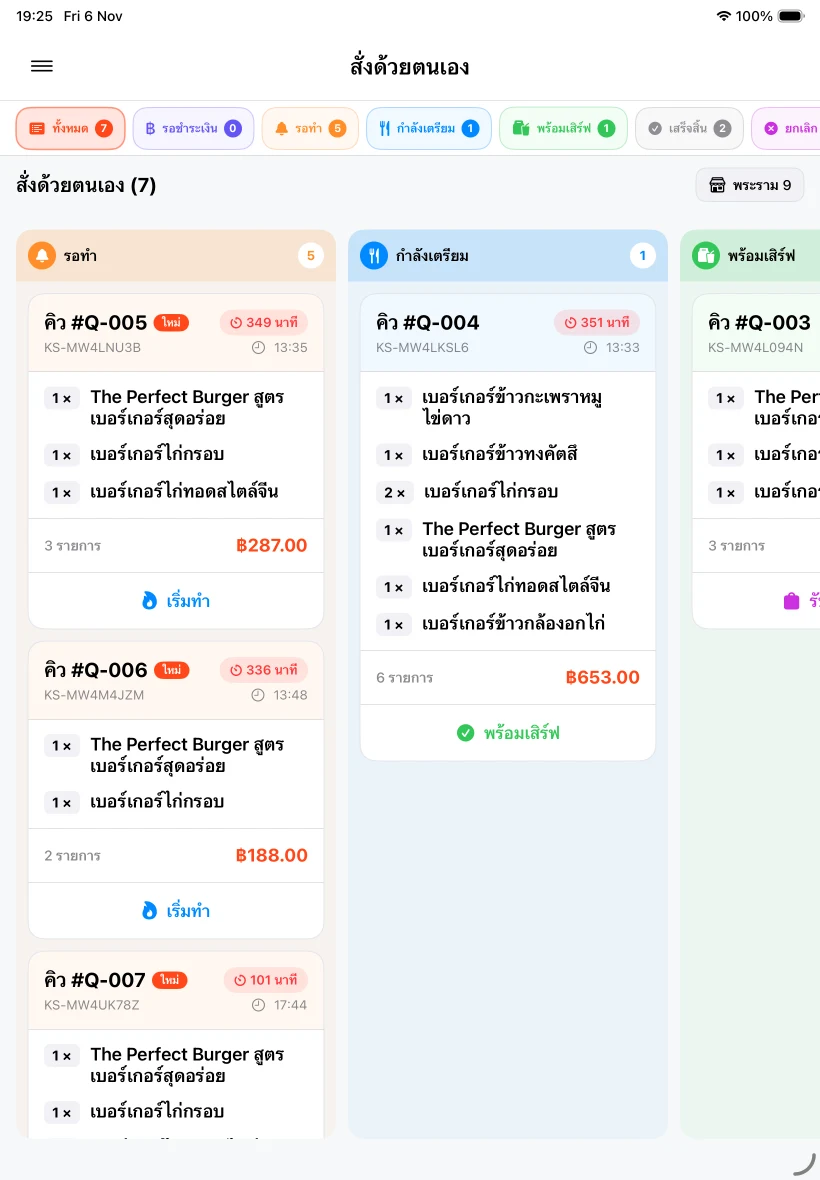
Guests order at the kiosk. Staff receive it in POS.
Connect the guest’s ordering screen with your restaurant’s workflow. Submitted kiosk items go directly to MeeD POS, where staff see queue numbers, food items, quantities, and order totals in one place.
See exactly what was selected
View each order’s queue number, items, quantities, and total from the POS.
Follow each order’s progress
View payment-pending, waiting, preparing, ready, and completed orders.
Put staff where they are needed
Spend less time taking and entering orders, freeing time for preparation, packing, and handover.
Plan a kiosk setup around your restaurant
Kiosk pricing depends on hardware, the number of ordering points, and the configuration your restaurant needs. Ask the MeeD team to assess software and equipment against your service workflow.
- Peak-time guest numbers and space for an ordering station
- Menu items, food photos, prices, and dine-in or takeaway options
- PromptPay QR and cash-at-counter payment steps
- Compatible equipment, internet connectivity, and the pickup point
Kiosk or QR ordering: which suits your restaurant?
Both let guests order themselves and send items to MeeD POS. Choose according to where guests begin ordering and which device they prefer to use.
| Comparison | MeeD Kiosk | MeeD QR Order |
|---|---|---|
| Device for browsing the menu | A touchscreen provided by the restaurant | The guest’s phone, after scanning a QR code |
| Where ordering starts | An ordering station near the entrance or counter | A table or another point displaying the restaurant’s ordering QR code |
| Service fit | Pay-first restaurants with queue-based food collection | Restaurants where guests prefer to browse and order on their own phones |
| What to prepare | Compatible hardware, station space, menu, and a pickup point | The digital menu and QR codes for tables or ordering points |
| How staff receive orders | Items sent directly to MeeD POS | Items sent directly to MeeD POS |
Which restaurants suit a kiosk?
A natural fit when guests choose, pay first, and collect food by queue number.
Quick-service restaurants
Burgers, fried chicken, and other menus ordered and paid for before counter pickup.
Cafés and drink shops
Add a menu selection point while staff prepare drinks and hand over orders.
Rice and meal shops
Let guests select their meals to reduce routine order-taking during the lunch rush.
Takeaway businesses
Capture takeaway orders and use queue numbers to organize food handover.
Related Content
Restaurant kiosk questions
Answers for owners planning self-service, pay-first ordering.
How can a kiosk help control staffing costs?
A kiosk reduces time spent taking, writing, and entering orders. Staff can spend more time preparing food, packing, and helping guests. Actual savings depend on order volume, kiosk numbers, and shift planning; compare staff time and costs before and after introducing it.
Do kiosk orders go directly to the POS?
Yes. MeeD Kiosk sends items directly to MeeD POS. Staff can view queue numbers, menu items, quantities, totals, and order status without entering the same items again.
Can guests pay cash?
The kiosk offers a cash option. Guests select it, keep their queue number, and pay a staff member at the counter. This is counter payment; the kiosk does not accept inserted cash.
Is PromptPay QR available?
The payment screen includes a PromptPay QR option for payment through a banking app. Our team helps check payment configuration and confirmation steps before your restaurant starts using it.
Do guests need a phone or an ordering app?
Guests choose and submit food on the restaurant’s kiosk screen without installing an ordering app. They need their phone and banking app if they choose PromptPay QR payment.
How much does a restaurant kiosk cost?
Cost depends on equipment, the number of ordering stations, software, and payment configuration. Share your restaurant type and required setup with the MeeD team for a tailored quote. Request kiosk pricing
How is kiosk ordering different from QR ordering?
A kiosk uses a touchscreen provided by the restaurant. QR ordering lets guests scan a code and browse on their own phones. Choose according to your space, ordering points, and customers’ preferences. Explore QR ordering
Let guests order. Give your team time for the food.
Tell the MeeD team about your restaurant and ordering workflow. Plan a kiosk connected to your POS and see a demo before deciding.
Book a kiosk demo on LINE