
iPad POS for Restaurants, Cafés & Retail
Take Orders, Check Out, Review Sales
MeeD POS is an iPad-based point-of-sale system designed specifically for restaurants, cafés, and retail shops in Thailand.
Start with orders and checkout, then choose a plan with inventory, QR Order, or CRM loyalty points to suit your workflow. Try it free for 30 days. Built for restaurants, cafés, retail shops, and pet shops
Contact us
086-499-929930-day free trial · Plans start at THB 250/month afterwards


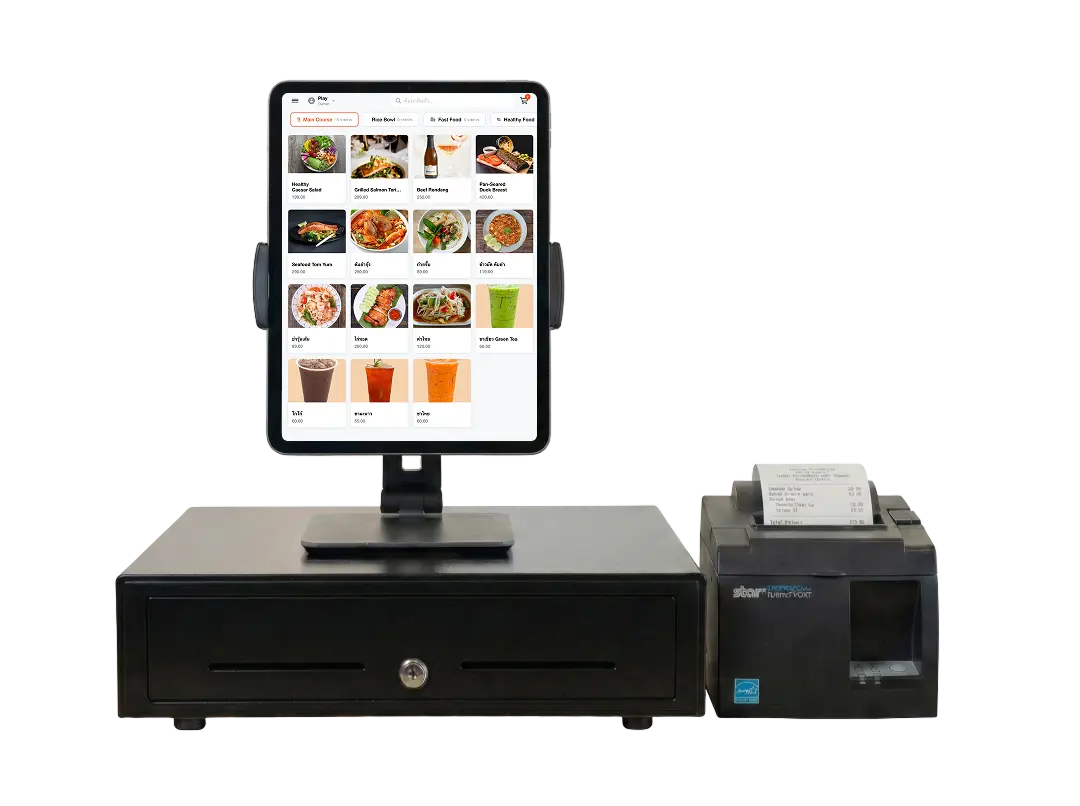
Standout Features Shops Choose MeeD POS For
Explore the standout features that help shops work faster and more accurately.
Know Your Sales Instantly
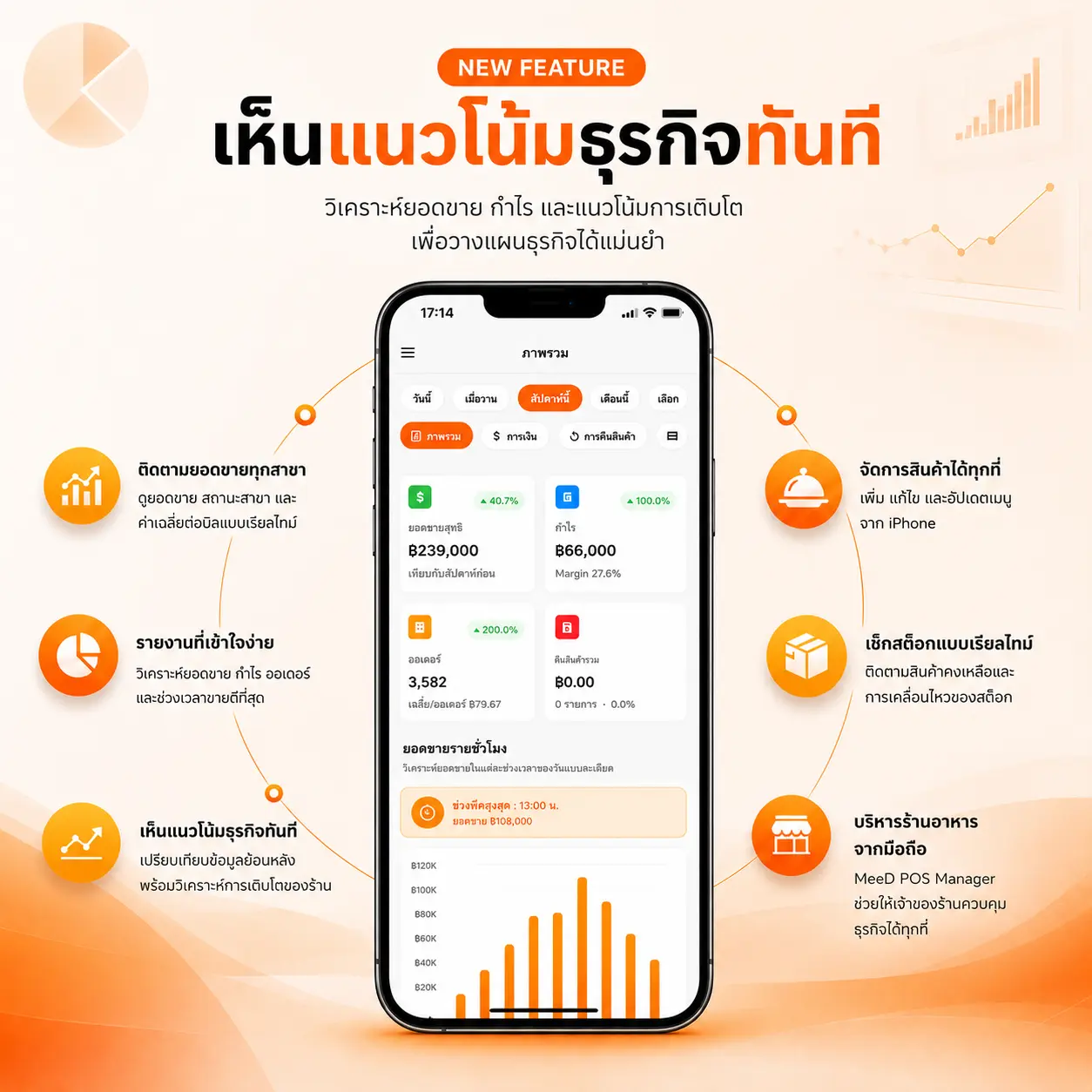
The MeeD POS Manager app analyzes sales, profit, and growth trends so you can plan with confidence — monitor every branch from your phone, anywhere.
Manage products from anywhere — add, edit, and update your menu right from your iPhone
Track sales across every branch in real time, and check stock movement as it happens
Easy-to-read reports that compare historical data and surface your best-selling periods

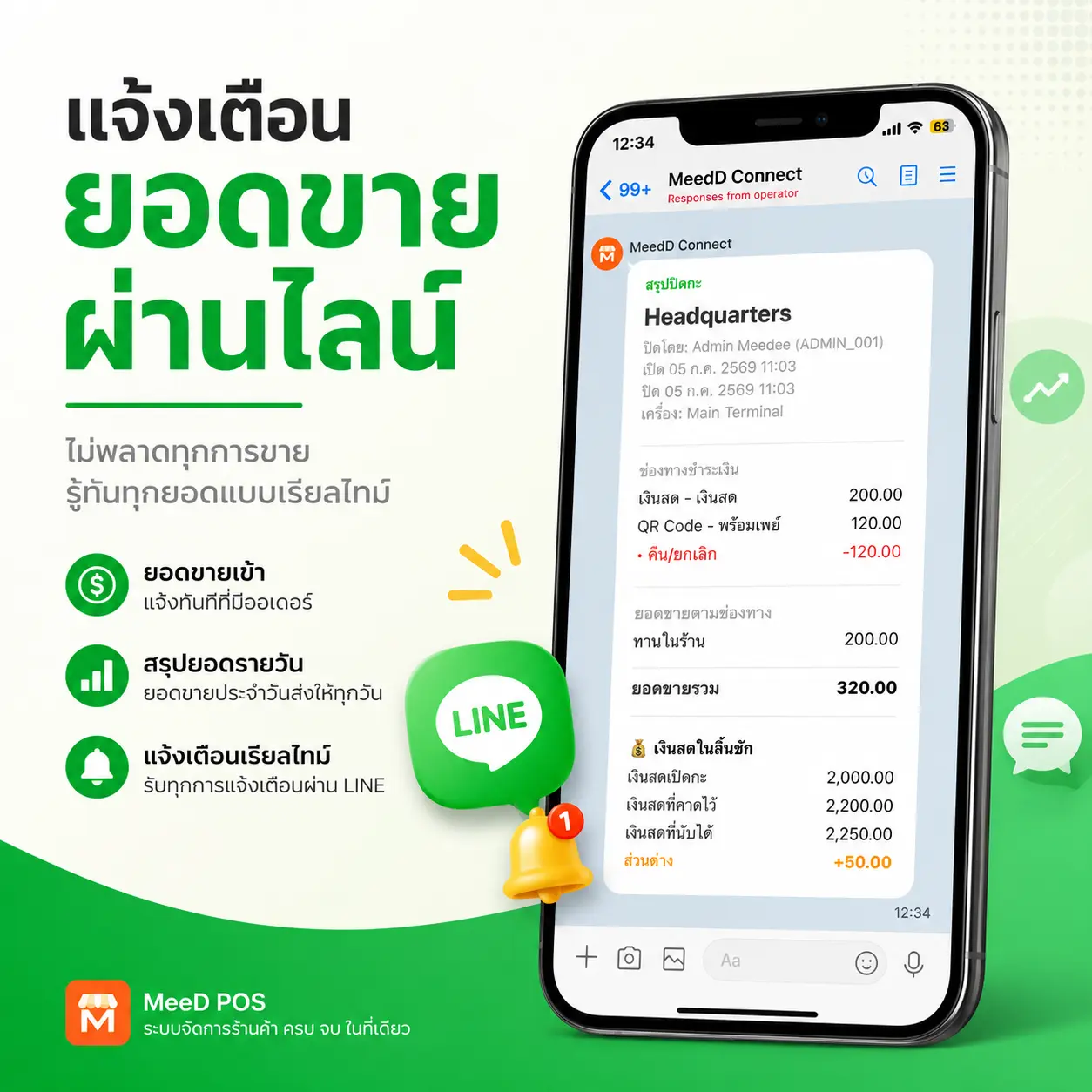
Shift-Close Alerts via LINE
Connect a LINE Official Account to MeeD POS to get shift open/close alerts and real-time sales summaries sent straight to LINE — no need to keep the app open to stay on top of your shop.
Get a sales summary broken down by payment channel, with order counts, every time a shift closes
Compare expected cash against actual cash and see the difference instantly in LINE chat
Set up following the setup guide via QR code — works in both individual and group chats
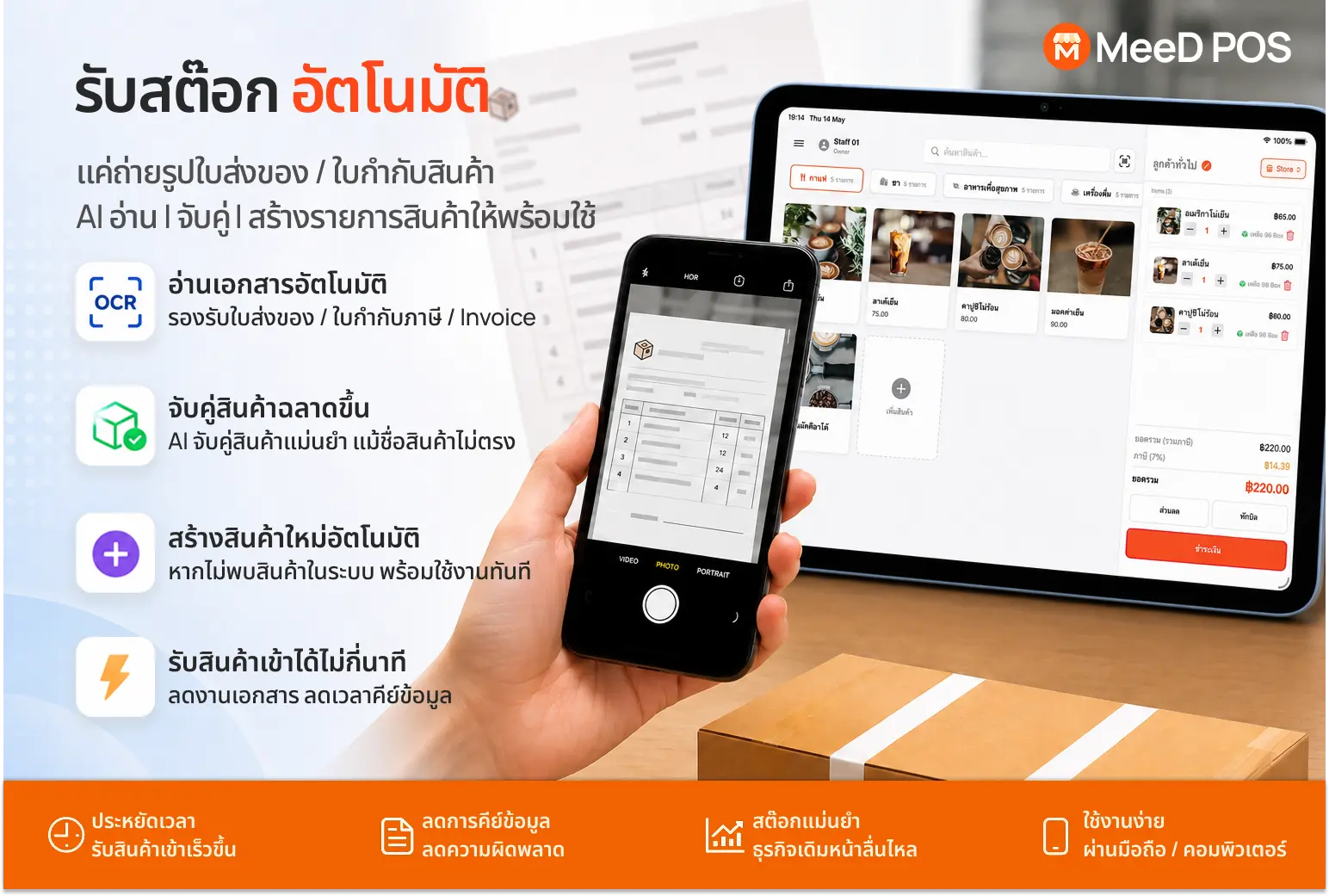
AI Automatic Stock Receiving
Just photograph a delivery note, invoice, or tax invoice — AI reads it with OCR, matches items against your product list, and creates a ready-to-use goods receipt instantly.
Automatic OCR document reading — supports delivery notes, tax invoices, and standard invoices
Accurately matches items to your product list, even when document names don't exactly match your system
Automatically creates a new product entry when no match is found, cutting data entry time from tens of minutes to just a few
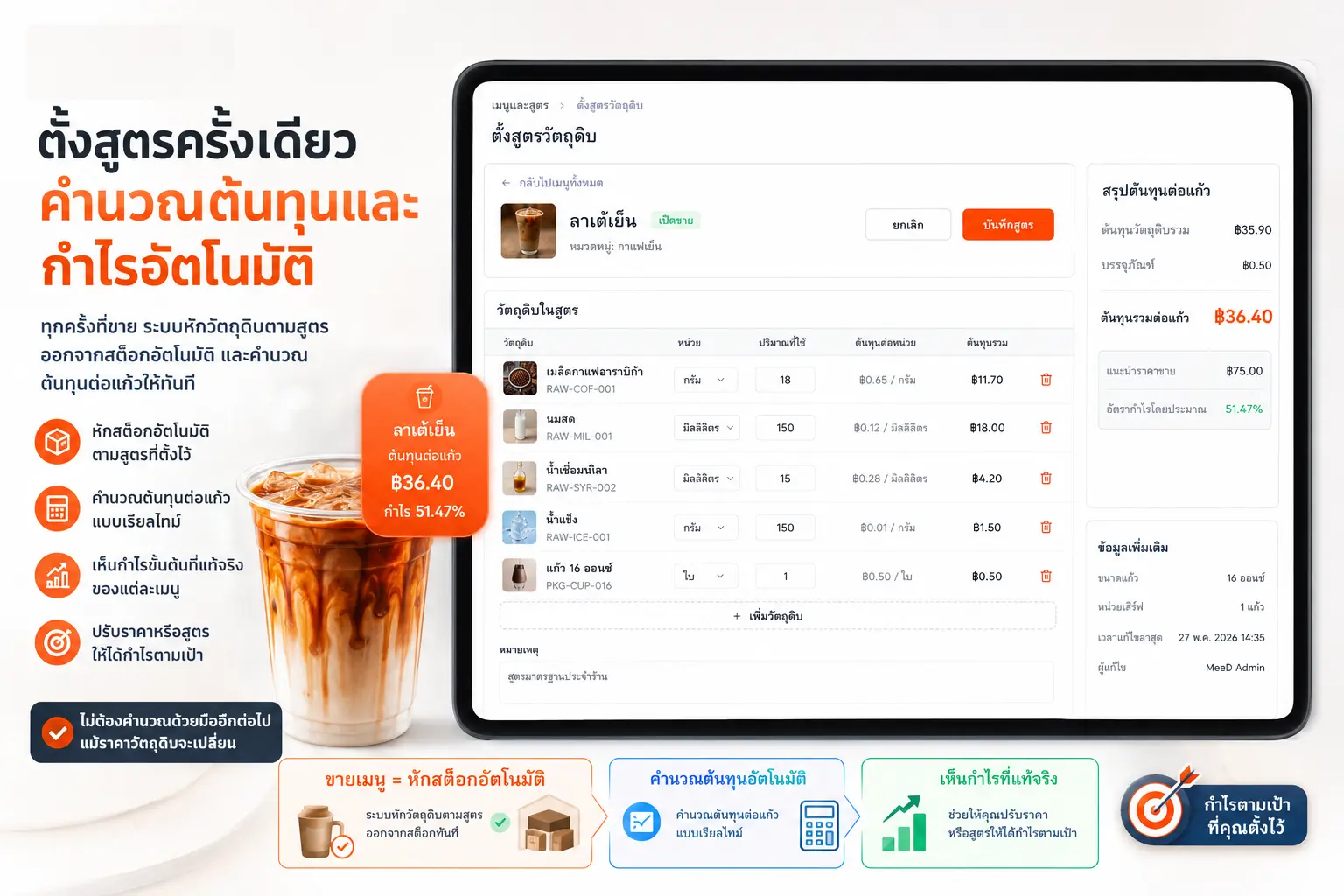
Build Recipes & Bills of Materials (BOM)
Set up a recipe (Recipe/BOM) specifying the ingredients and quantities each menu item uses — stock is deducted automatically on every sale, and per-item cost is calculated instantly.
Ingredient stock is deducted automatically every time that menu item sells — no manual adjustments needed
Per-item cost and gross margin are calculated instantly from the recipe you set up
Convert ingredient units freely — buy in bulk units but use smaller units in the recipe; the system automatically calculates cost per unit
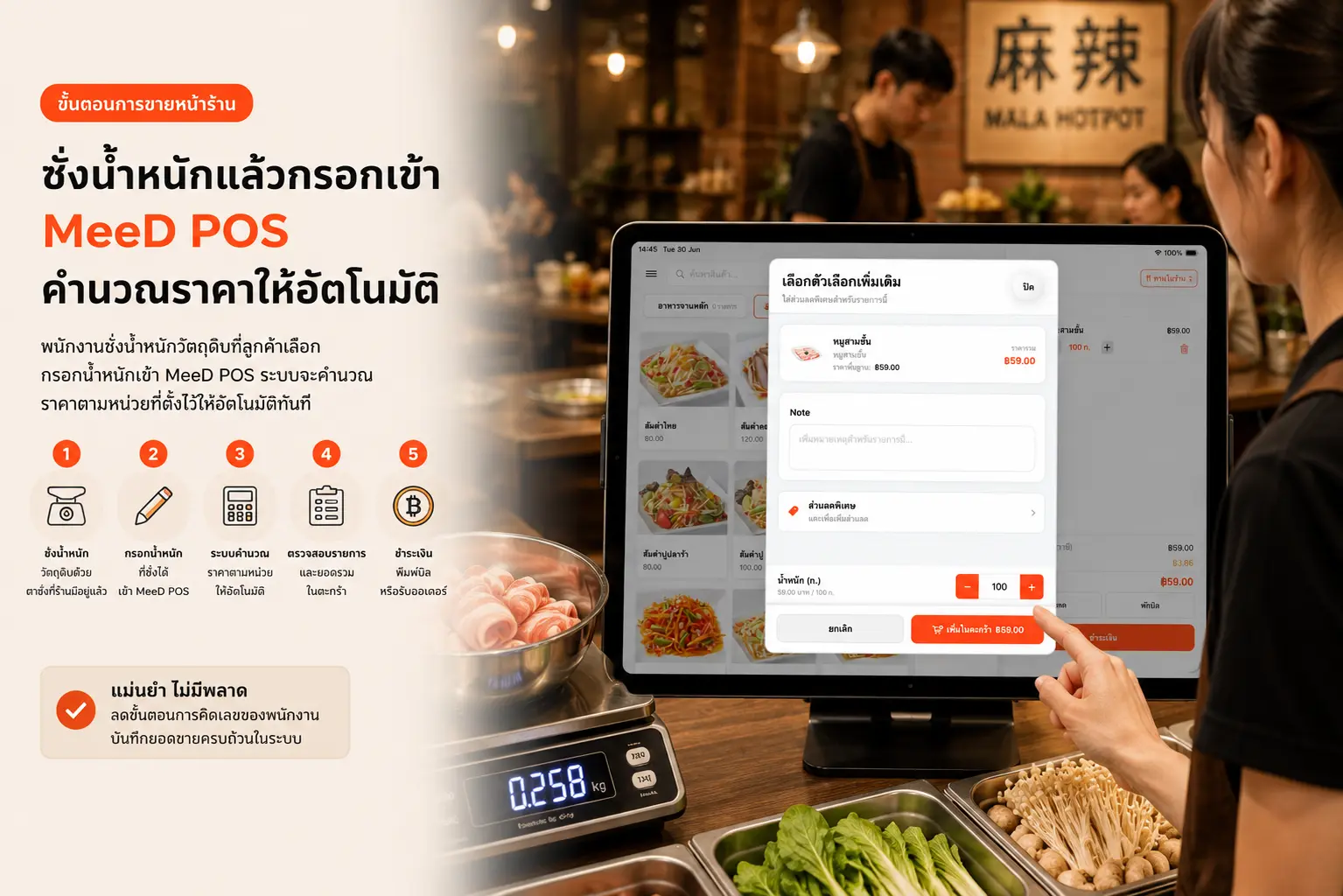
Sell by Weight, Switch Units Freely
Set a price per hundred grams or per gram for each product. What used to take 3 steps (weigh, calculate, key in the total) is now just weigh and enter — the price calculates instantly with no manual math.
Set a price per unit of weight for each product — pork, mushrooms, fresh vegetables can all have different rates
Enter the weight and the price calculates automatically, cutting errors from mental math
Switch sales units per product — sell by kilogram, hundred grams, piece, or pack, whatever suits the shop
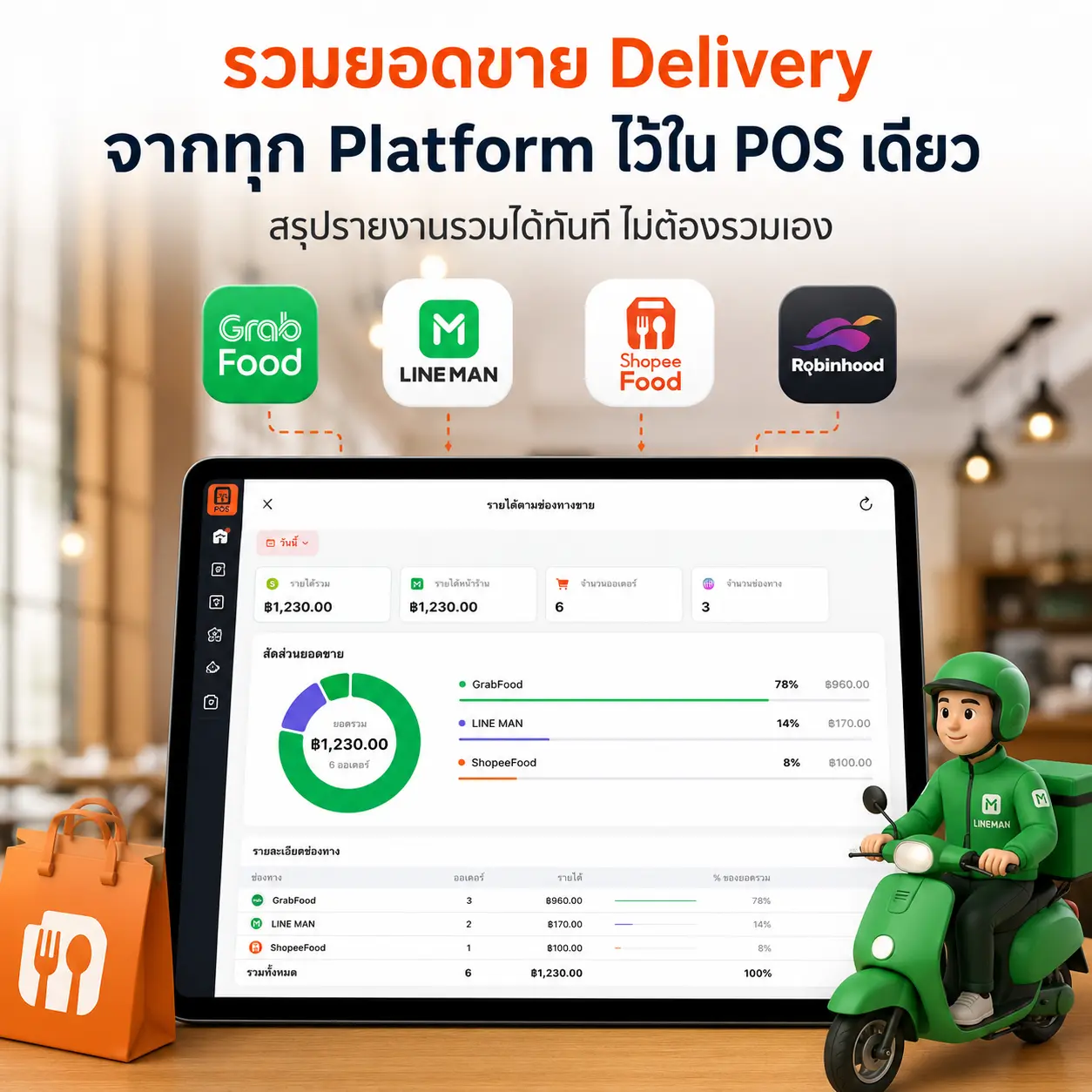
All Delivery Channels, One Platform
Record delivery sales from every platform into the same POS system — get a combined report of in-store and delivery sales instantly, no more manually tallying numbers.
Easily record orders from GrabFood, Lineman, Shopeefood, and Robinhood into your POS — all channels' sales in one place
Get an instant sales breakdown by delivery channel — see which platform performs best and where to focus promotion
Keep historical data to compare delivery sales trends against in-store sales for a clear view of your business
iPad POS Features That Boost Sales and Run Your Shop Like a Pro
A POS system designed for restaurants, cafés, and retail shops — built to improve efficiency and cut operating costs.
Order Management
Take orders fast, in-store and online, with kitchen notifications built in.
Payments
Accept cash, credit cards, and QR code payments in one system.
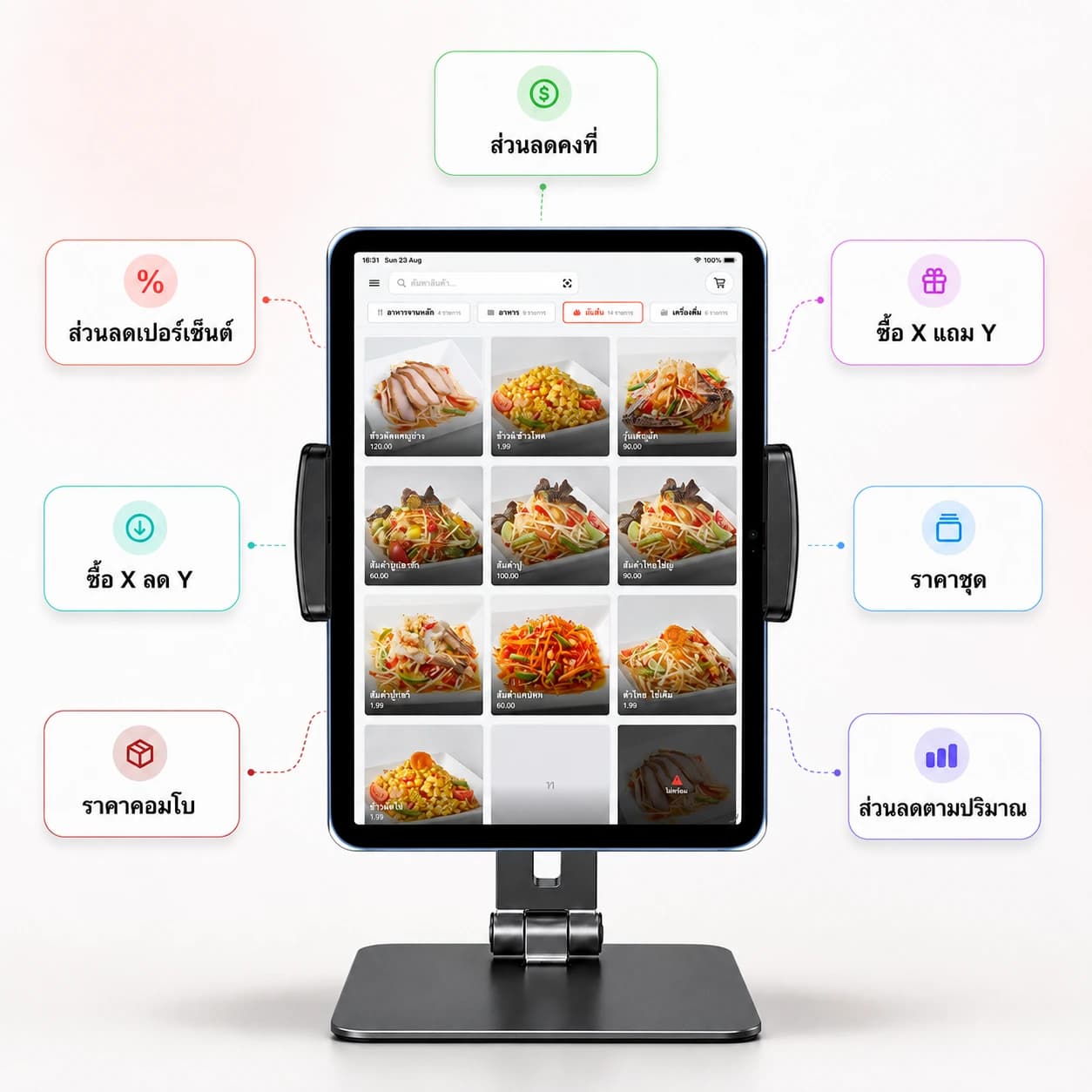
Promotions
Create and manage promotions, discounts, coupons, and loyalty programs to drive sales.
Reports & Analytics
See sales reports, best-selling items, and business trends in real time.
Menu & Pricing
Add, edit, price, and categorize menu items easily, complete with photos.
Stock Control
Track ingredients, get low-stock alerts, and manage suppliers.
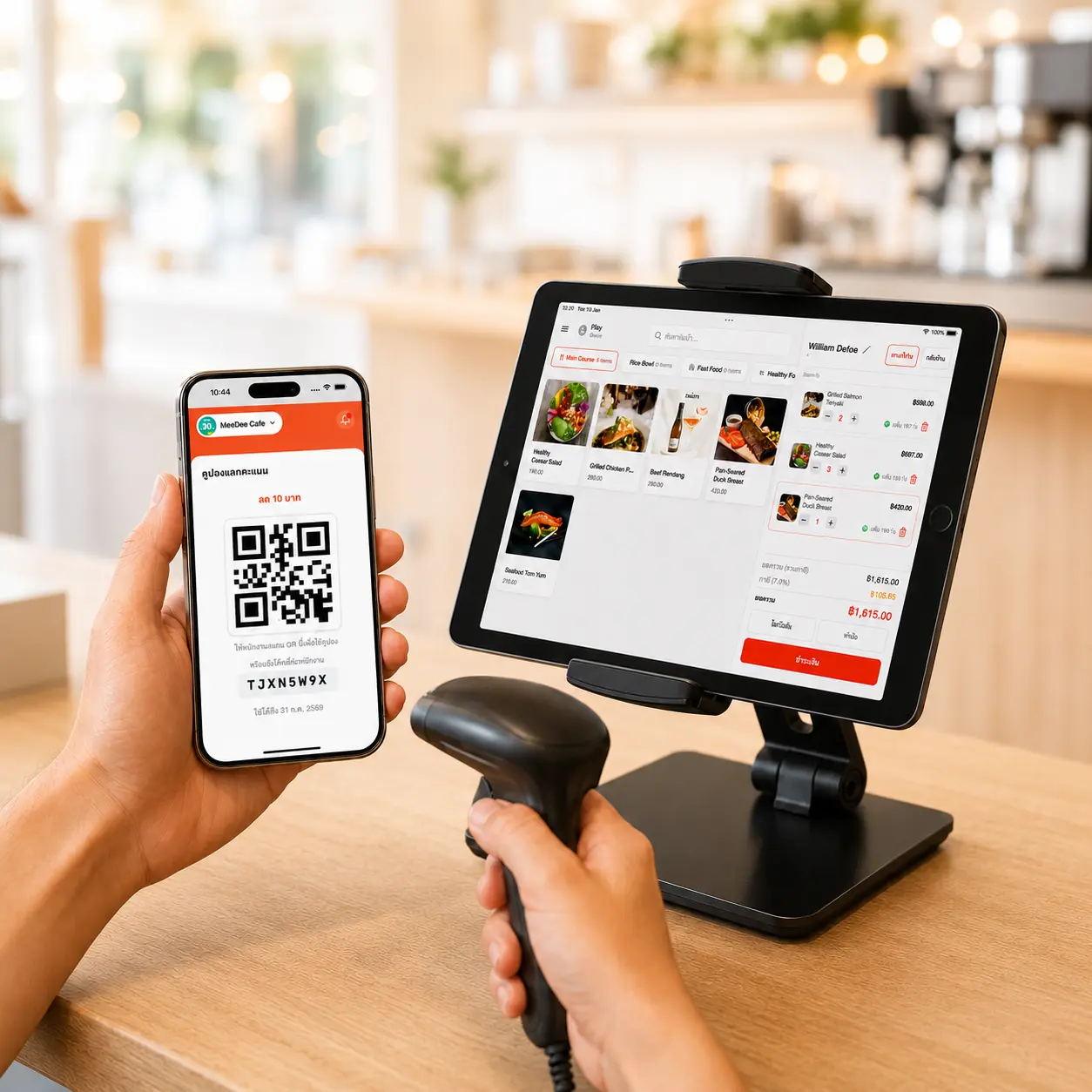
Point of Sale
With Built-In CRM
A CRM system for restaurants, cafés, and retail shops — loyalty points, repeat-customer management, and more reasons for customers to come back.
Select a repeat customer instantly when opening a bill, with their full order history on hand — helps staff recommend the right items
Built-in loyalty points with a rate you set yourself — customers redeem points for discounts or freebies right at checkout
View individual customer profiles: total spend, remaining points, and favorite items, so you can plan promotions precisely
Run Promotions Easily
Boost Sales Instantly
Create and manage promotions yourself — no need for staff to memorize anything. Discounts calculate automatically on every bill.
Create promotions in many forms: buy-2-get-1, percentage discounts, fixed-amount discounts, and new-customer welcome discounts
Turn promotions on and off instantly from the app, and schedule them — like weekday discounts or an afternoon Happy Hour
Discounts calculate automatically at checkout, with every line item shown clearly so customers see the full discount before paying
Customers Order For Themselves
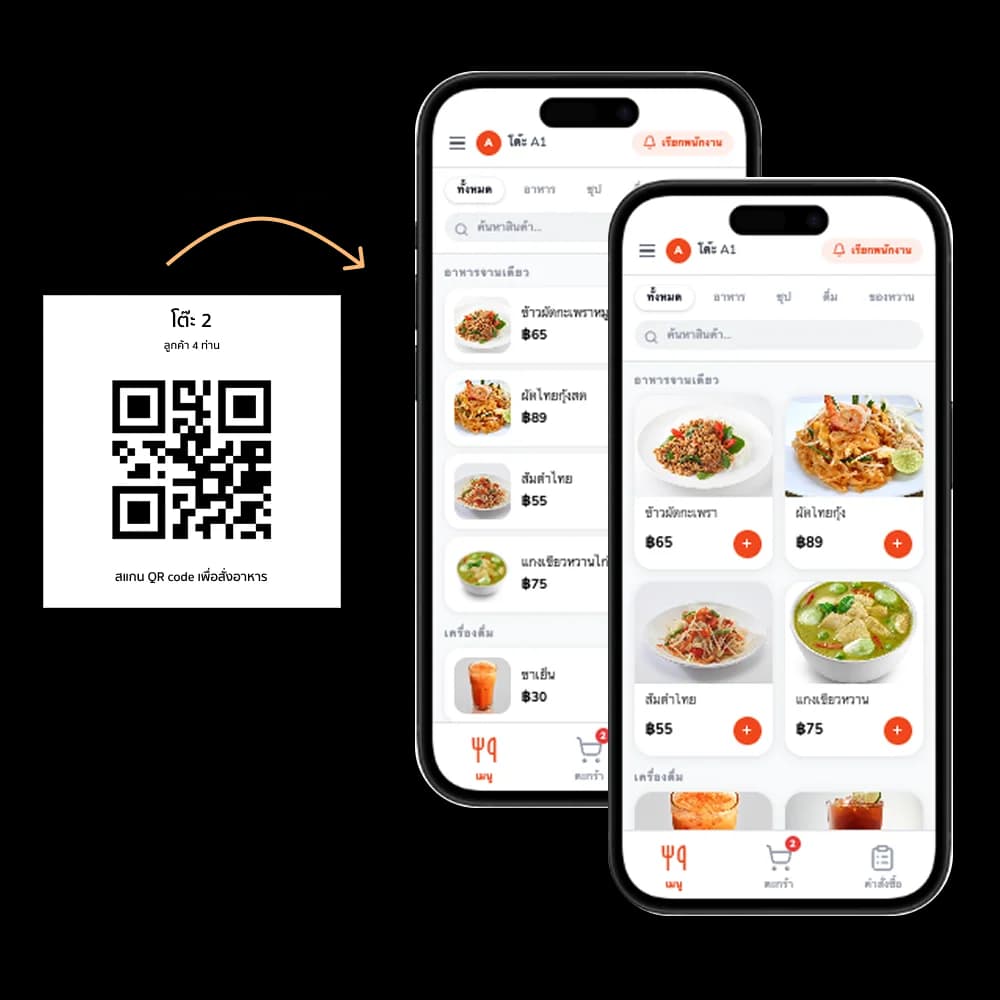
Dynamic & Static QR
Supports both Dynamic QR (regenerated every session, highly secure) and Static QR (fixed at the table, convenient). Customers browse the menu, order, track status, and call staff — all from their phone.
Supports both Dynamic QR (regenerated by staff each session, highly secure) and Static QR (fixed at the table, scan instantly) — choose the mode that fits your shop
Customer orders go straight into the POS system — staff see and confirm items in the app before sending to the kitchen, cutting order mistakes and manual entry
Customers track order status in real time on screen and can call staff directly — no waving or shouting, for a better customer experience
Everything a Restaurant Needs
All in One Place
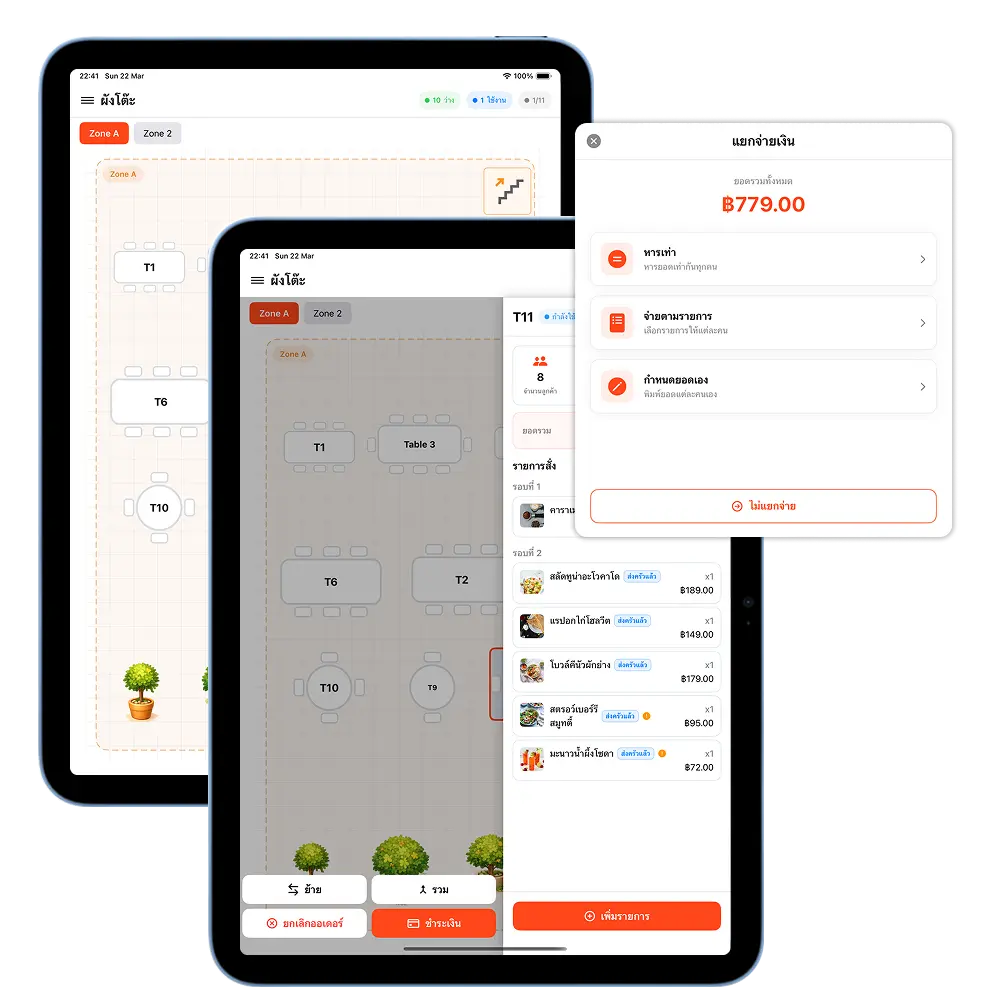
Table management, order taking, kitchen routing, and split payments on iPad — built specifically for restaurants. Easy to use, built for a smooth floor operation.
Set up zones and lay out your floor plan to match your restaurant, with real-time table status so staff can manage the floor faster and more accurately
Take orders by table, pick menu items, add notes, and send straight to the kitchen — with a full view of every table's order
Split payments multiple ways: split evenly, pay by item, or set a custom amount — closing a bill is fast, no manual math needed
Supports a wide range of payment methods
Accept Payments Easily, Every Channel
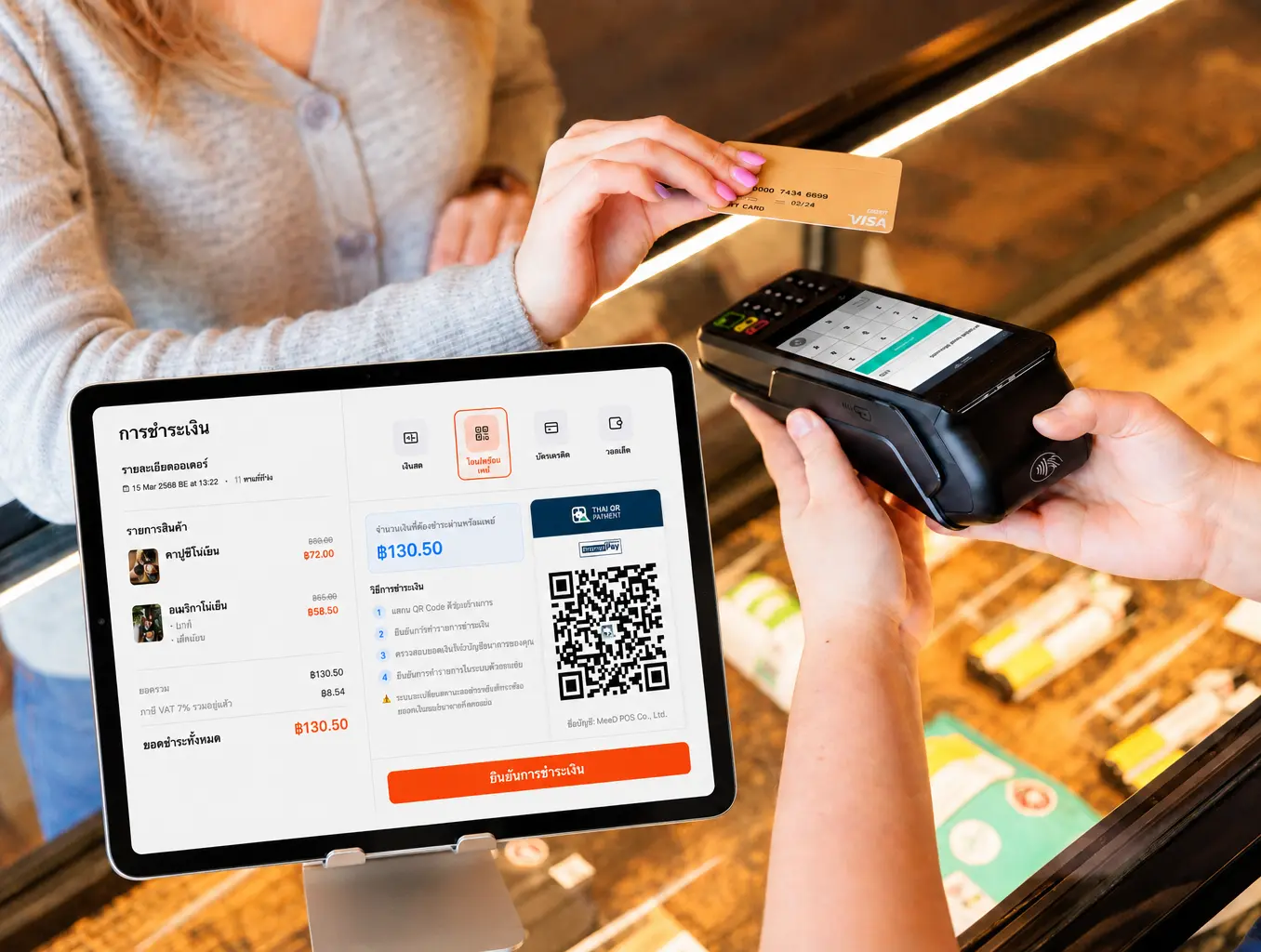
Our system supports every payment method, keeping your customers comfortable and expanding sales opportunities for your shop.
PromptPay QR (Static)
A fixed QR code printed on the receipt — customers scan and enter the amount themselves
Ideal for shops that want a permanent, unchanging QR code — set it up once and go
See How It WorksPromptPay QR (Dynamic)
A QR code generated from the order with the amount locked automatically — customers never enter a number
Prevents wrong-amount transfers and fake slips, with automatic transfer detection
See How It WorksCredit / Debit Cards
Accepts Visa, Mastercard, and more




Cash
Still fully supports traditional cash payments
E-Wallets
Supports TrueMoney Wallet, Rabbit LINE Pay, and more




Customer-Facing Display
A Modern Checkout Experience
A customer-facing display tablet connected to your POS, showing items and prices in real time — building transparency, trust, and a better checkout experience.
Works on both iOS and Android tablets — use a device you already own, no need to buy an expensive dedicated display
Connects to your POS over the shop's WiFi instantly — simple setup, running in minutes, no wiring or complicated installation
Stable, uninterrupted, updating in real time — customers clearly see what they ordered, the price, and the total, building transparency and trust

What do you need to use MeeD POS on an iPad?
Use an iPad to take orders, check out customers, and review sales. Choose a plan for your workflow and test it with your own menu before opening for service.
Check your iPad and hardware
The main app requires iPadOS 17.6 or later. Check printer models, ports, and network compatibility before buying additional equipment.
iPad setup and first-sale guide (Thai)Match your shop's workflow
Restaurants should test tables and kitchen routing. Cafés and retail shops should also try their product options and checkout process.
Explore POS for restaurantsTry it before choosing a plan
Try MeeD POS free for 30 days, then check the QR Order, inventory, and CRM entitlements before choosing the right plan for your shop.
Compare prices and plan featuresPrepare internet access for data syncing and online services. Printing depends on your equipment model and setup.
30-day free trial · Plans start at THB 250/month afterwards
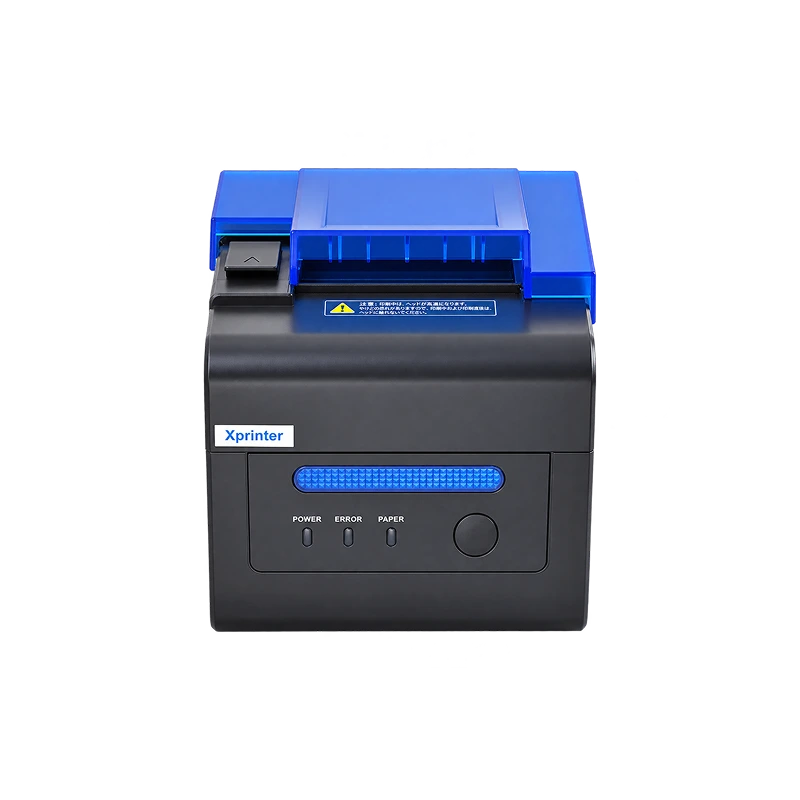
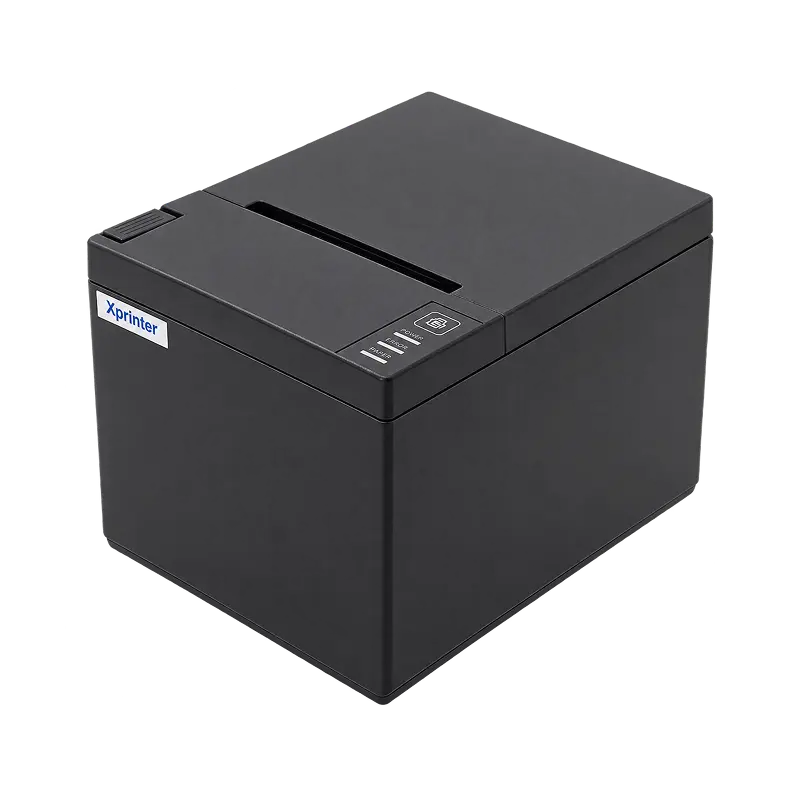
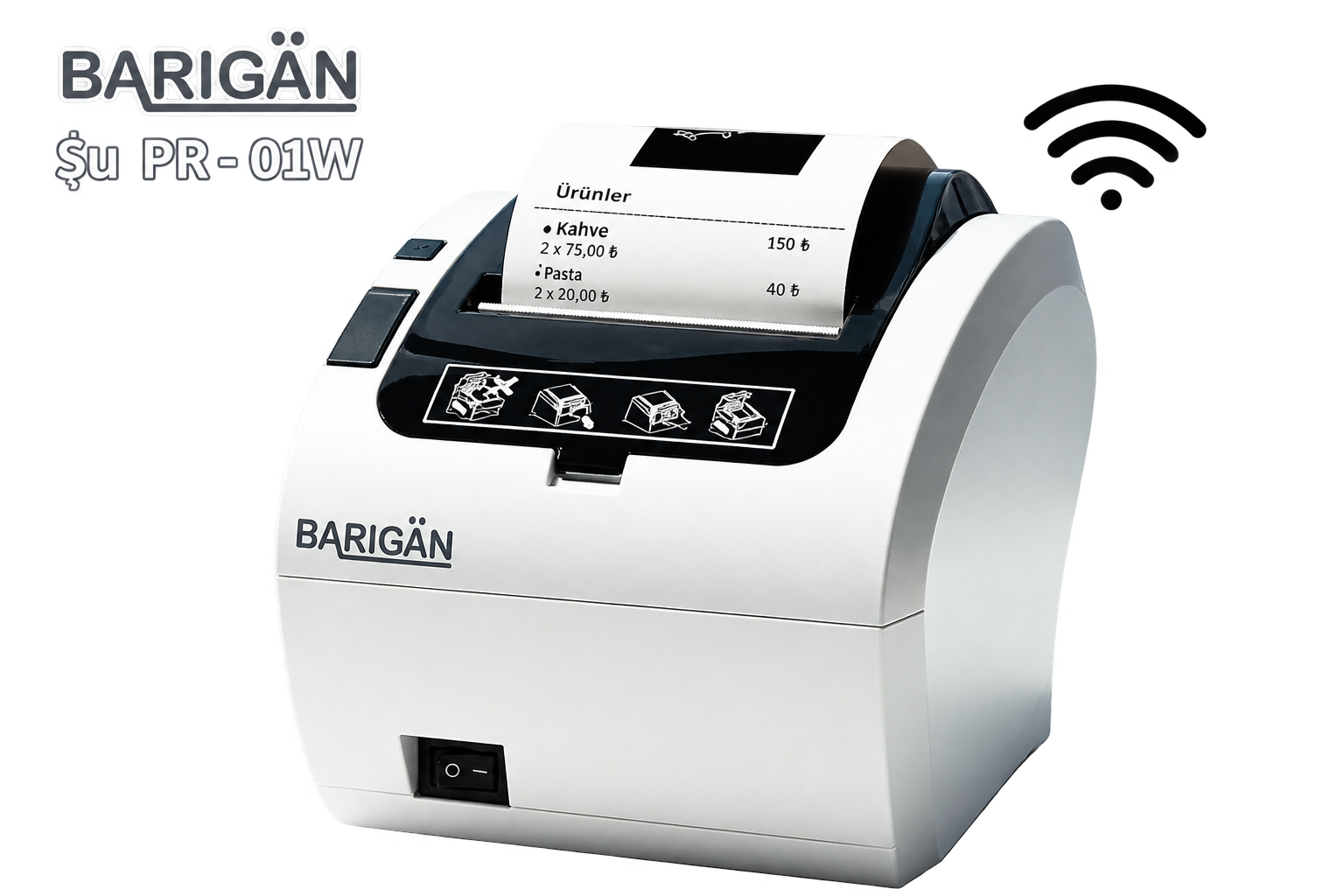
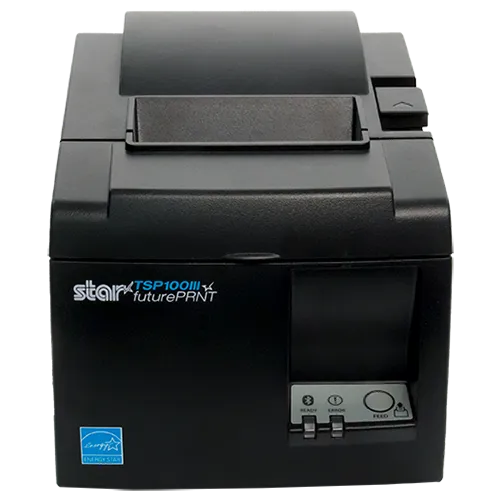
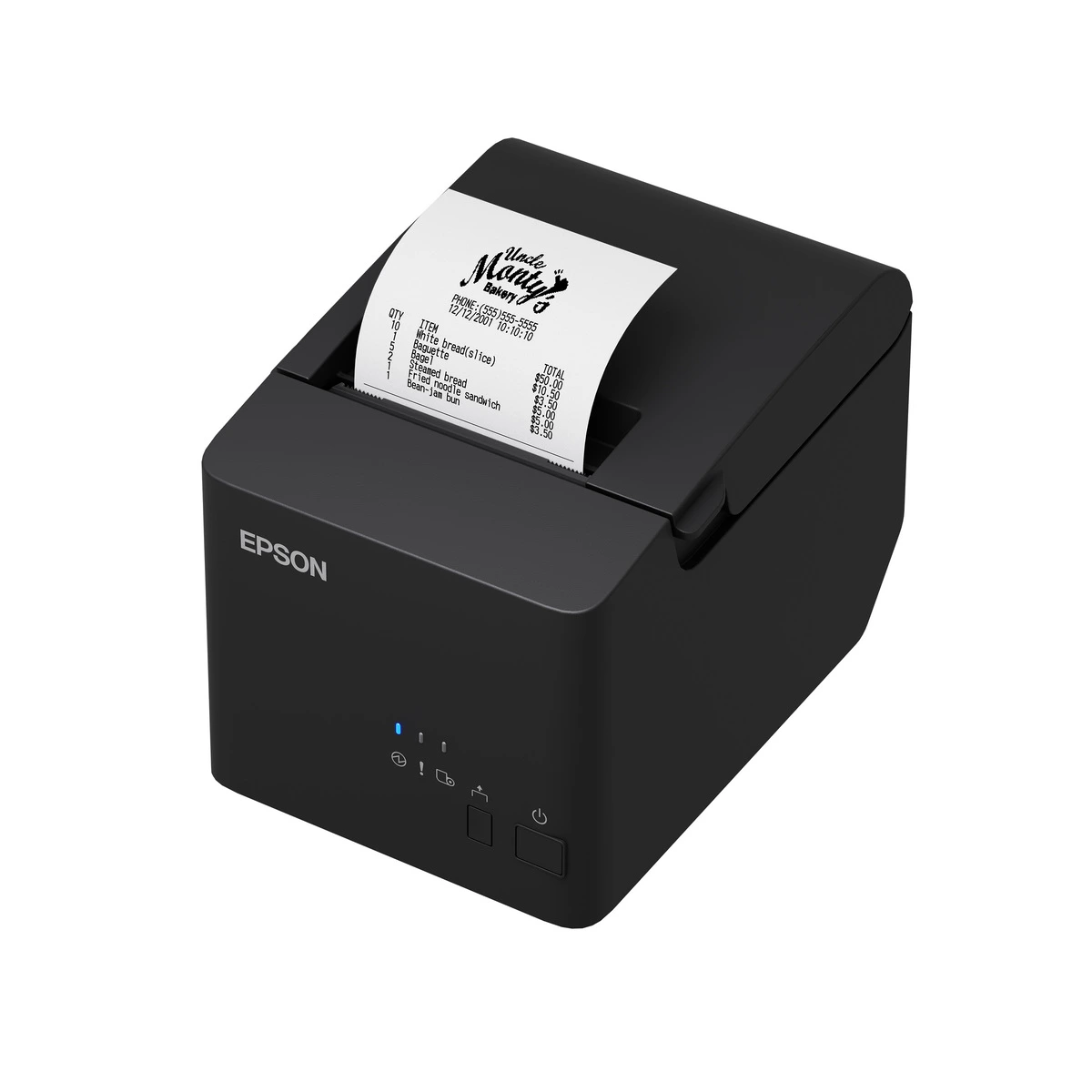
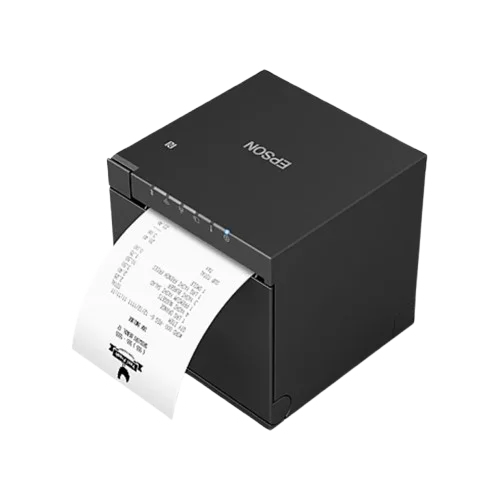
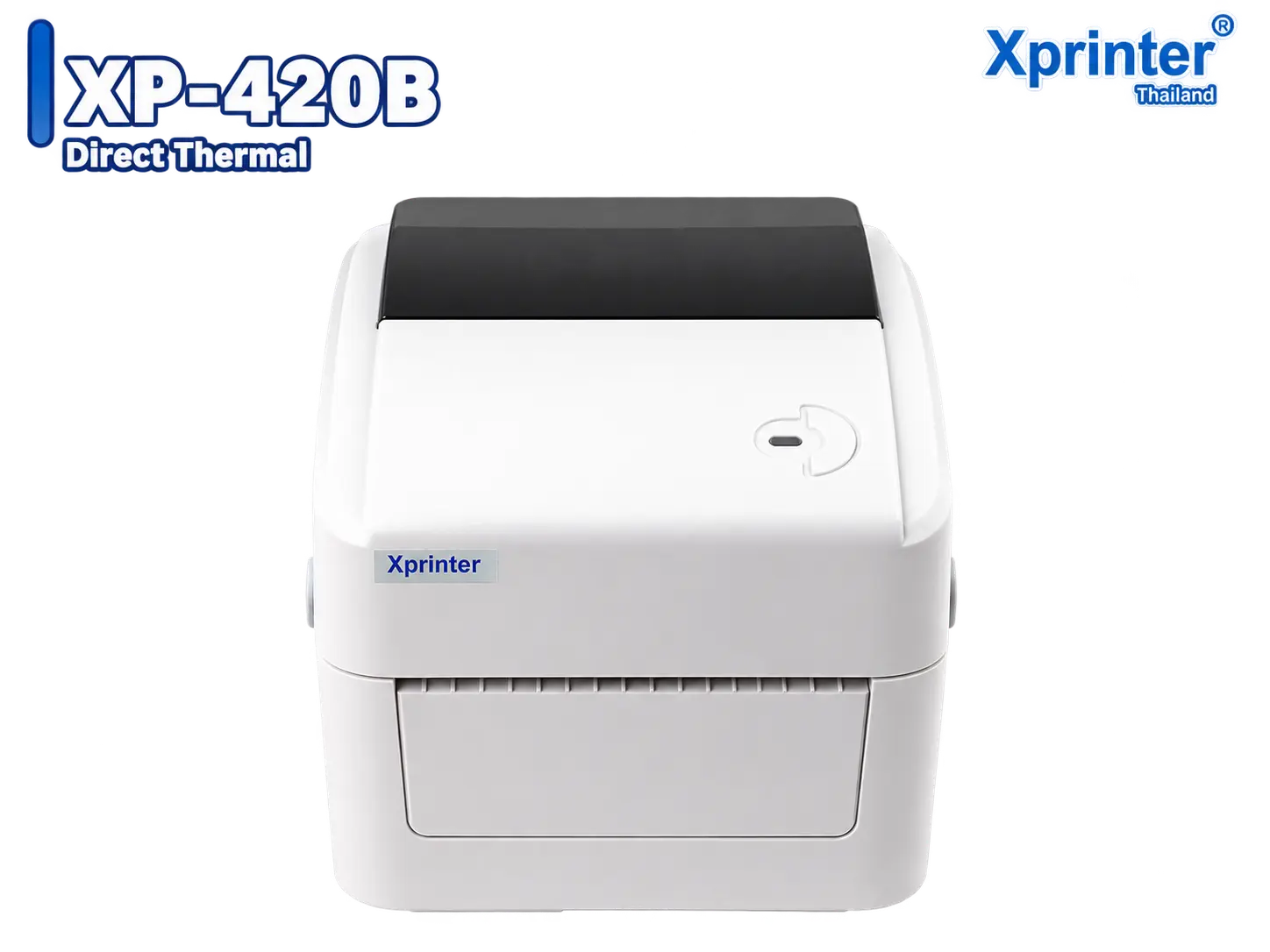
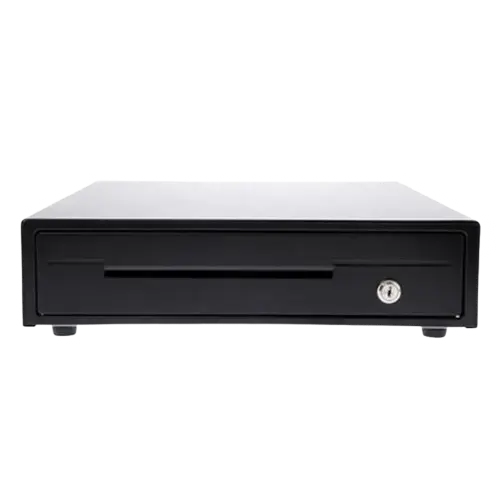
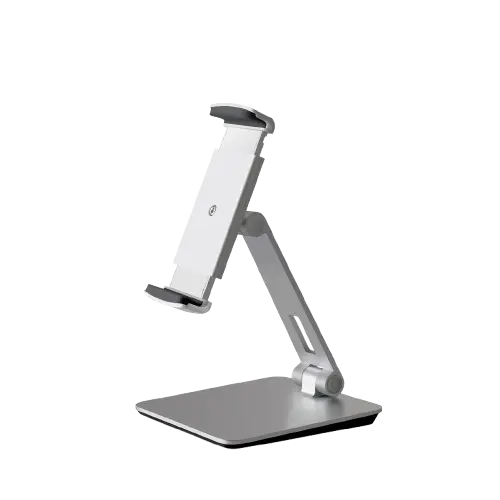
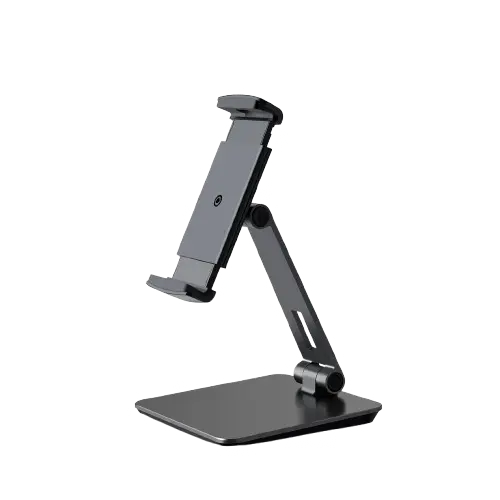
Choose POS hardware that is ready to work
Quality hardware tested with MeeD POS. Explore specifications, product photos, and order directly from our team.

See Our App in Action
A system designed for maximum simplicity and efficiency
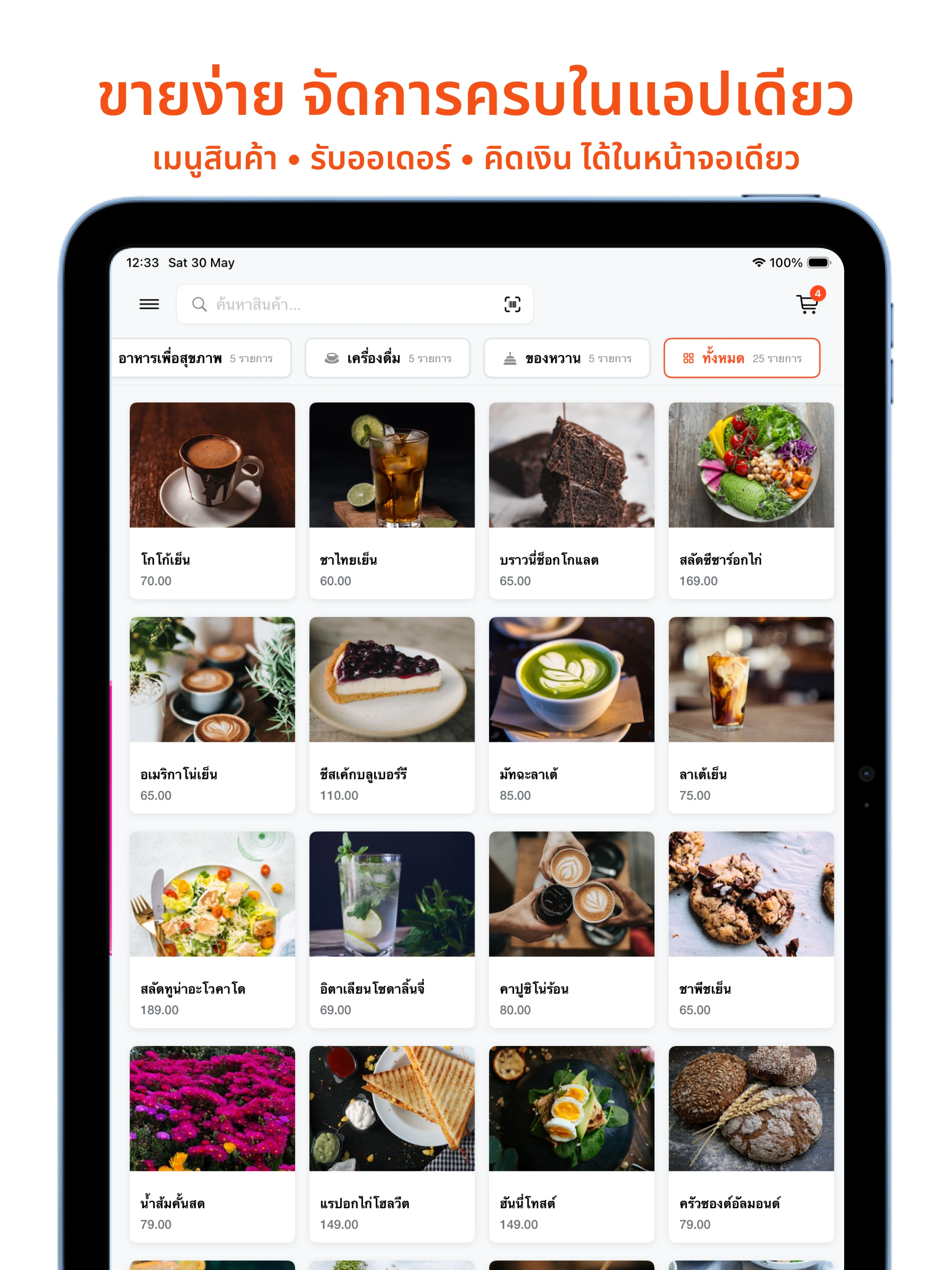
Easy Selling, Everything in One App
Menu • order taking • checkout, all on one screen
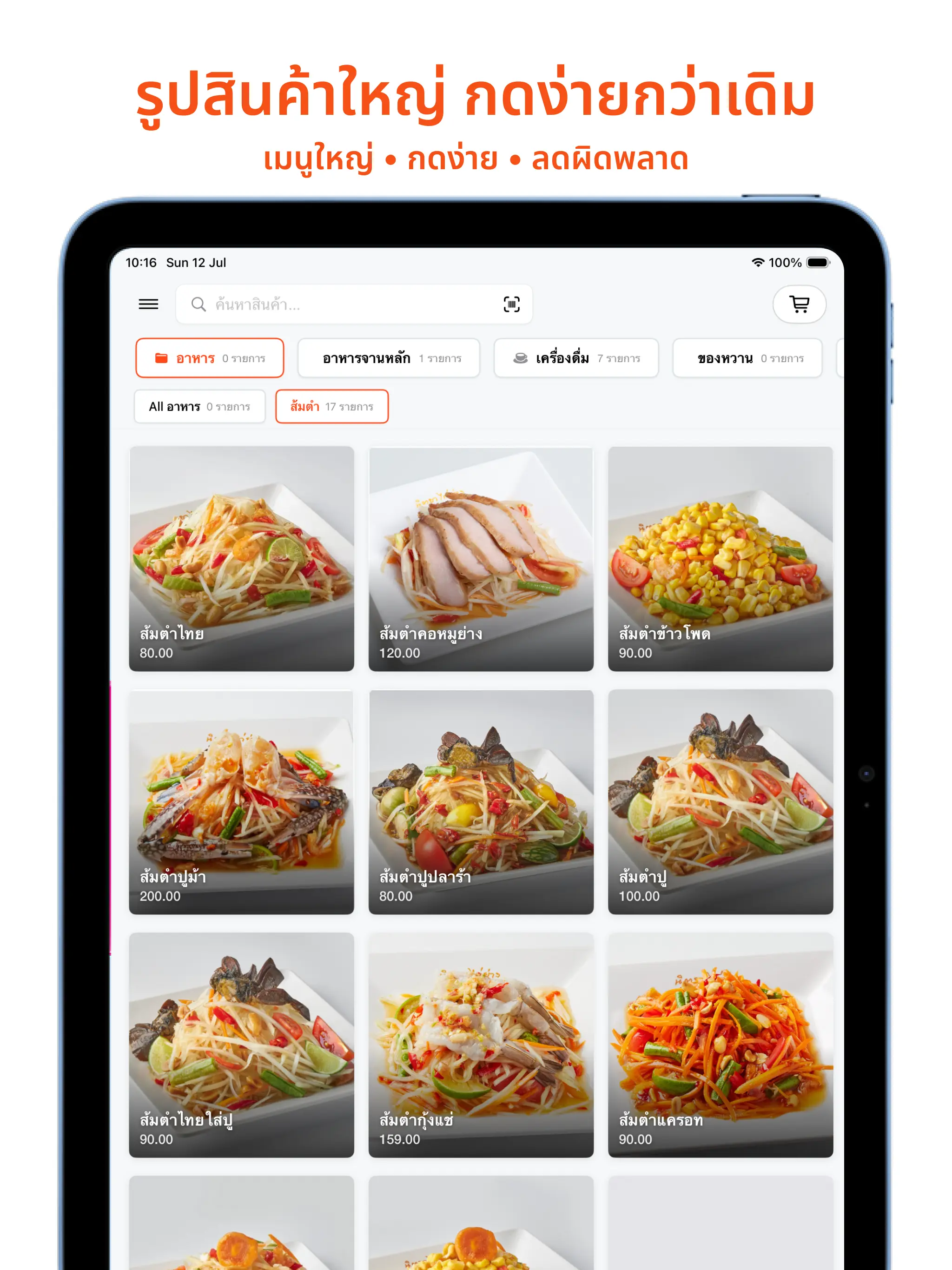
Bigger Item Photos, Easier and More Accurate Taps
Fewer wrong-item taps • faster order taking
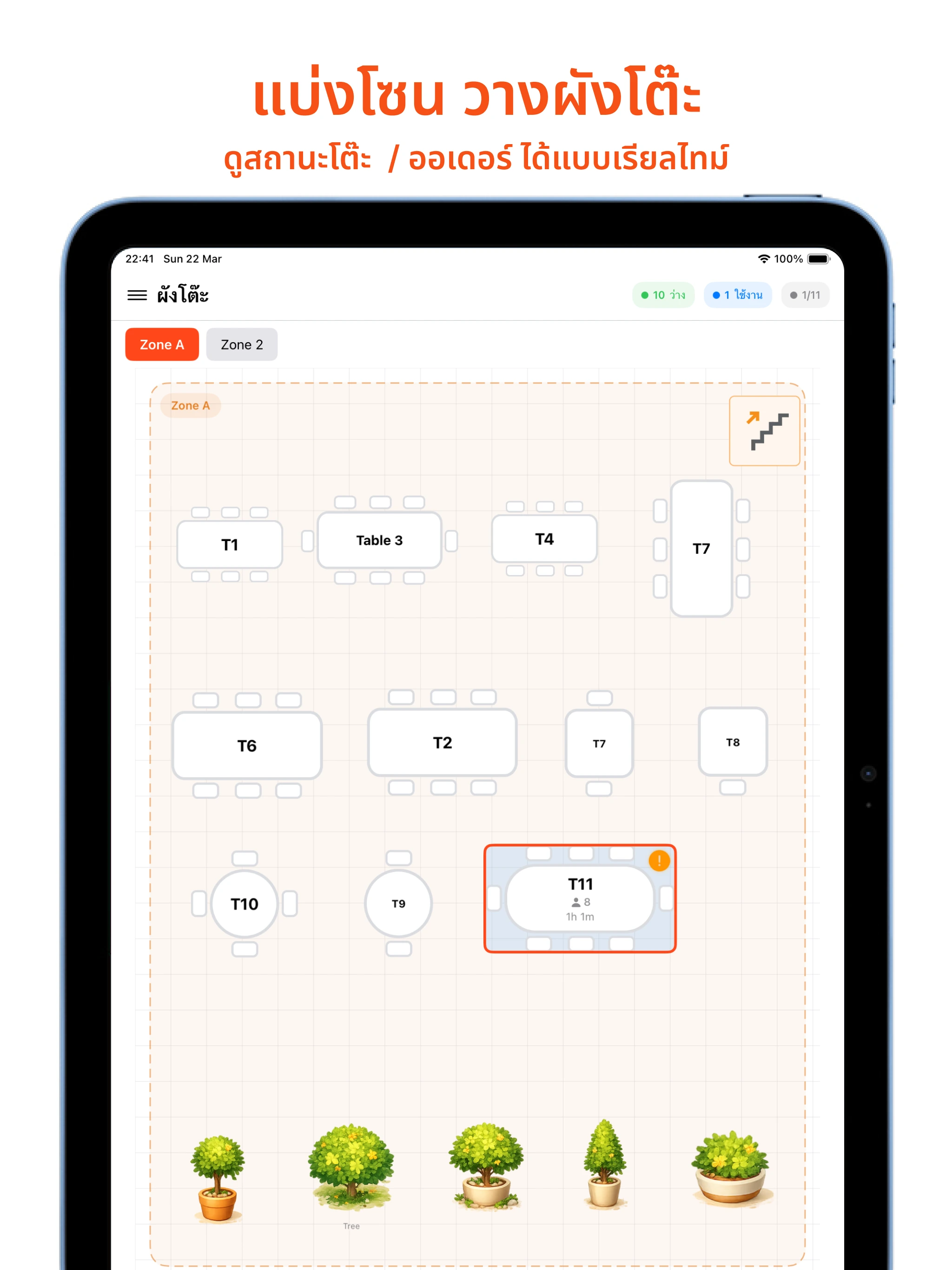
Zone and Table Layout
See table status and orders in real time
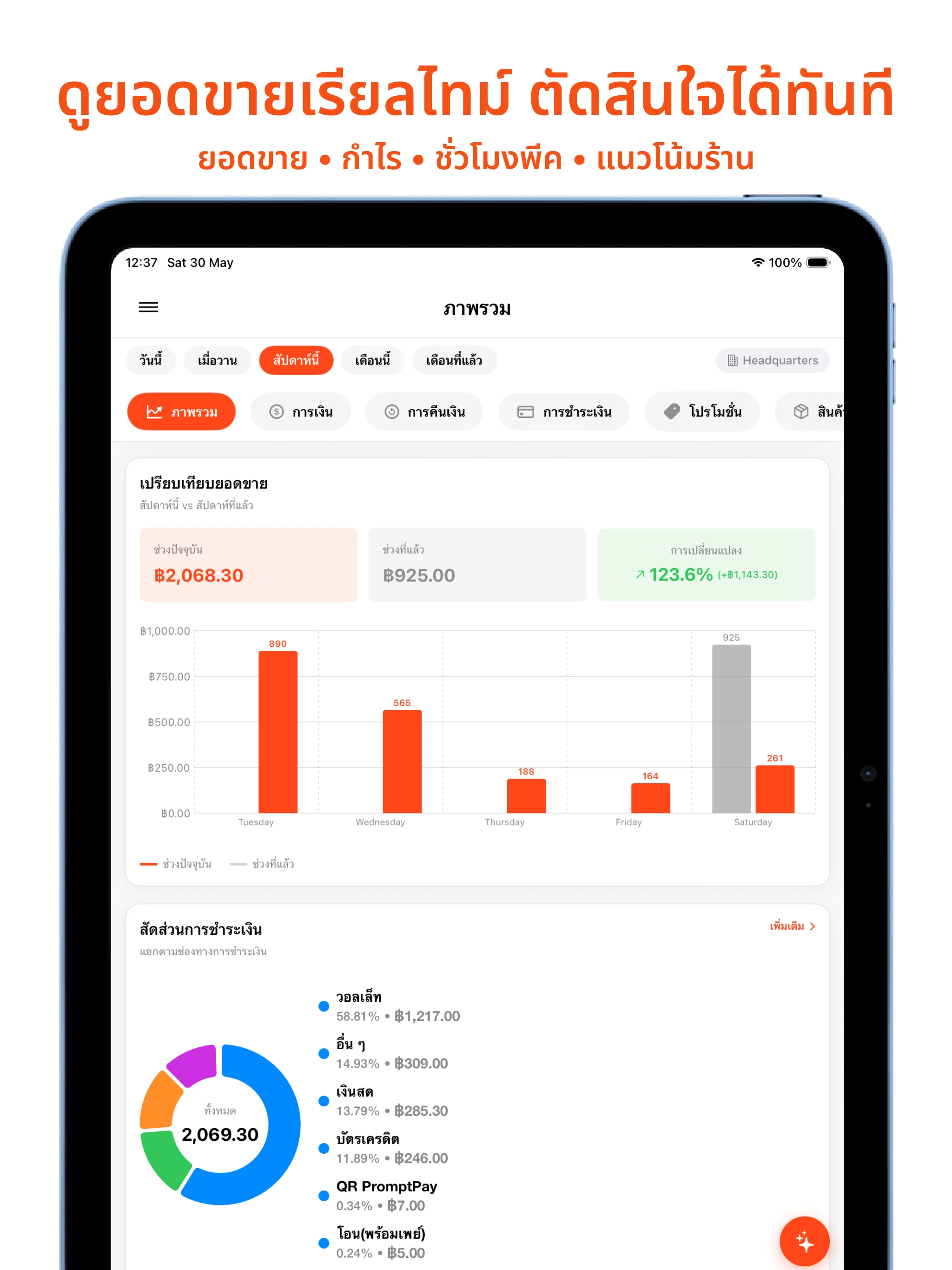
Real-Time Sales, Decide Instantly
Sales • profit • peak hours • shop trends
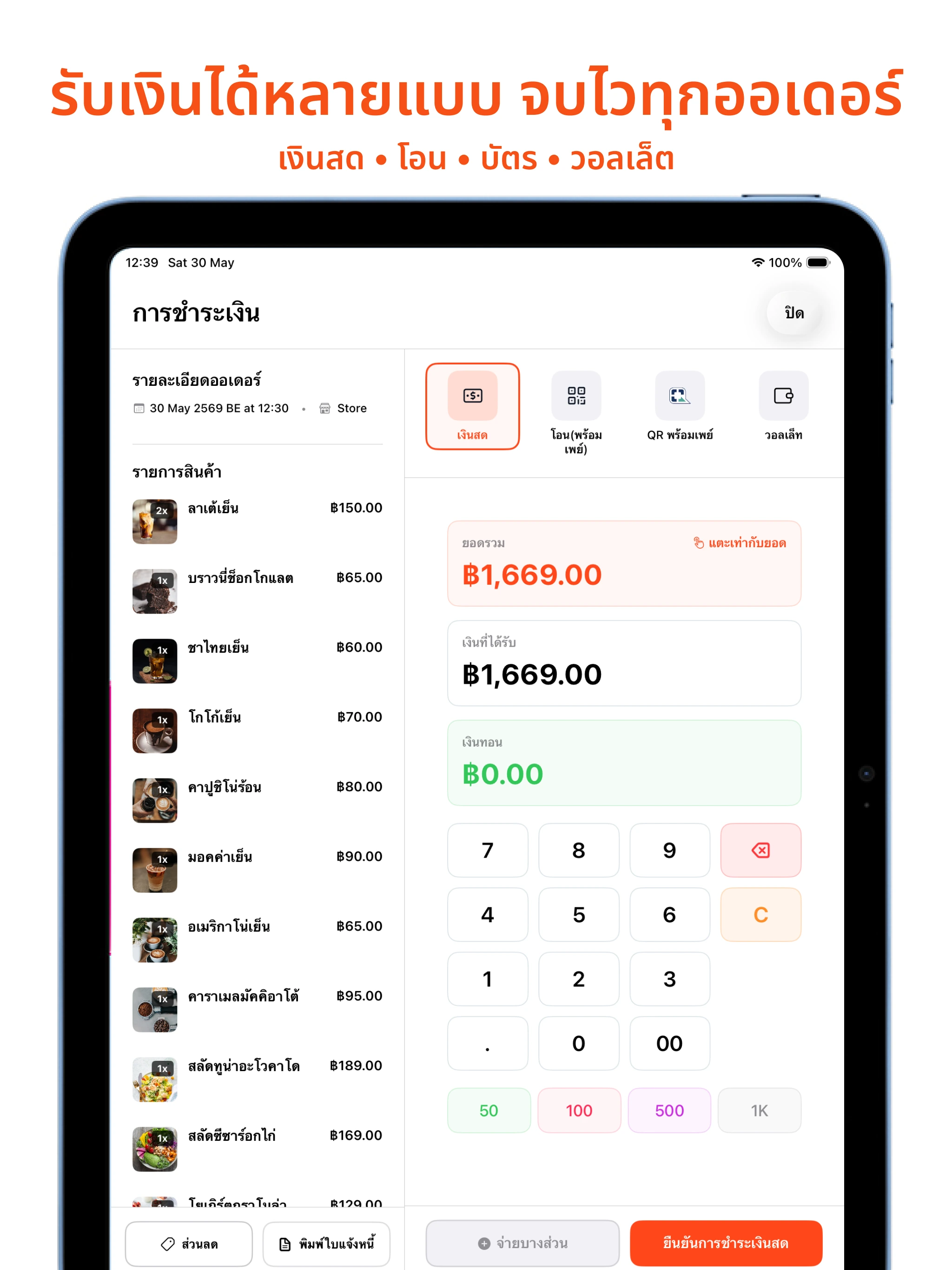
Accept Multiple Payment Types, Close Every Order Fast
Cash • transfer • card • wallet
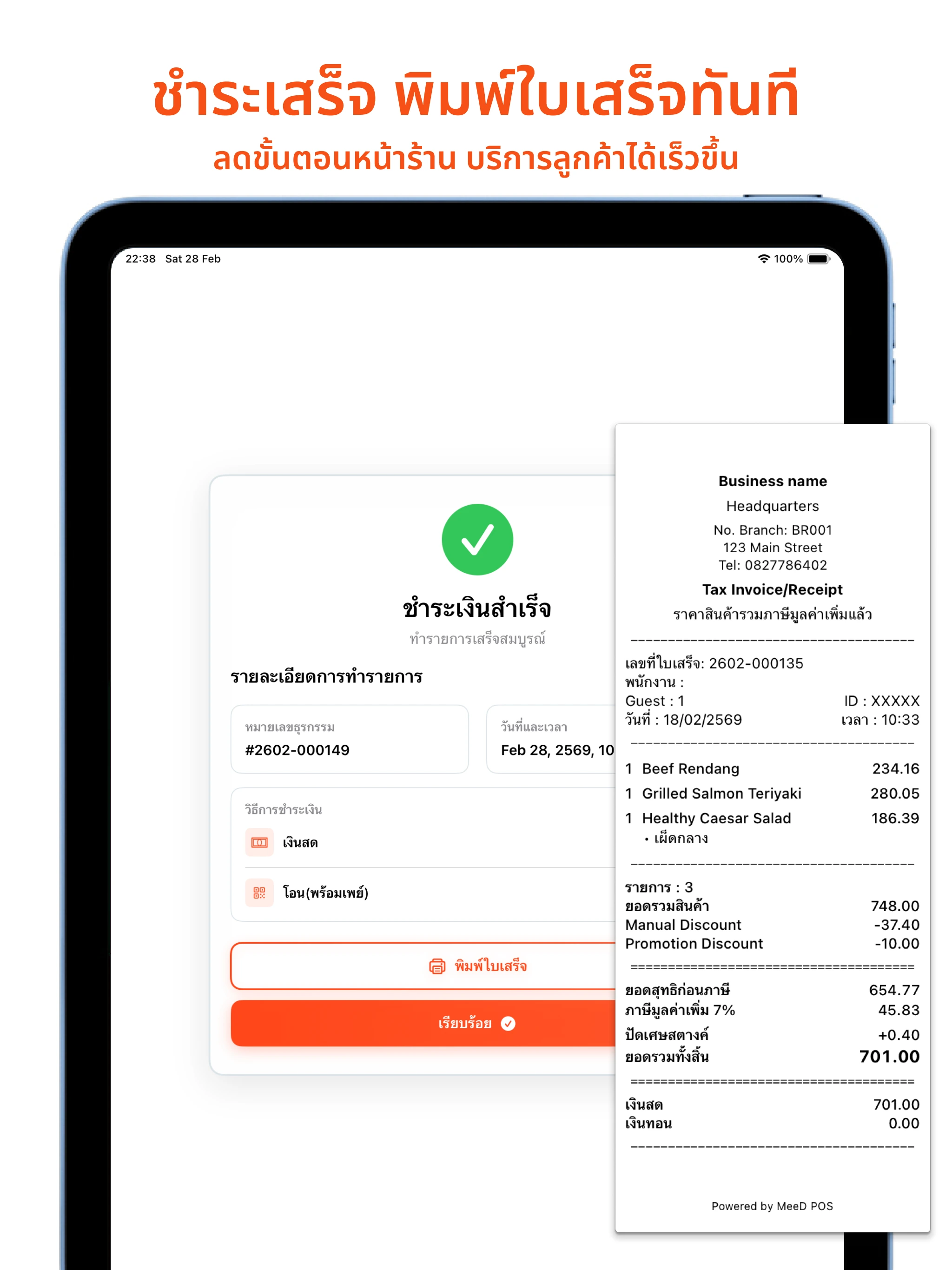
Pay and Print the Receipt Instantly
Fewer steps at the counter, faster customer service
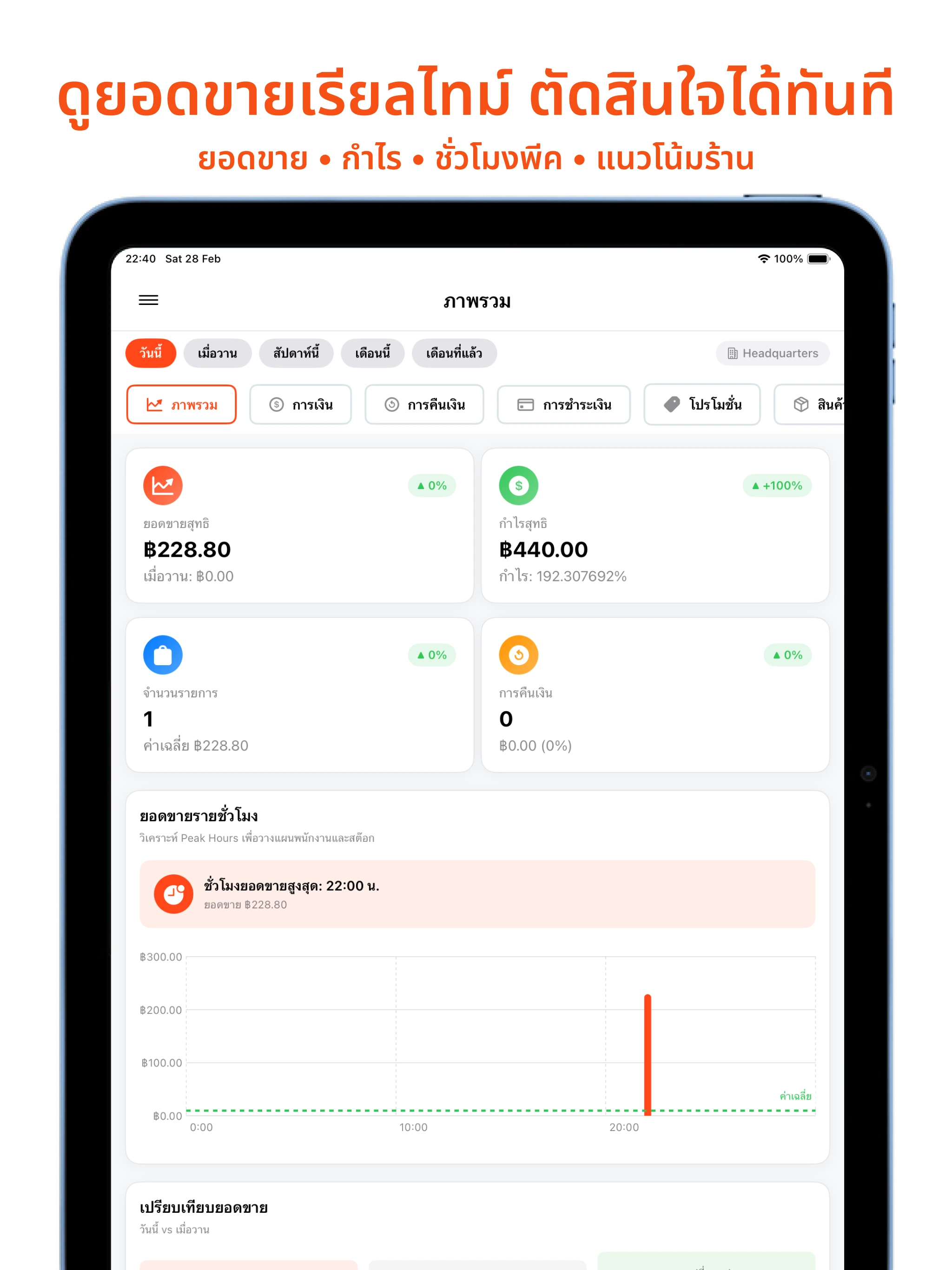
Real-Time Sales, Decide Instantly
Sales • profit • peak hours • shop trends
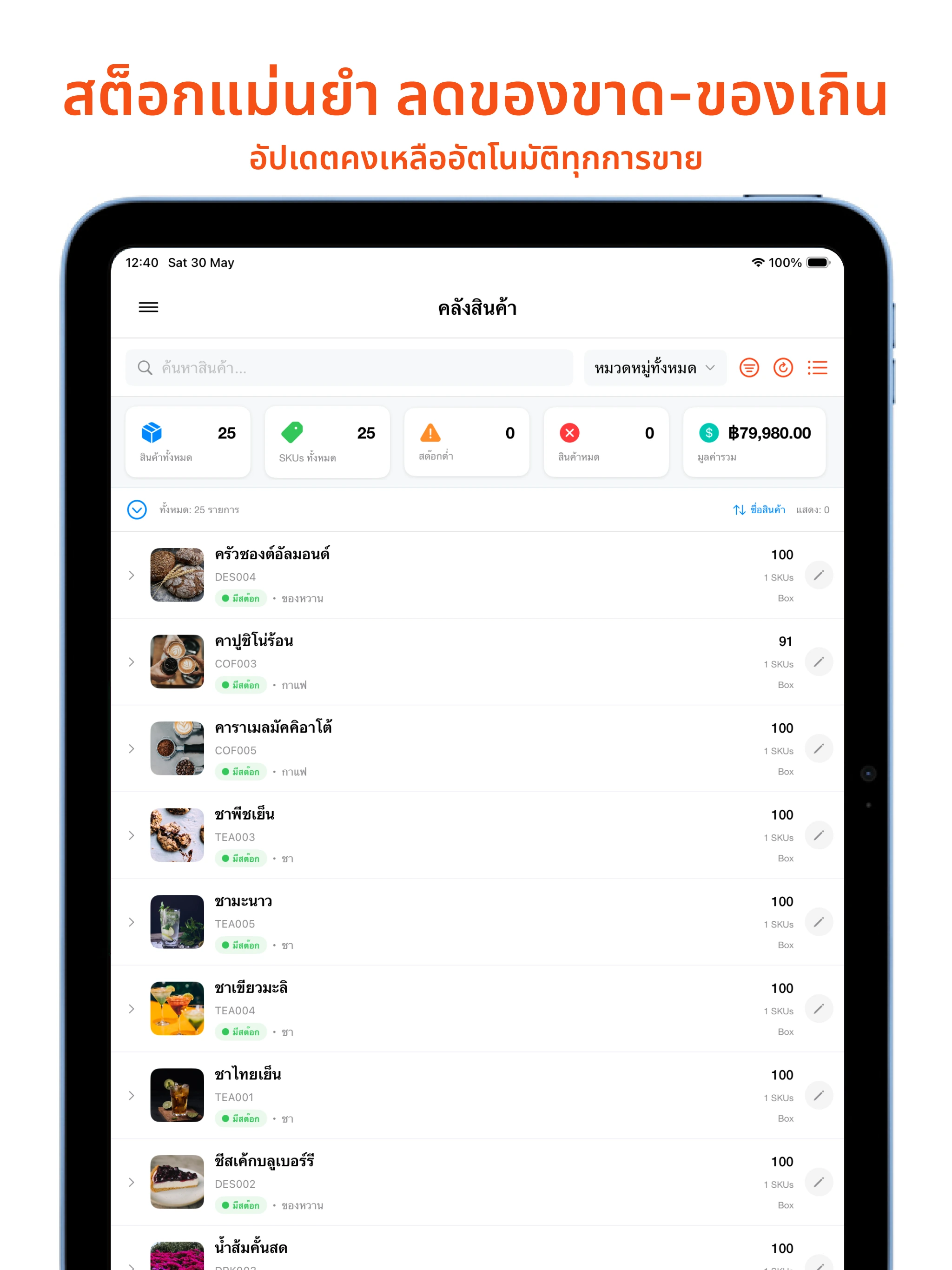
Accurate Stock, Less Over- or Under-Stocking
Remaining stock updates automatically on every sale
Ready to get started?
Frequently Asked Questions
Trial, plans, devices and support
Last updated: September 2026
Who is MeeD POS for?
MeeD POS is an iPad POS for restaurants, cafés and retail shops. Choose a plan based on features, devices and branches, with a 30-day free trial.
What device do I need and how do I install it?
Download MeeD POS from the App Store on an iPad running iPadOS 17.6 or later, create an account and set up your shop. Printers must use a supported model and connection method.
Which payment methods are supported?
Record payments by channel, including cash, PromptPay and TrueMoney Wallet. Recording a payment channel is different from integrating a provider for automatic payment confirmation. Contact the team about your setup.
What should I do before changing iPads?
Contact the team to check your shop account and data sync before moving devices. Printers and other accessories also need to be set up on the new iPad.
How many POS devices can I use?
Basic supports 1 POS device per branch, Starter and Pro support 2, and Business supports 3 per branch across up to 3 branches. Check the plan details before subscribing.
Can the team help with setup?
The team provides online setup guidance and Thai-language documentation. Contact LINE @meedpos daily, 08:00–23:00 ICT, to arrange a demo or ask for help.
How do membership and loyalty points work?
Select the customer on a bill to award points according to your shop’s rules. Members can redeem rewards according to your settings and view their history and points in the membership system. Check CRM availability on the pricing page.
Which plans include coupons and promotions?
Coupons are available from Starter. The full promotion system is included in Pro and Business. Confirm your intended promotion rules with the team before subscribing.
How does the trial work, and where do plans start?
Download the app and try it free for 30 days. Afterwards, Basic starts at THB 250/month; Starter is regularly THB 590 with a current THB 490/month offer; Pro is regularly THB 990 with a current THB 790/month offer. Contact sales for Business pricing. See the pricing page for current terms.
When is support available?
LINE @meedpos: daily, 08:00–23:00 ICT. Phone 086-499-9299: Monday–Friday, 09:00–18:00 ICT, in Thai only. All times are Thailand time (UTC+7). Online documentation can be read at any time.
Learn From the Experts
Articles and advice from experts to help you run your restaurant more effectively.
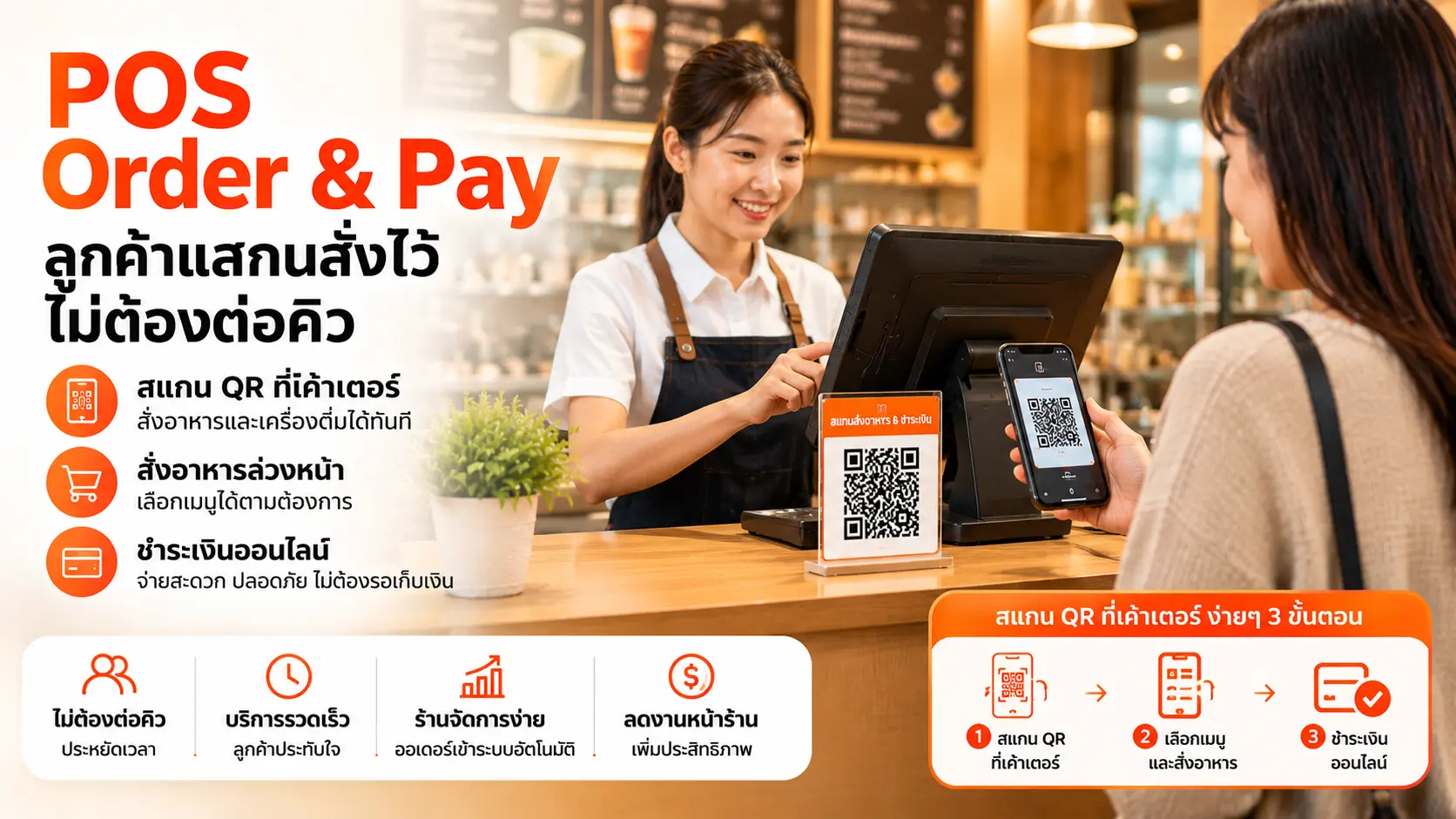
POS Order & Pay ลูกค้าสแกนสั่งไว้ ไม่ต้องต่อคิว
ร้านกาแฟและร้านที่มีคิวยาวช่วงพีคเจอปัญหาลูกค้าเบื่อรอคิวหน้าเคาน์เตอร์ บทความนี้อธิบายว่าระบบ POS Order & Pay ช่วยให้ลูกค้าสแกนสั่งและจ่ายเงินล่วงหน้าได้เอง ลดคิวและรองรับลูกค้าได้มากขึ้นช่วงพีคได้อย่างไร พร้อมข้อจำกัดที่ควรรู้ก่อนตัดสินใจ
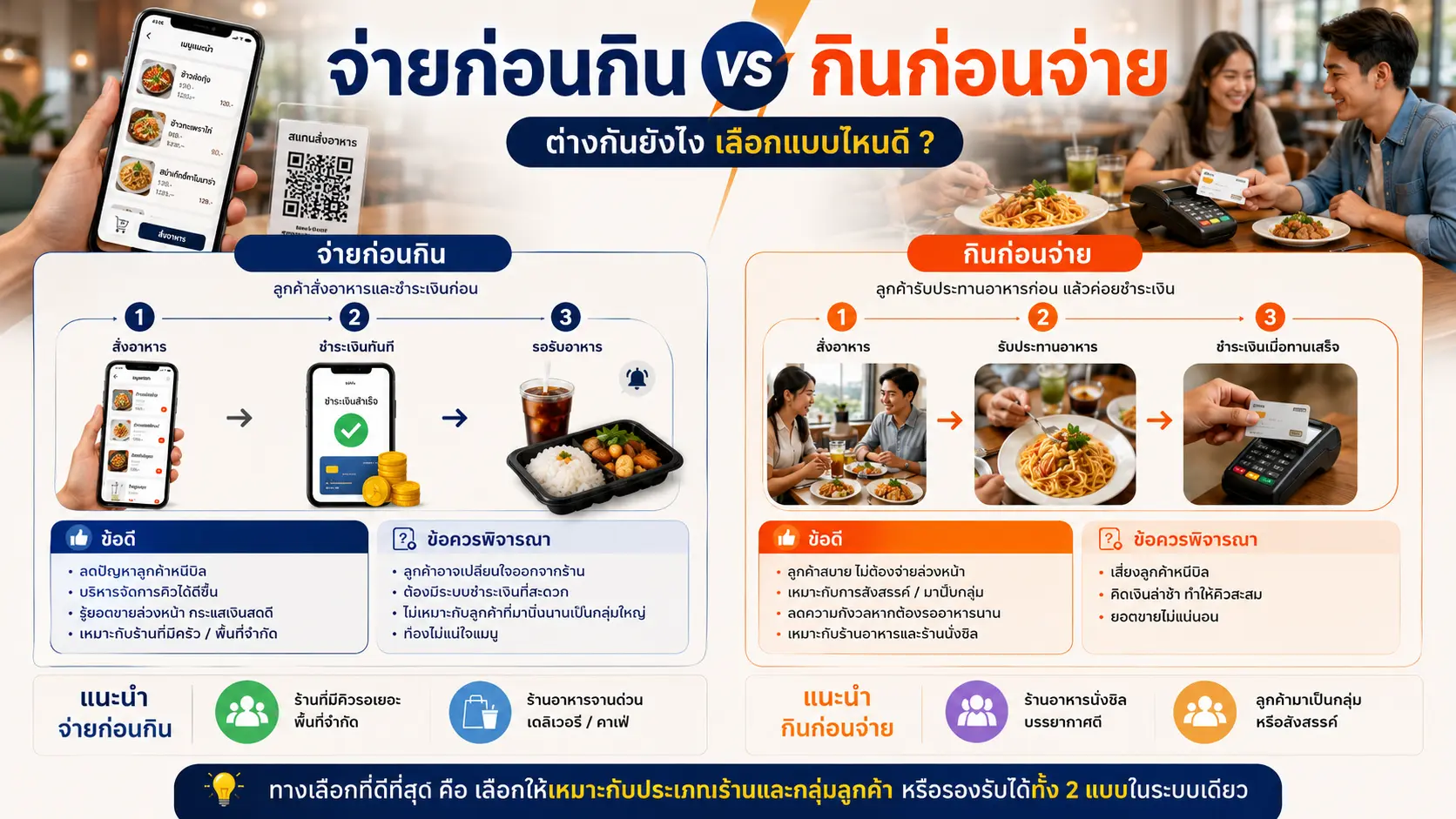
จ่ายก่อนกิน vs กินก่อนจ่าย ต่างกันยังไง เลือกแบบไหนดี
ระบบ QR Order & Pay มีให้เลือก 2 โมเดล คือจ่ายก่อนกินและกินก่อนจ่าย บทความนี้เปรียบเทียบข้อดี-ข้อเสียของทั้งสองแบบ พร้อมช่วยเจ้าของร้านอาหารและเครื่องดื่ม (F&B) เลือกโมเดลที่เหมาะกับร้านของตัวเอง
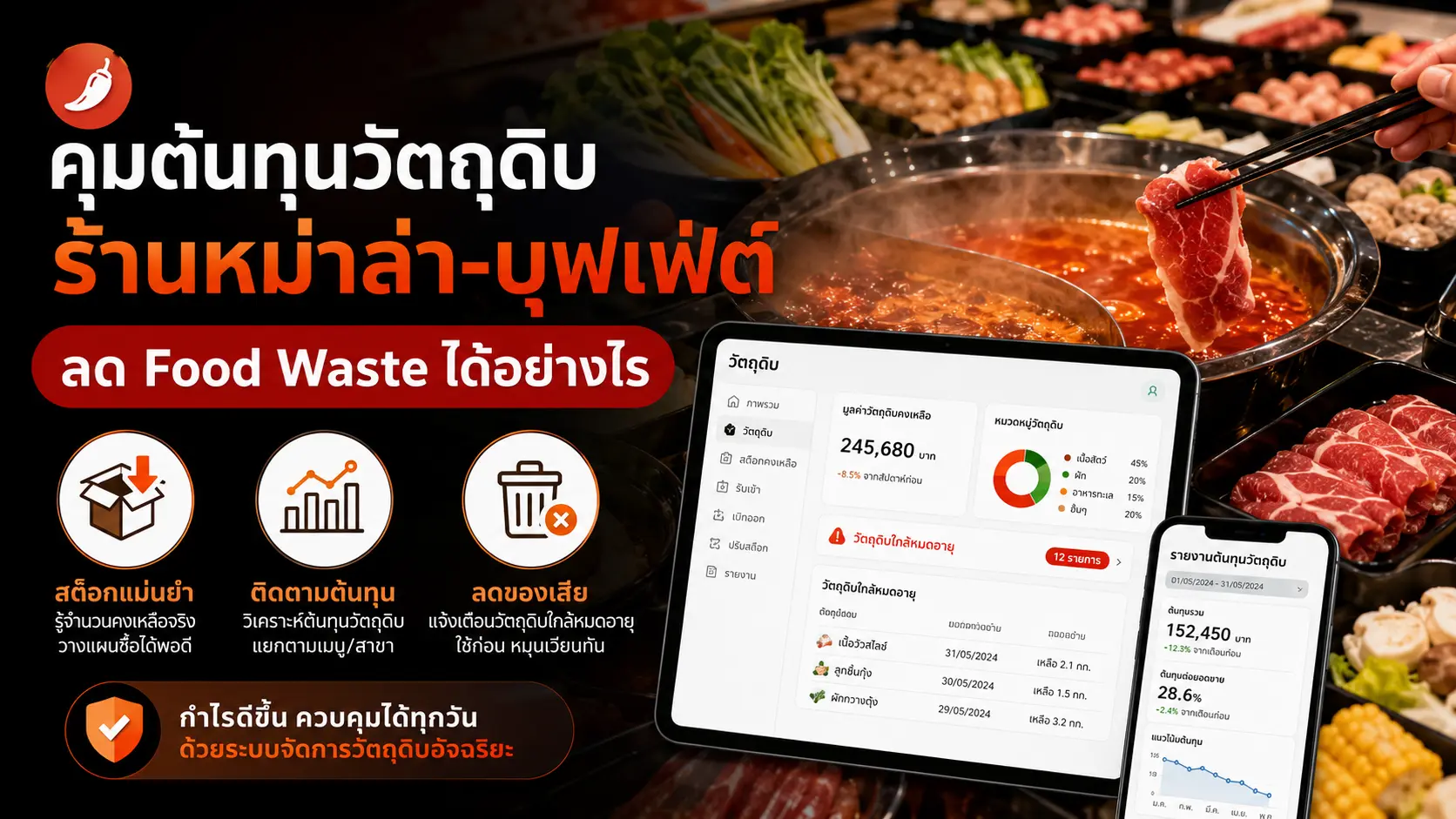
คุมต้นทุนวัตถุดิบร้านหม่าล่า-บุฟเฟ่ต์ ลด Food Waste ได้อย่างไร
ร้านหม่าล่าและบุฟเฟ่ต์ชั่งน้ำหนักมักคุมต้นทุนวัตถุดิบยากเพราะลูกค้าหยิบเองไม่จำกัด บทความนี้อธิบายวิธีใช้ข้อมูลจากระบบ POS ติดตามต้นทุนต่อหัว ลดของเหลือทิ้ง และวางแผนสั่งซื้อวัตถุดิบให้แม่นยำขึ้น
Get Expert Advice From Our Team
Our team of experts is ready to advise and help you find the POS system that fits best.
Contact Us
Phone
086-499-9299
Monday–Friday, 09:00–18:00 ICT; Thai only
support@meedeepos.com
Address
Chang Akat Uthit Road, Don Mueang
Bangkok 10210, Thailand
PointUp Technology Co., Ltd.
Company Registration No.: 0105569173284
Business Hours
LINE: daily, 08:00–23:00 ICT
Live Chat
Contact our team via LINE during support hours

Scan the QR code to add us on LINE
Request a Callback
Have our team call you back
Request a Callback