QR Code Ordering System
QR Order
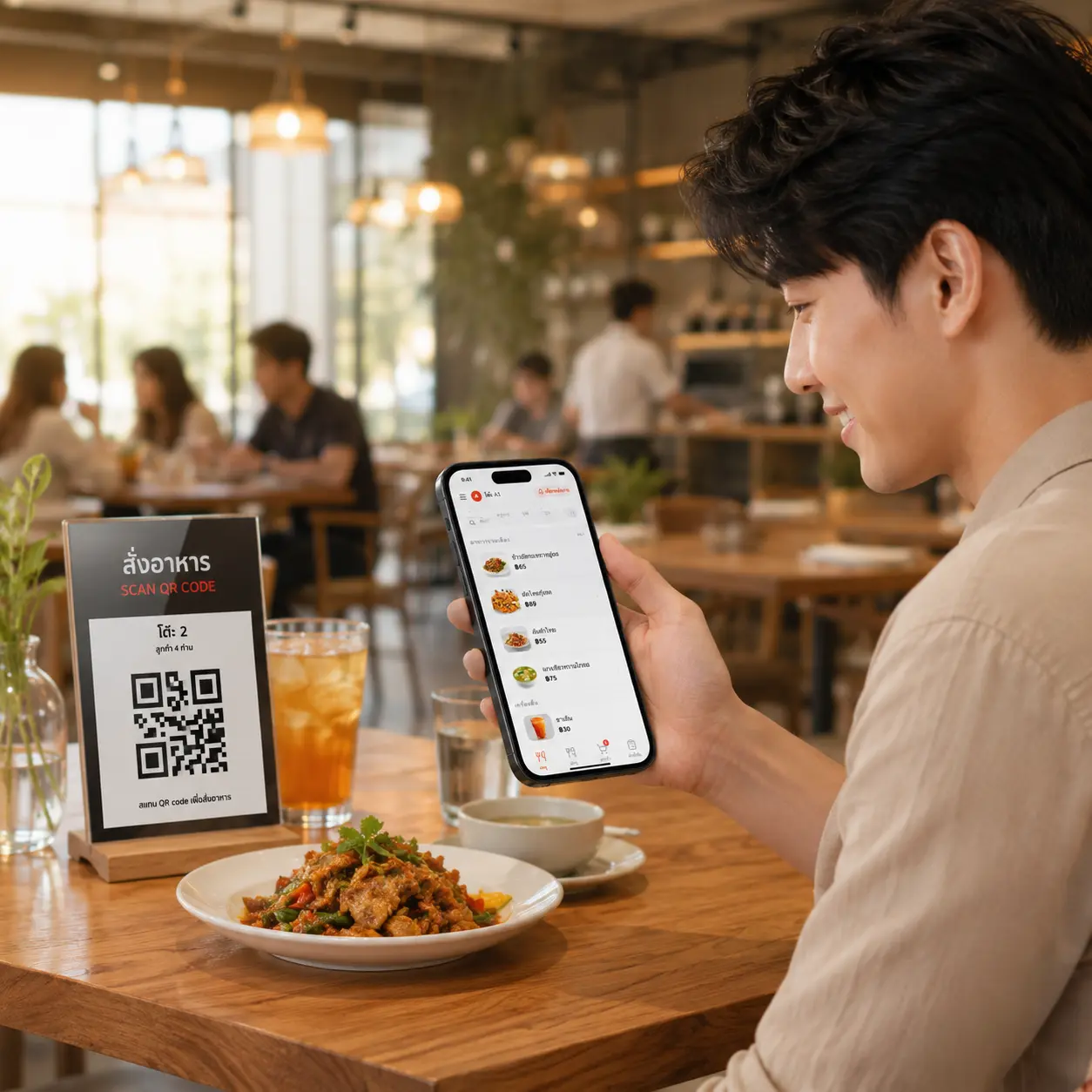
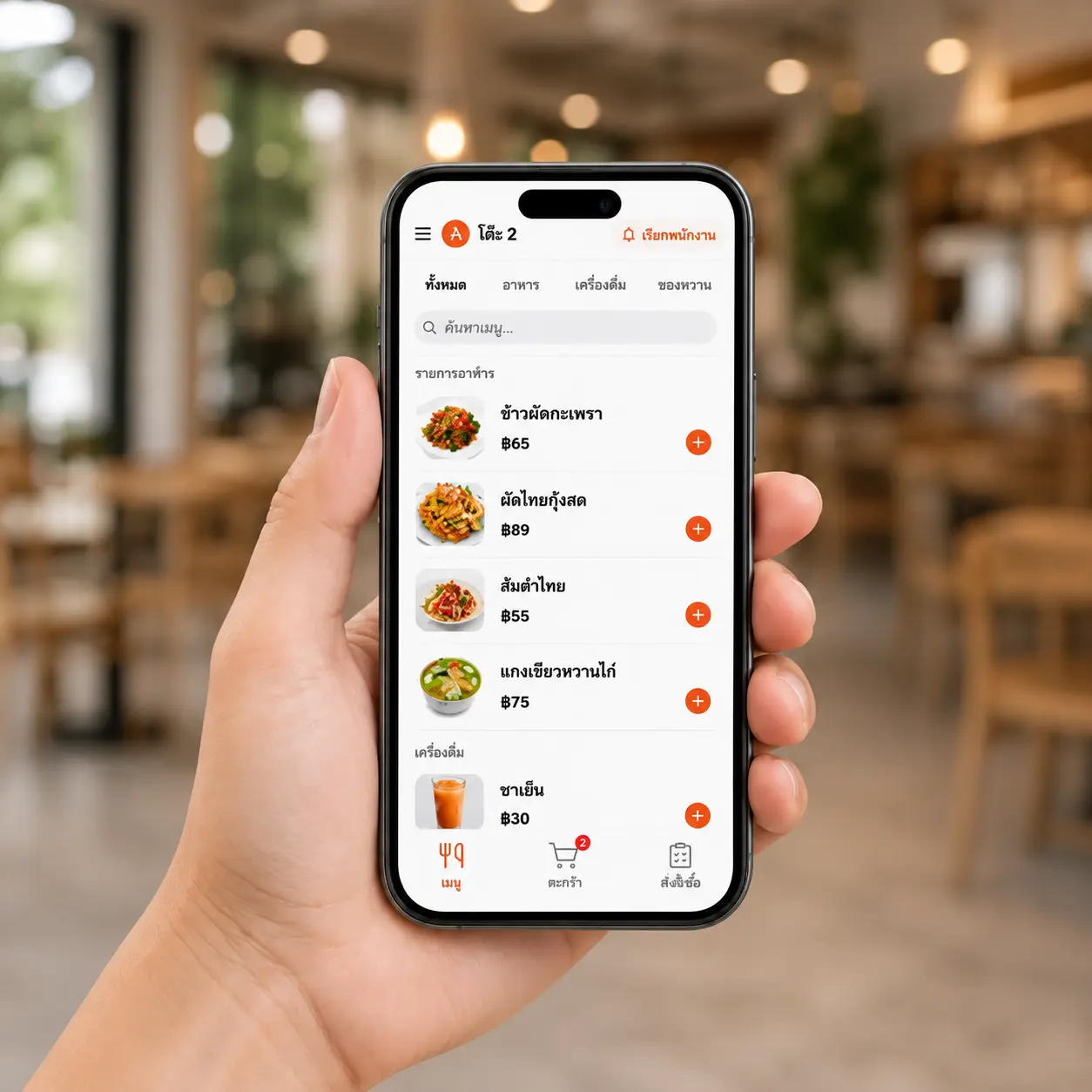
Supports both Dynamic QR (a fresh code every round) and Static QR (fixed to the table) — customers browse the menu, choose, and order entirely on their own phone.
QR Order Is Self-Service Ordering, No Waiting for Staff
MeeD POS's QR Order supports both Dynamic QR (staff print a fresh code every round, the most secure option) and Static QR (fixed to the table, scan instantly) — choose whichever mode fits your shop.
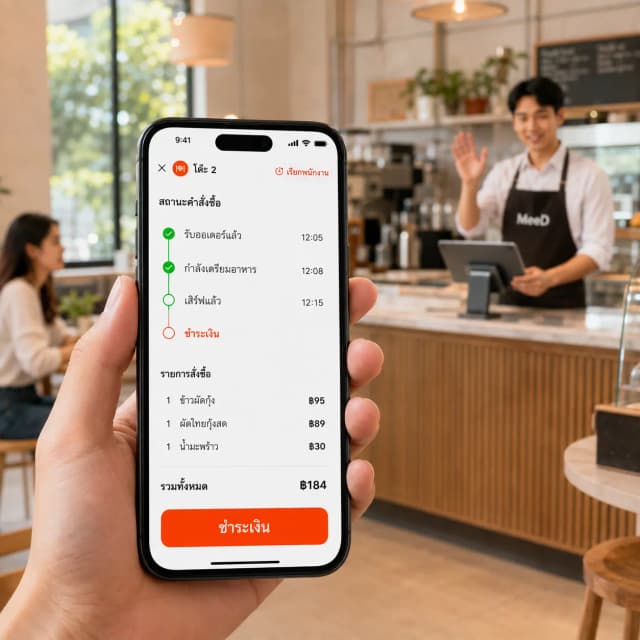
Orders go straight to the staff's POS app — they see it and act on it right away. Customers can track their order status on their phone, and call staff over directly whenever they need to.
- Supports both Dynamic QR and Static QR in the same shop
- No app download — works entirely through a mobile browser
- Customers track status and call staff on their own
- High-resolution menu photos that encourage ordering
How It Works
Just 4 steps to start using QR Order right away.
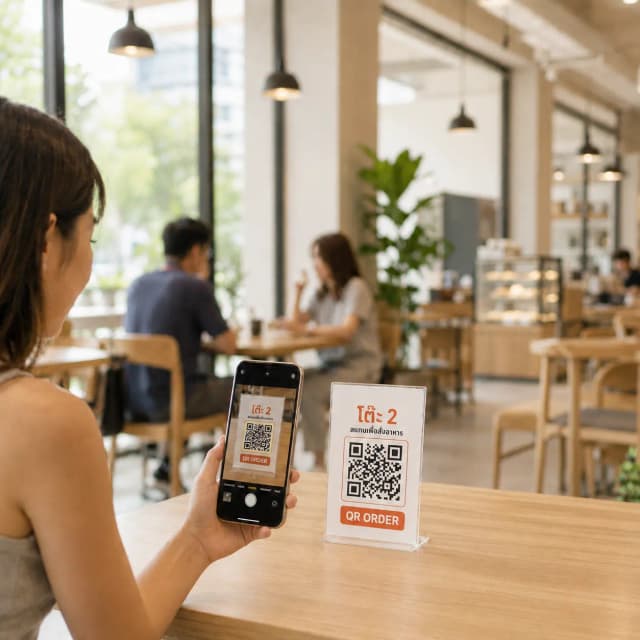
1. Staff Print a QR Code for the Customer
When a customer sits down, staff print a QR code from the MeeD POS app — a fresh code is generated each round, tied to that specific table.
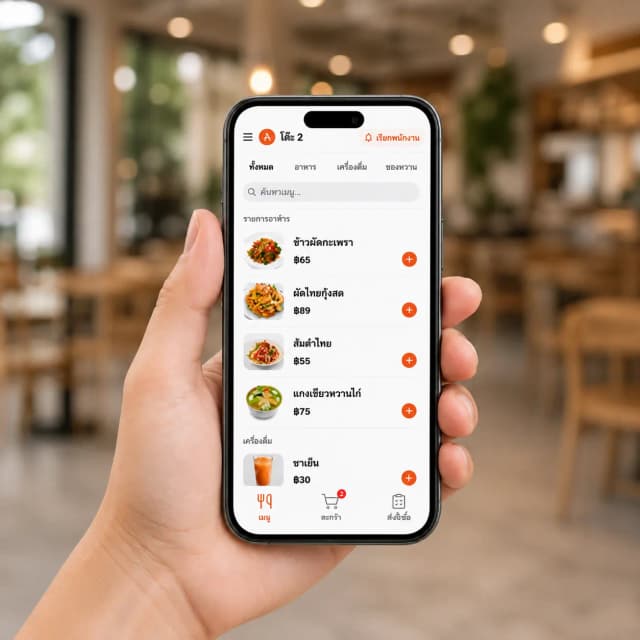
2. Customer Scans and Chooses
The customer scans the QR code with their phone's camera — the menu opens instantly in the browser, no app download needed. They pick items, customize, and confirm the order.
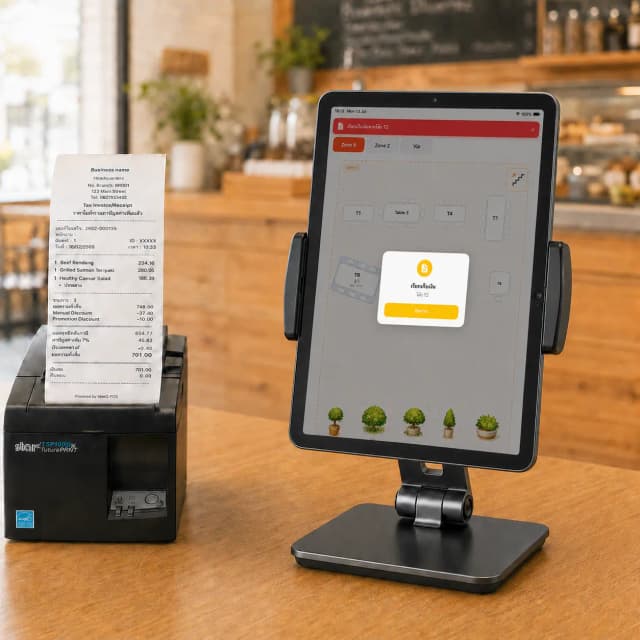
3. Order Reaches the POS
The customer's order notifies the staff's POS app instantly — staff review and act on it, while the customer tracks status on their phone.
4. Call Staff and Pay
Customers can call staff over from the screen anytime. When ready to pay, staff charge through the POS app as usual, with everything recorded.
See It in Action
Customers scan a QR code to order — tickets print to the kitchen automatically.
การใช้งานระบบสแกนสั่งอาหาร(Mobile Order) - พิมพ์ออเดอร์เข้าครัวอัตโนมัติ | MeeD POS — Watch the full video on YouTube
Choose the QR Mode That Fits Your Shop
MeeD POS supports both modes — even together in the same shop.
Dynamic QR
Recommended for restaurantsStaff print a new QR code every time a customer sits down — the link is tied to that specific session and expires automatically after payment.
- Highest security, prevents reuse
- Full visibility into which table is actively ordering
- Ideal for buffets that need time limits
- Other tables can't access the order
Static QR
Ideal for cafés and barsPrint a QR code once and stick it to the table permanently — customers can scan and order instantly with no staff involvement.
- No reprinting needed, saves time
- Ready to use instantly
- Ideal for shops with fast customer turnover
- Fewer steps for small shops
Complete QR Order Features
Built specifically for Thai restaurants — simple to use, instantly understandable for customers.
Dynamic QR — Maximum Security
Staff print a fresh QR code for each round — the system generates a session-specific link that prevents reuse or cross-table access.
Static QR — Fixed to the Table
Print a QR code once and leave it on the table permanently — customers scan and order instantly with no staff involved, great for cafés or bars.
Supports Both Dynamic and Static
Choose whichever mode fits your shop, or mix them — Dynamic for some tables, Static for others.
Order via Smartphone
Customers scan and the menu opens instantly, no app download — works on both iOS and Android.
Beautiful Menus
Menus display with high-quality photos, prices, and ingredient details, making it easy for customers to choose — menu updates show up instantly.
Orders Reach the POS Instantly
Once confirmed, orders go straight to the staff's POS app — no manual order-taking, fewer communication errors.
Track Order Status
Customers see real-time order status on their phone — received, preparing, or ready to serve — with less need to ask staff.
Call Staff Instantly
Customers tap a button on their phone to call staff directly — staff are notified in the POS app immediately, no waving or shouting needed.
Higher Sales per Table
Customers can order more anytime without waiting for staff — recommended items and promotions show automatically, encouraging additional orders.
Menu Analytics
See stats on top-selling items, order timing, and customer behavior to improve the menu and boost sales.
Before using QR Order
Which shops is QR Order for?
Shops that want customers to select items and submit orders on their phones while staff handle service and payment.
Which plan and equipment do I need?
Available from Starter. Prepare a compatible iPad, your menu and an internet connection. Kitchen printing requires a supported printer and configuration.
Does ordering by QR confirm payment?
Submitting an order does not confirm that payment has been received. For payment before an order is submitted, check the QR Order & Pay requirements.
Who Is It For?
QR Order works for every kind of shop and food business.
Restaurants
Fewer staff needed to take orders, serve more tables at once.
Coffee Shops
Order ahead while waiting, shorter counter queues.
Bars & Pubs
Customers order more anytime without flagging staff down.
Hotels
QR room service — food ordered straight to the room.
“Ever since we started using QR Order, customers never have to wait for staff — they order on their own all the time. Sales per table have gone up noticeably, and staff have more time for other work.”
Restaurant Owner
Thai Restaurant, Bangkok
Read more: Why Modern Restaurants Need QR Ordering or see the overview for restaurant POS systems and coffee shop POS systems
Related Content
Related Articles
- ระบบ QR Order & Pay จ่ายก่อนกิน — ลูกค้าจ่ายเองทันทีตอนสั่ง
- QR สั่งอาหารแบบ Static vs Dynamic ต่างกันยังไง ร้านควรใช้แบบไหน
- QR สั่งอาหารคืออะไร ทำไมร้านยุคใหม่ต้องมี QR Order
- QR Order: ตัวช่วยรอดของร้านอาหารยุคใหม่
- ระบบ POS ร้านอาหาร — ฟีเจอร์ครบสำหรับร้านนั่งทาน
- ระบบ POS ร้านกาแฟ — เหมาะกับ Static QR ลูกค้าเข้าออกเร็ว
Documentation
Frequently Asked Questions
What's the difference between Dynamic and Static QR?
Dynamic QR is reprinted by staff every round — the link is tied to a specific session and expires after payment, making it more secure. Static QR stays fixed to the table and can be scanned anytime with no reprinting, ideal for shops that want convenience and fewer steps.
Should I use Dynamic or Static QR?
It depends on your shop. General restaurants and buffets should use Dynamic, since it gives session control and better security. Cafés or bars with fast customer turnover should use Static, since it's more convenient and ready to use instantly with no staff involvement.
Why reprint the QR code every round instead of just using one fixed to the table?
Dynamic QR is about security — each code is tied to a specific table and session, preventing other tables or outsiders from scanning the same code to view orders or place unauthorized orders. If your shop doesn't need that complexity, Static QR works too.
Do customers need to download an app?
No — with both Dynamic and Static QR, customers scan and the menu opens instantly in their mobile browser. Works on both iOS and Android.
Does the order print to the kitchen automatically?
The order notifies the staff's POS app the instant the customer confirms — staff see it and act on it right away. Whether a ticket prints depends on your shop's settings.
How do customers track their order status?
After confirming, customers see a status page right in the same browser, showing whether the order was received, is in progress, or its latest status — updated in real time.
How much does QR Order cost?
The QR Order feature is included from the Starter plan up. Try it free for 30 days first.
Is there an option where customers pay instantly when ordering, without waiting for staff to charge them?
Yes — besides this pay-after-eating QR Order, MeeD POS also has QR Order & Pay, which lets customers pay instantly when ordering (pay before eating) — great for cafés or shops with long peak-hour queues. See the QR Order & Pay page for details.
Ready to Start Using QR Order?
Try MeeD POS with QR Order free for 30 days — no credit card required.
Start Your 30-Day Free Trial