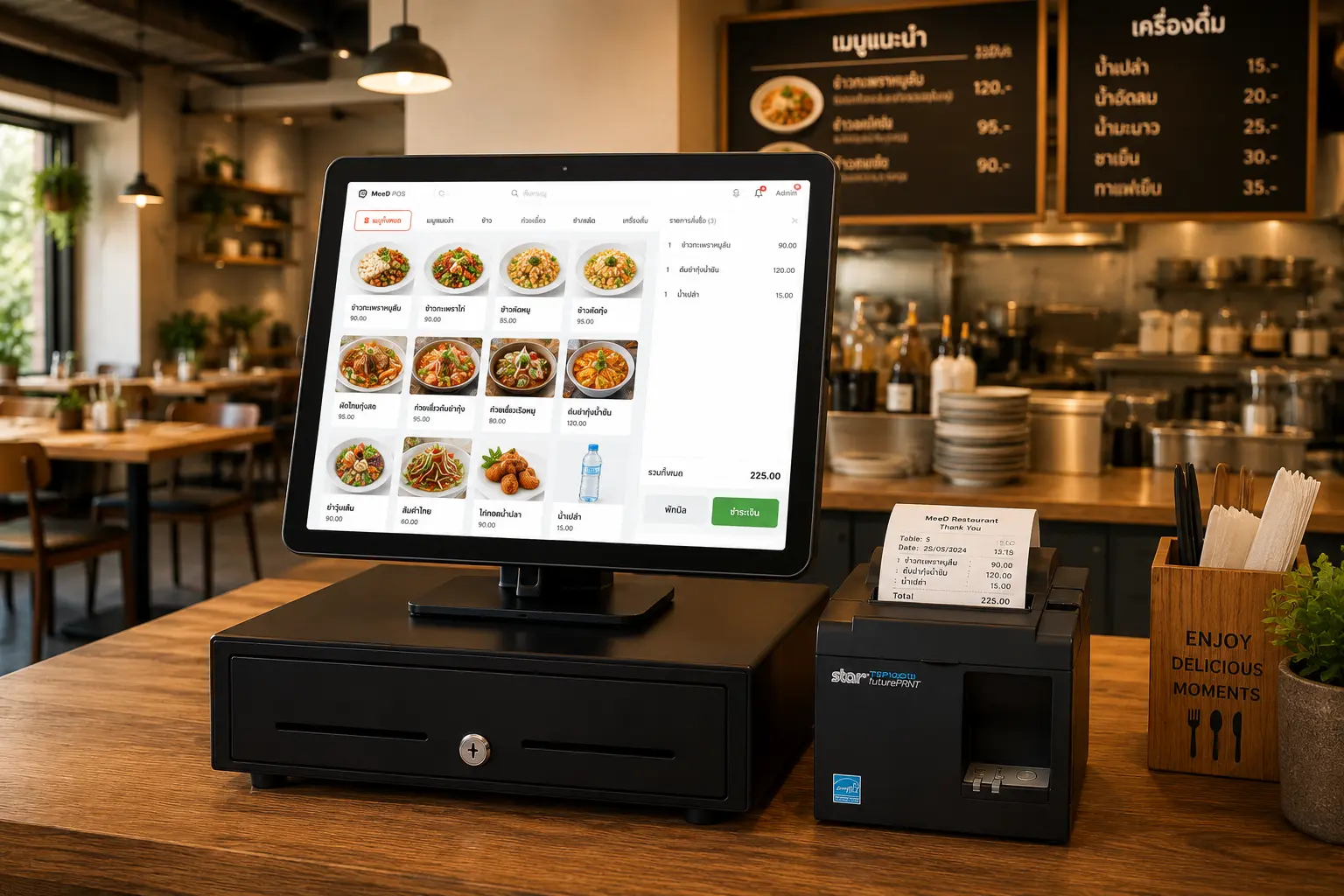
POS System for
Restaurants on iPad
MeeD POS is an iPad POS for restaurant table orders, kitchen and bar routing, split bills, and sales reports. Choose inventory, recipes, and CRM according to your plan. Try it free for 30 days.
Start Selling Step by Step
Set up your menu easily and start taking orders right away
Automatic Kitchen Routing
Separate hot kitchen, cold kitchen, and drinks bar — fewer missed orders
Review Sales
Check sales totals and items to plan your restaurant operations
More Precise Cost Control
Track ingredients, reduce waste, and know your cost per dish in real time
POS Features for Restaurant Workflows
Choose features for your workflow and plan entitlements.
Take Orders
Select menu items by category, add options (spice level, fried egg), assign a table, dine-in/takeaway
Send Orders to the Kitchen
Orders route automatically to kitchen printers — hot kitchen, cold kitchen, drinks bar
Restaurant Checkout
Multiple payment methods — cash, QR code, PromptPay, credit cards — with bill splitting and receipt printing
Menu Management
Add/edit menu items, set prices, upload photos, categorize, and set add-on options
Ingredient Stock Tracking
Track ground pork, eggs, oil, and more, with low-stock alerts and cost-per-dish calculation
Sales Reports
Daily sales reports, best-selling items, profit and loss, month-over-month comparisons
How does the restaurant POS handle orders through checkout?
MeeD POS takes table or counter orders on an iPad, routes items to preparation stations, and records payments so owners can review sales in reports.
Take orders and assign tables
Select menu items, options, and quantities. Restaurants that want customer self-ordering through QR Order need Starter or above.
See QR Order steps and requirementsRoute work to the kitchen and bar
Assign menu items to each station's printer and test kitchen tickets with compatible hardware. For KDS, check the screen allowance in your plan.
Read the station printer guideReview the bill and collect payment
Check items and totals before closing a bill. Recording a payment method does not automatically verify receipt of funds. Order & Pay also has payment-provider requirements.
Check Order & Pay requirementsInventory starts with Starter. Recipes (BOM) and CRM/loyalty points start with Pro. Choose your plan around the work your restaurant needs to do.
30-day free trial · Plans start at THB 250/month afterwards
Everything a Restaurant Needs
All in One Place
Table management, order taking, kitchen routing, and split payments on iPad — built specifically for restaurants. Easy to use, built for a smooth floor operation.
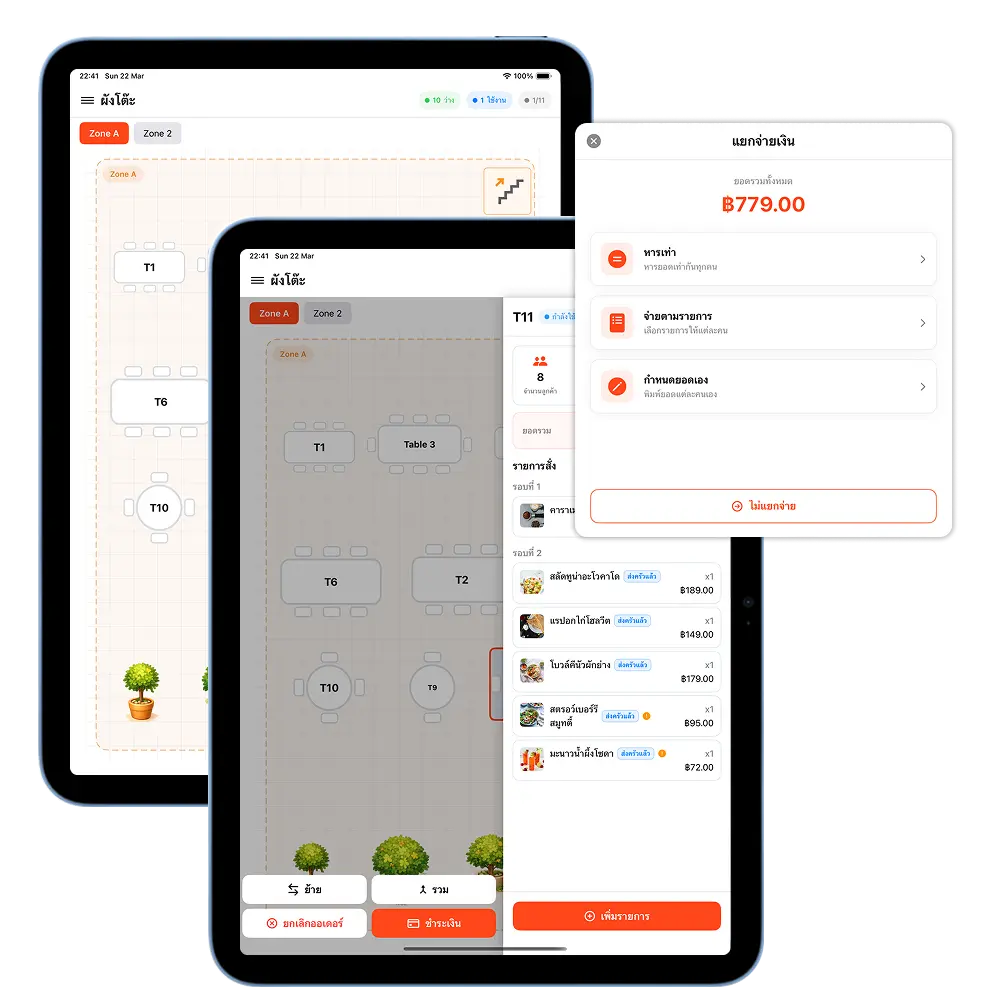
Set up zones and lay out your floor plan to match your restaurant, with real-time table status so staff can manage the floor faster and more accurately
Take orders by table, pick menu items, add notes, and send straight to the kitchen — with a full view of every table's order
Split payments multiple ways: split evenly, pay by item, or set a custom amount — closing a bill is fast, no manual math needed
Kitchen Display (KDS)
Never Miss an Order
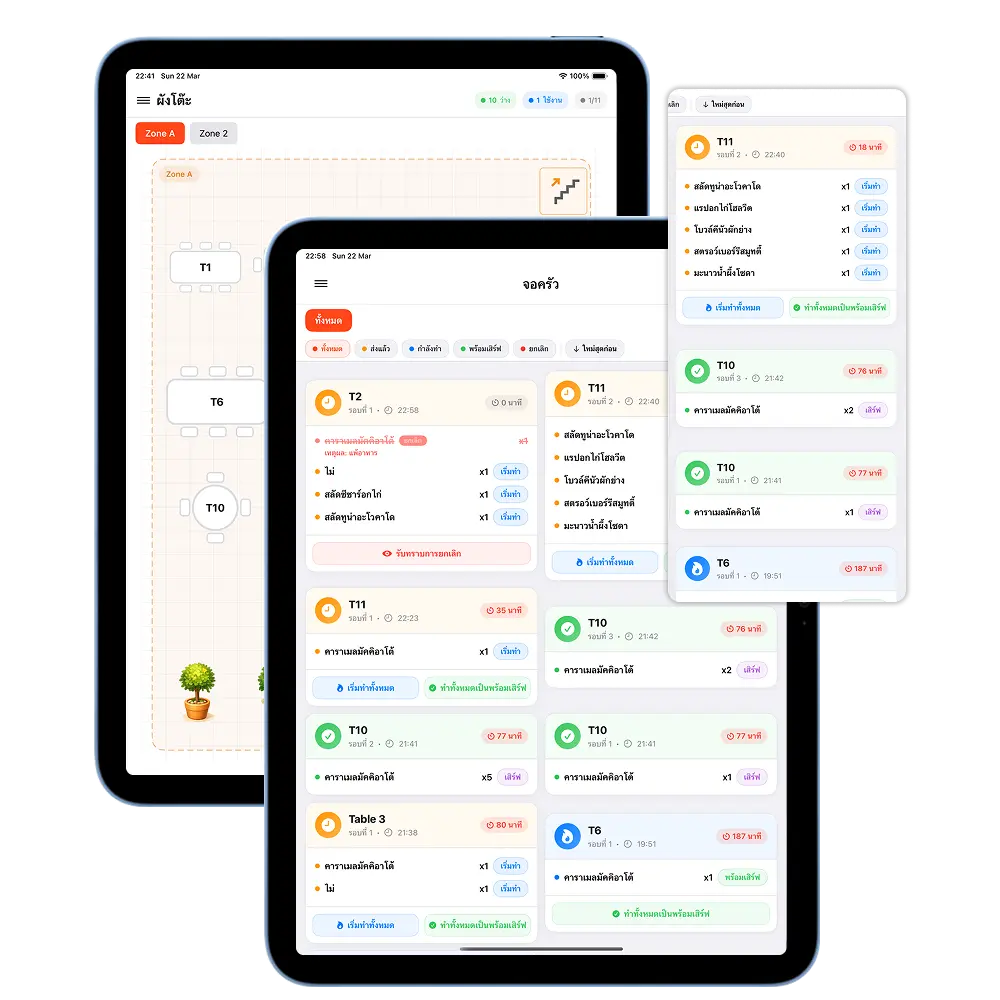
The kitchen display system sends orders to the kitchen automatically, tracks status in real time, cuts down on mistakes, and helps food come out faster.
Orders from the front of house go straight to the kitchen display, showing items by table with the time ordered, so the kitchen can prioritize easily
Order status updates in real time, color-coded by status — in progress, done, or urgent — so front-of-house staff see status instantly without walking over to ask
Supports multiple kitchen displays, splitting orders by food type — hot kitchen, cold kitchen, drinks bar — reducing confusion in the kitchen
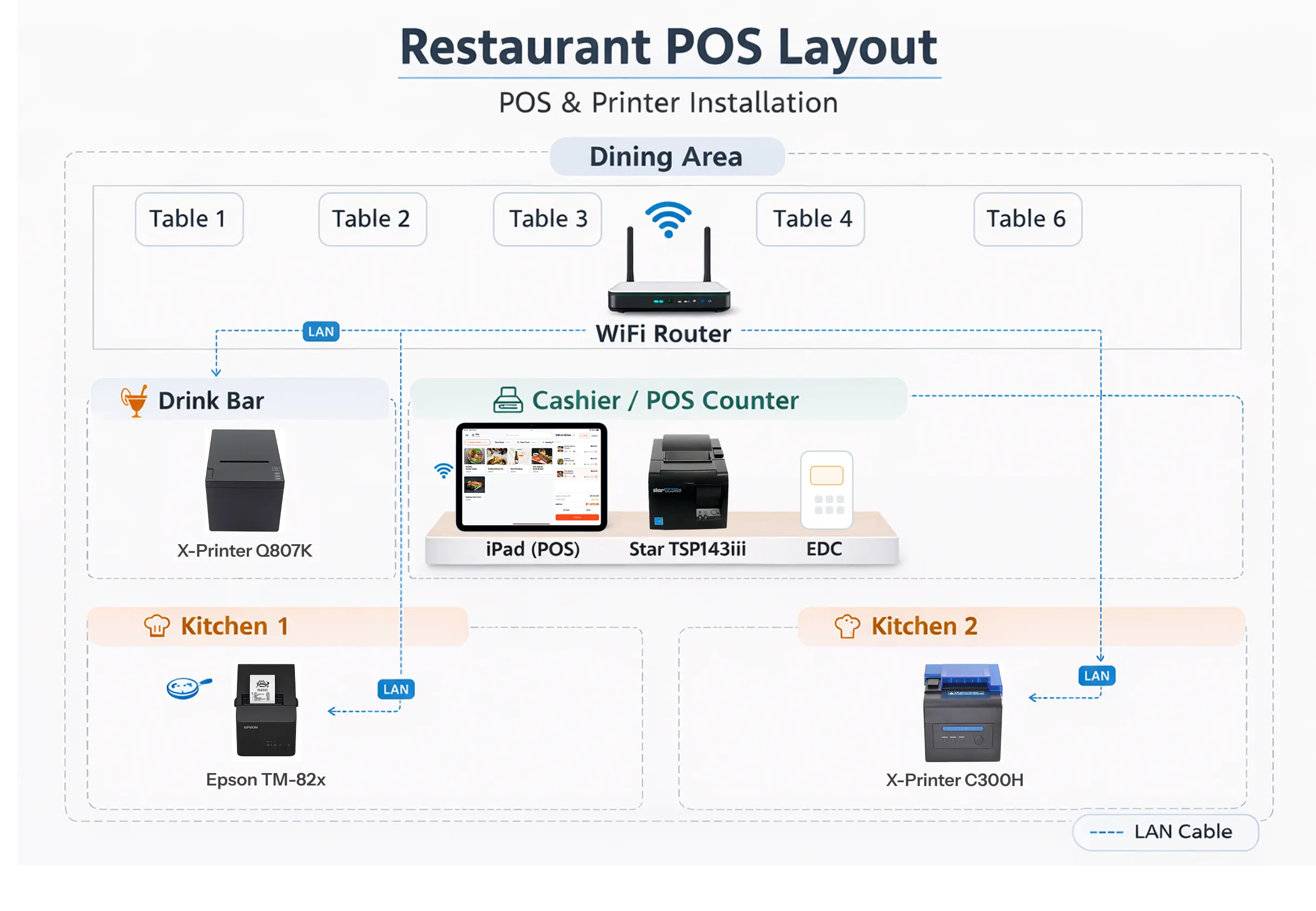
POS and Printer Installation Layout
An example system setup for a restaurant
Recommended Hardware for Restaurants
MeeD POS hardware for cashier counters, receipt printing, and kitchen orders
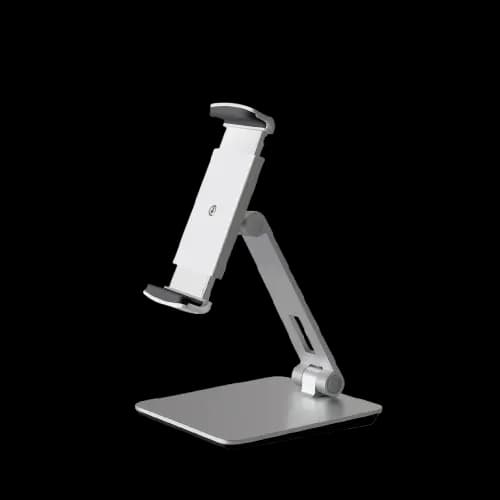
White iPad & Tablet Stand — Aluminum and ABS
฿990
An adjustable stand for placing an iPad or tablet at the cashier counter.
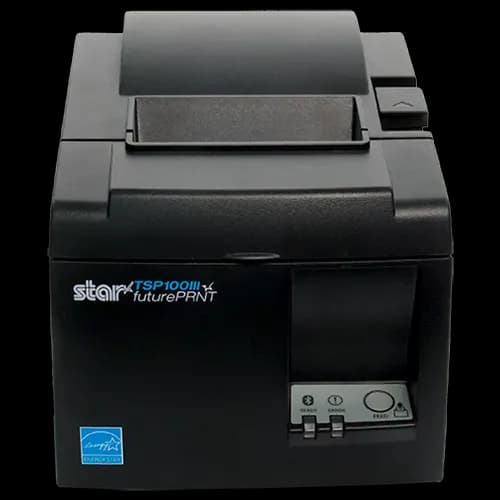
Star Micronics TSP100 Receipt Printer, TSP143IIIU (USB)
฿9,400
A 250 mm/s thermal receipt printer that connects to an iPad through a Lightning cable.
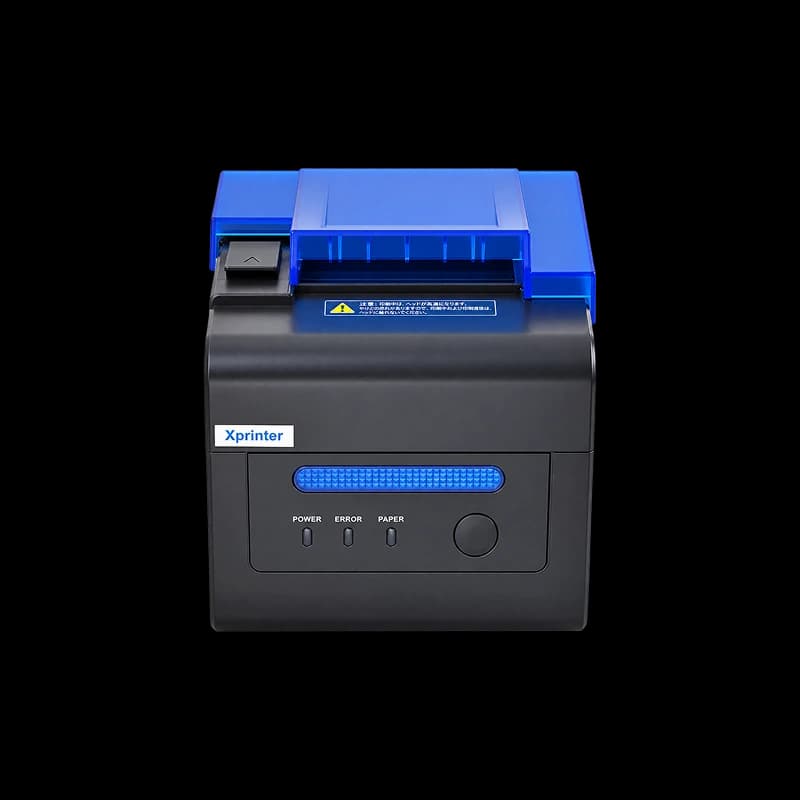
80mm LAN Receipt Printer (Auto-cut) — XP-C300H
฿4,900
A 300 mm/s LAN kitchen printer with sound and light order alerts.
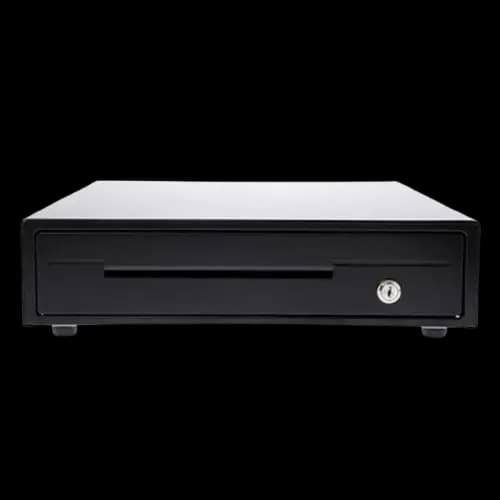
MAKEN EK-350 Cash Drawer — 4 Bill and 8 Coin Slots
฿2,000
A durable steel cash drawer with RJ11 automatic opening through a compatible printer.
Related Content
Related Articles
- ระบบ POS ร้านอาหารคืออะไร? คู่มือฉบับสมบูรณ์
- เตรียม iPad และทดสอบบิลแรก
- เปรียบเทียบระบบ POS บน iPad เจ้าไหนเหมาะกับร้านคุณ
- โปรแกรมร้านอาหารสำหรับร้านเล็ก เลือกยังไงไม่ให้จ่ายเกินจำเป็น
- ระบบสั่งอาหารผ่าน QR Code (QR Order)
- QR สั่งอาหารแบบ Static vs Dynamic ต่างกันยังไง ร้านควรใช้แบบไหน
- AI รับสต๊อกอัตโนมัติ — ถ่ายรูปบิลเข้าสต๊อกทันที
- ระบบจัดการสต๊อกร้านอาหาร — รับเข้า เบิกออก ใบสั่งซื้อ
- ระบบสะสมแต้มร้านอาหาร คืออะไร ทำไมร้านเล็กก็ควรมี
- ระบบสมาชิกและสะสมแต้ม — เปลี่ยนลูกค้าขาจรเป็นขาประจำ
- 5 วิธีเพิ่มยอดขายร้านอาหารด้วยระบบ POS
- เช็กลิสต์เลือกระบบ POS ร้านอาหาร
- เปรียบเทียบระบบ POS ร้านอาหาร-ร้านกาแฟ 5 เจ้ายอดนิยม
Documentation
Frequently Asked Questions for Restaurant POS
Answers to the questions restaurant owners ask most.
Can I send orders to multiple kitchen stations?
Yes — set up printers or a KDS for separate prep stations, like a hot kitchen, cold kitchen, and drinks bar. The system automatically sends only the relevant items to each station.
Can I split bills or combine tables?
Yes — MeeD POS supports splitting bills by item or by headcount, as well as combining multiple tables into one bill, ideal for restaurants where customers share or split tables.
How is cost per dish calculated?
Use Pro or above and configure each recipe in advance — costs are calculated from the recorded recipes and ingredient costs and alerts you when ingredients run low, helping you control costs and reduce waste precisely.
Can I use a KDS (Kitchen Display System) instead of a kitchen printer?
Yes — Starter and above support a KDS, with screen limits depending on the selected plan, showing order items on screen for kitchen staff in real time, reducing paper use and missed orders.
Can multiple restaurant branches use the same system?
Business supports multiple branches within the limits shown on the pricing page. Confirm the required workflows with our team before subscribing; multi-branch access does not imply every warehouse feature is included.
Is it hard to get started? How long does staff training take?
Prepare menus, prices, and hardware, then let staff test orders, kitchen routing, and checkout. Setup time depends on your data and workflows. Remote guidance is available on LINE daily, 08:00–23:00 Thailand time.
Ready to Elevate Your Restaurant?
Try MeeD POS free for 30 days — no cost, no credit card required.
View pricing and plans