Loyalty Points Built Into
Your POS
Customers earn points, level up their membership tier, and redeem discount coupons themselves — through a mobile member page, no app download required.
A CRM Loyalty System Customers Can View and Use Themselves
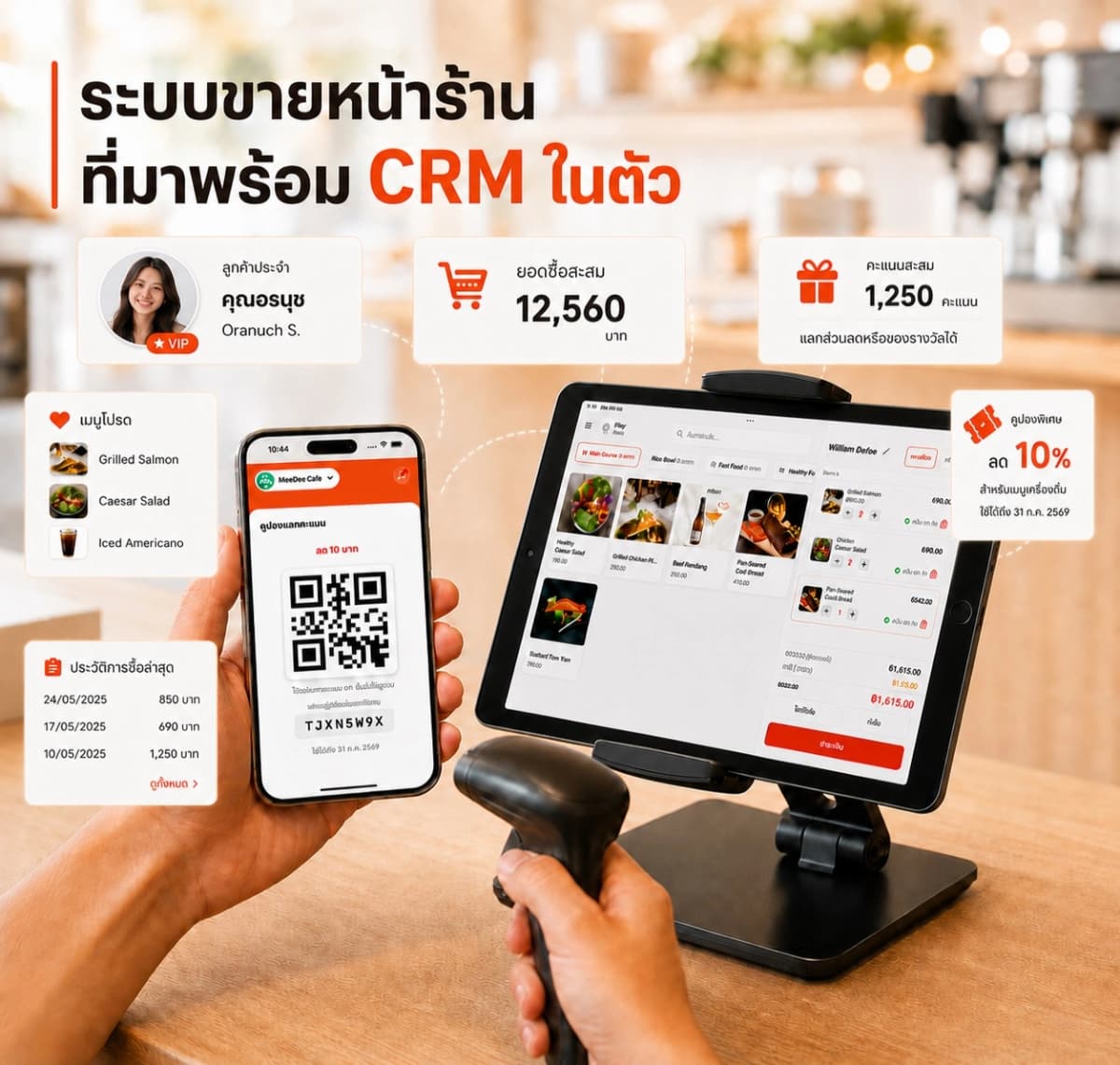
Beyond letting staff select a regular customer and view order history from the POS side, customers also get their own member page — opened via a mobile browser — showing remaining points, membership tier, and every coupon available to redeem.
Customers can redeem points for discount coupons themselves, getting a QR code or code to use in-store instantly — no waiting on staff or downloading an extra app.
- Points accrue automatically on every bill, at a rate the shop sets
- Customers view their tier and points history anytime, themselves
- Redeem points for coupons and use them via QR code in-store
- Member data connects across every branch under the same account
- Access via any browser, or embed a button in the shop's LINE OA Rich Menu via LIFF
How It Works
Just 4 steps to start using membership and loyalty points right away.
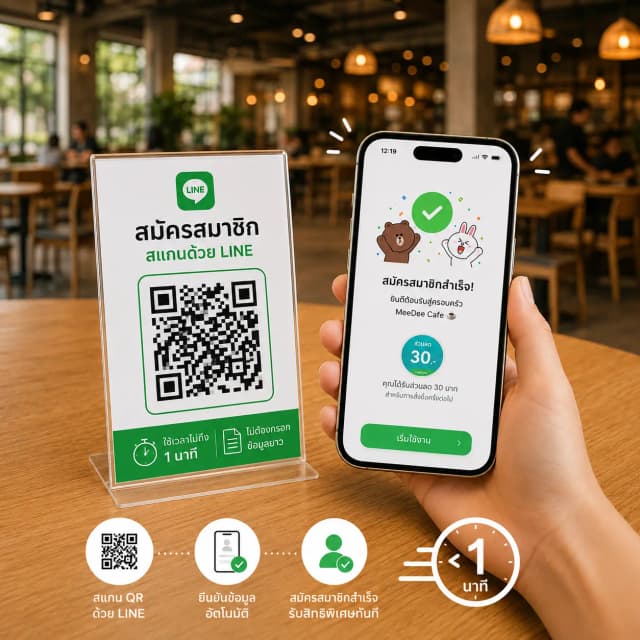
1. Sign Up via LINE
Customers scan the in-store QR code with LINE to sign up themselves — no long forms or waiting on staff, takes under a minute
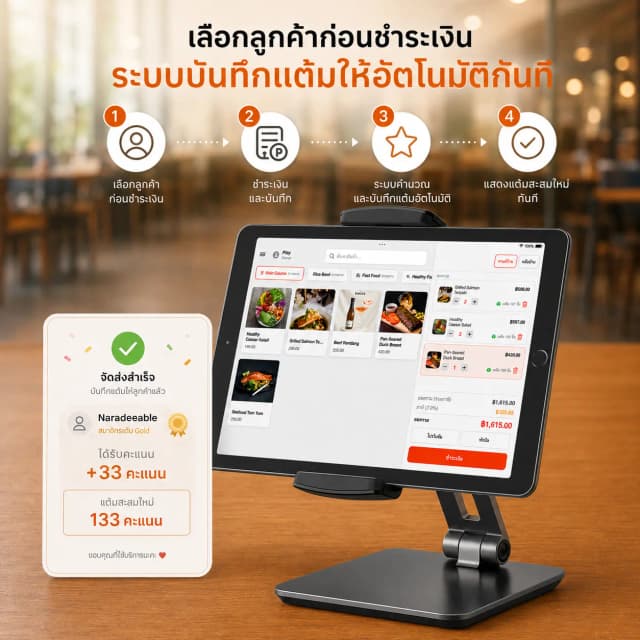
2. Earn Points on Every Purchase
Staff select the customer before checkout — the system calculates and records points automatically the instant the bill closes
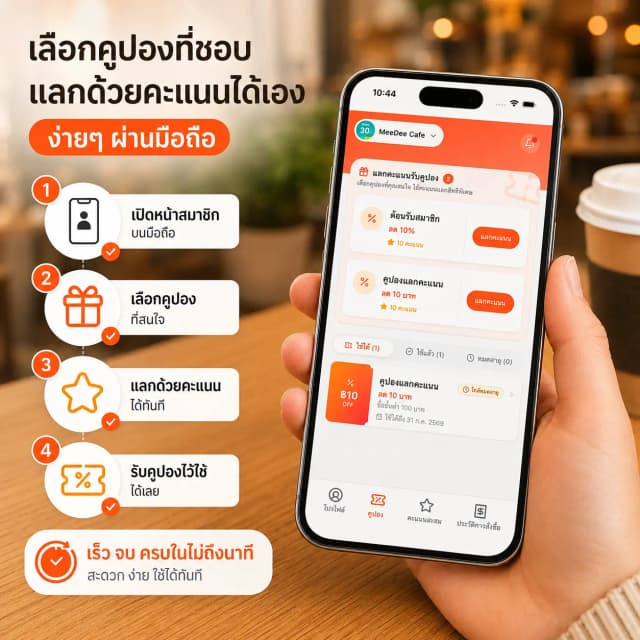
3. Customers Redeem Points Themselves
Customers open their member page on their phone, choose a coupon, and redeem it with points themselves — no staff needed
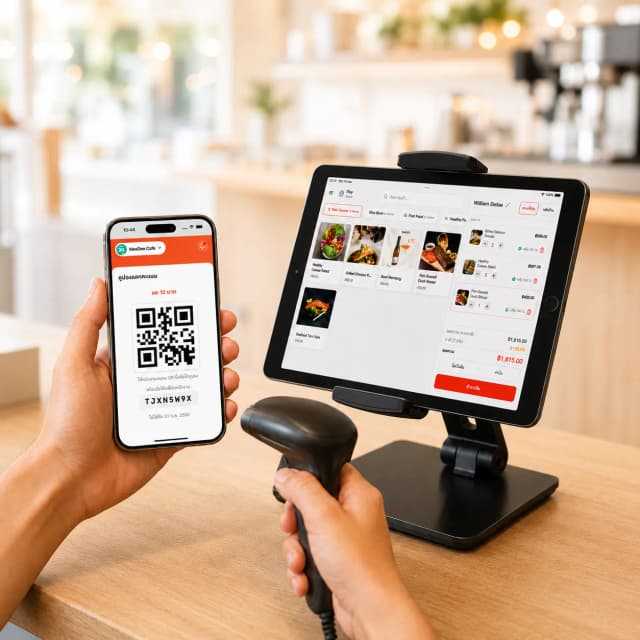
4. Use the QR Coupon In-Store
Staff scan the QR code or enter the code from the customer's screen — the system applies the discount instantly at checkout
Complete Membership System Features
Designed to be easy for both the shop and customers — no separate CRM integration needed.
Automatic Points on Every Bill
Staff select the customer when opening a bill — the system calculates points automatically at the rate the shop sets, like every ฿10 = 1 point, with no manual calculation
Membership Tiers with Perks
Customers see their own tier, like Gold, with progress toward the next level — encouraging repeat visits to level up
Redeem Points for Discount Coupons
Customers choose a coupon they want and redeem it with points themselves via the member page — like a ฿10 discount coupon on a ฿100 minimum purchase
QR Coupons, Usable In-Store Instantly
Once redeemed, the system generates a QR code or text code instantly — staff scan or enter the code to apply the discount at checkout
Self-Service Points History
The member page shows every point earned and redeemed, with the running balance — customers can check it themselves without asking staff
No App Download Required
Customers open the member page via a mobile browser instantly — viewing points, tier, and every coupon with nothing extra to install
Customer Profiles on the Shop Side
Staff select a regular customer instantly when opening a bill, with order history on hand, helping recommend menu items more precisely
Easy Sign-Up, Just a Phone Number
Add a new member directly from the sales screen — just enter a name and phone number, no need to leave the sales screen or use a separate system
Open Instantly via LINE with LIFF
The membership system supports LINE LIFF — put the resulting URL in the shop's LINE OA Rich Menu button, and customers can view points and coupons instantly from the LINE menu without leaving the LINE app
Before using membership and loyalty
Can customers check their own points?
Customers can view points and history on the mobile membership page. Set up your membership and earning rules before use.
Do coupons, loyalty and member tiers share the same plan?
Coupons start with Starter. Full CRM and loyalty points are in Pro and Business. Check Business details on the pricing page for tier-based rewards.
Are points always updated instantly?
Points may take time to process after a transaction. If they have not appeared, check the bill and selected member, then contact support with the transaction details.
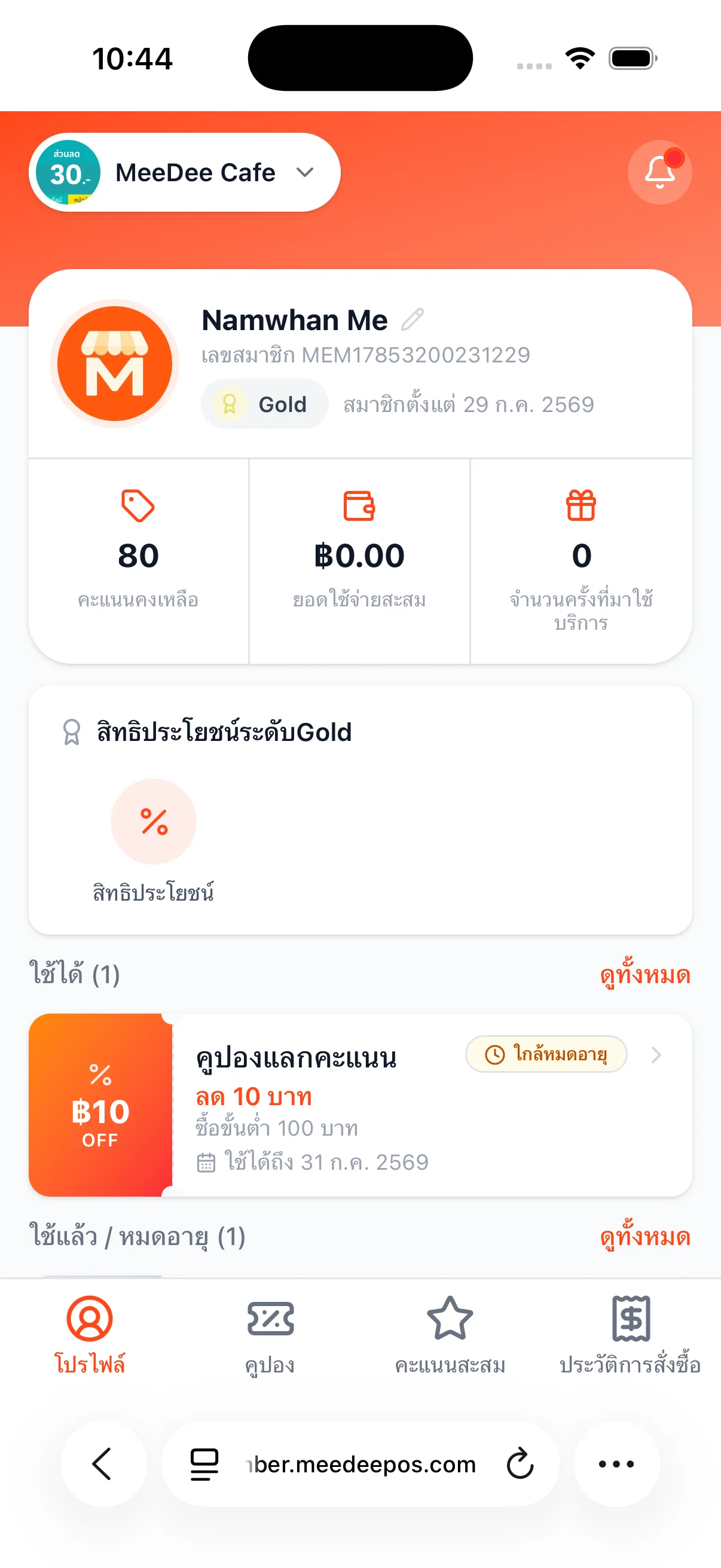
Customers Manage Their Own Points and Coupons
Opens via a mobile browser, no app download required.

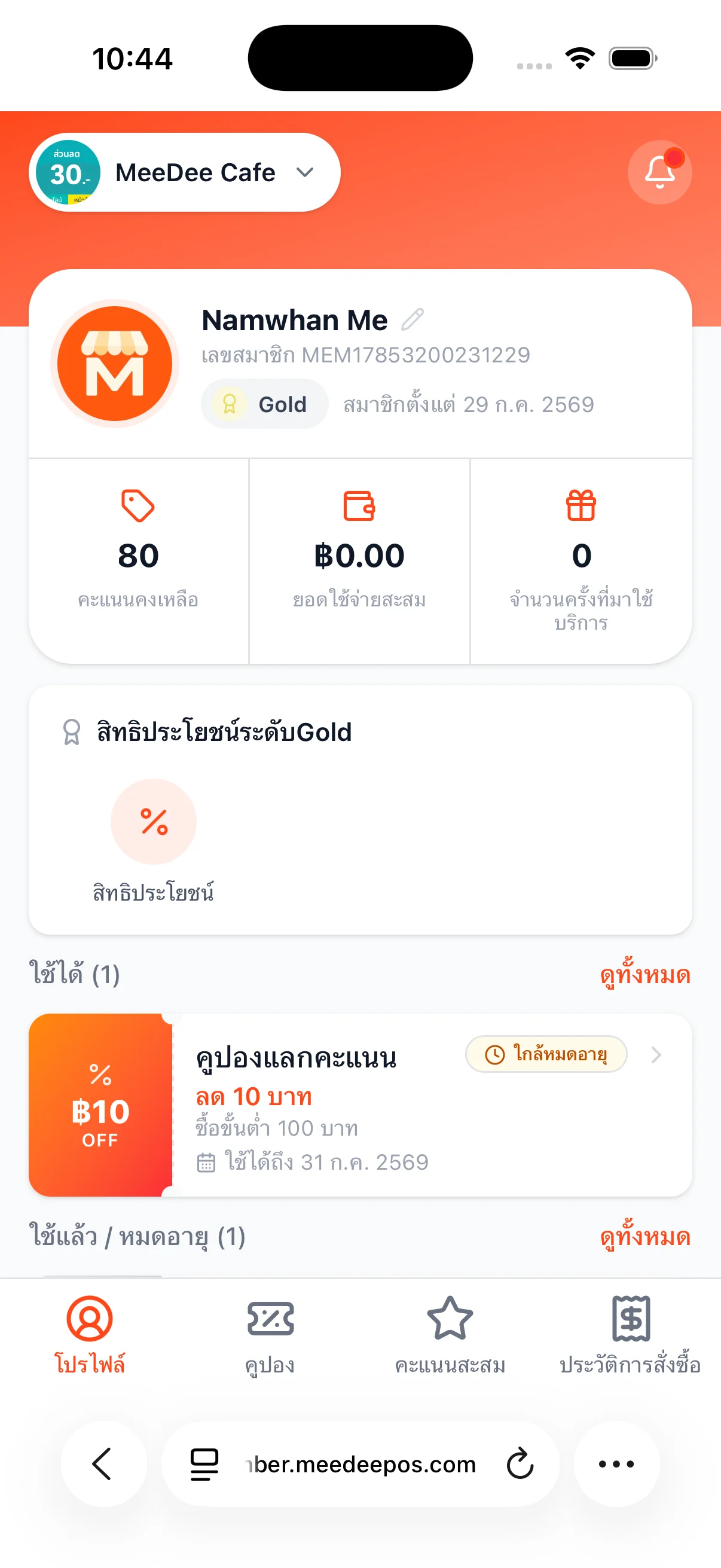
Profile & Membership Tier
View remaining points and current membership tier
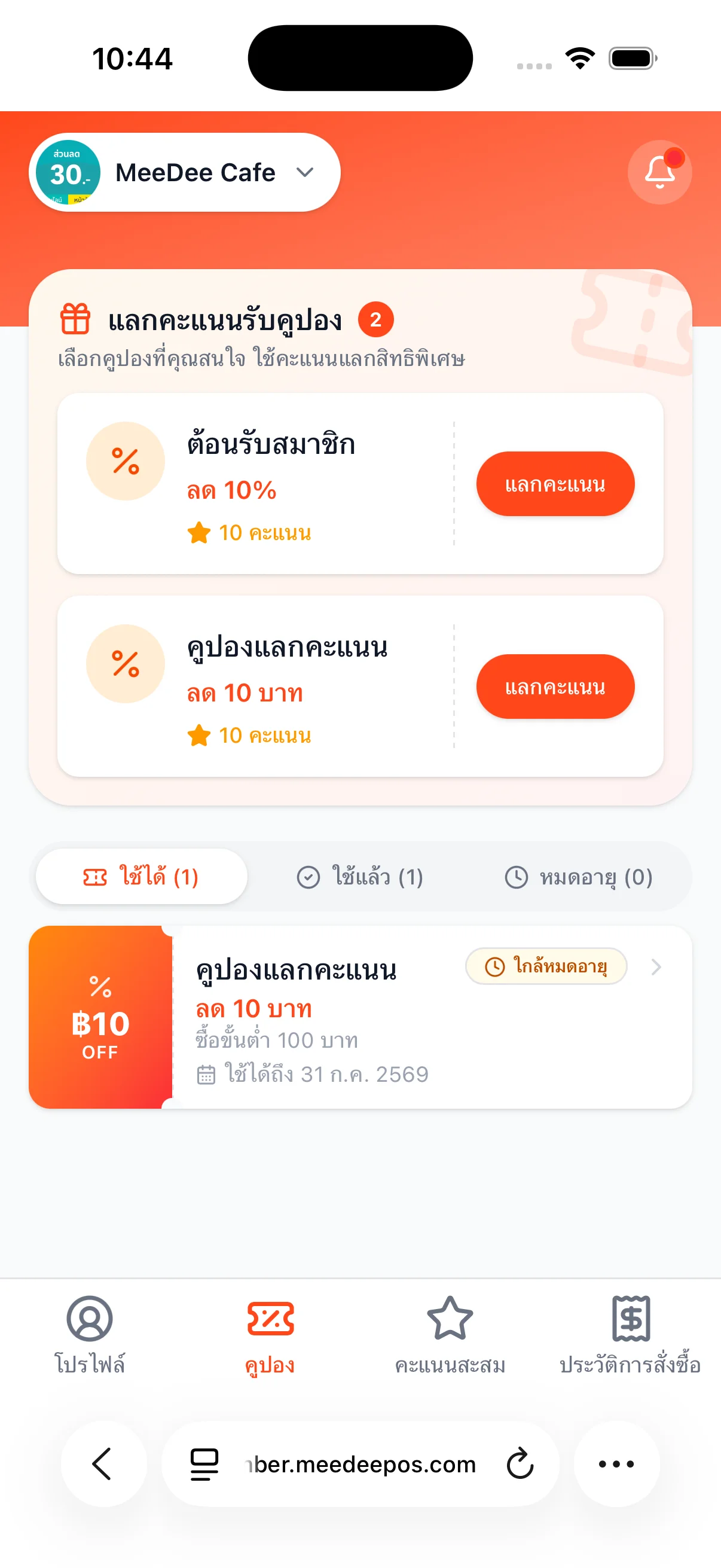
Redeem Points for Coupons
Choose a coupon and redeem it with accumulated points
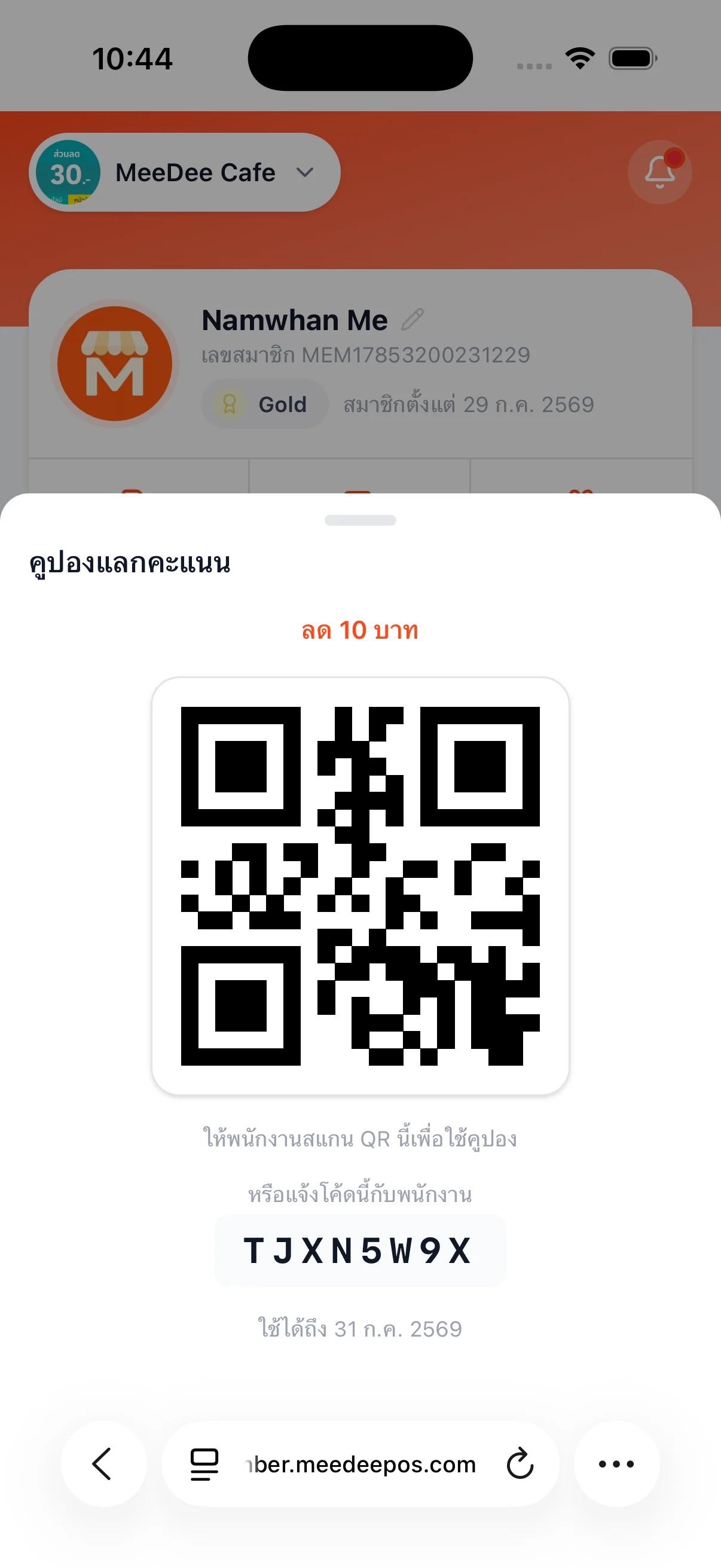
In-Store QR Coupon
Staff scan or enter the code to apply the discount
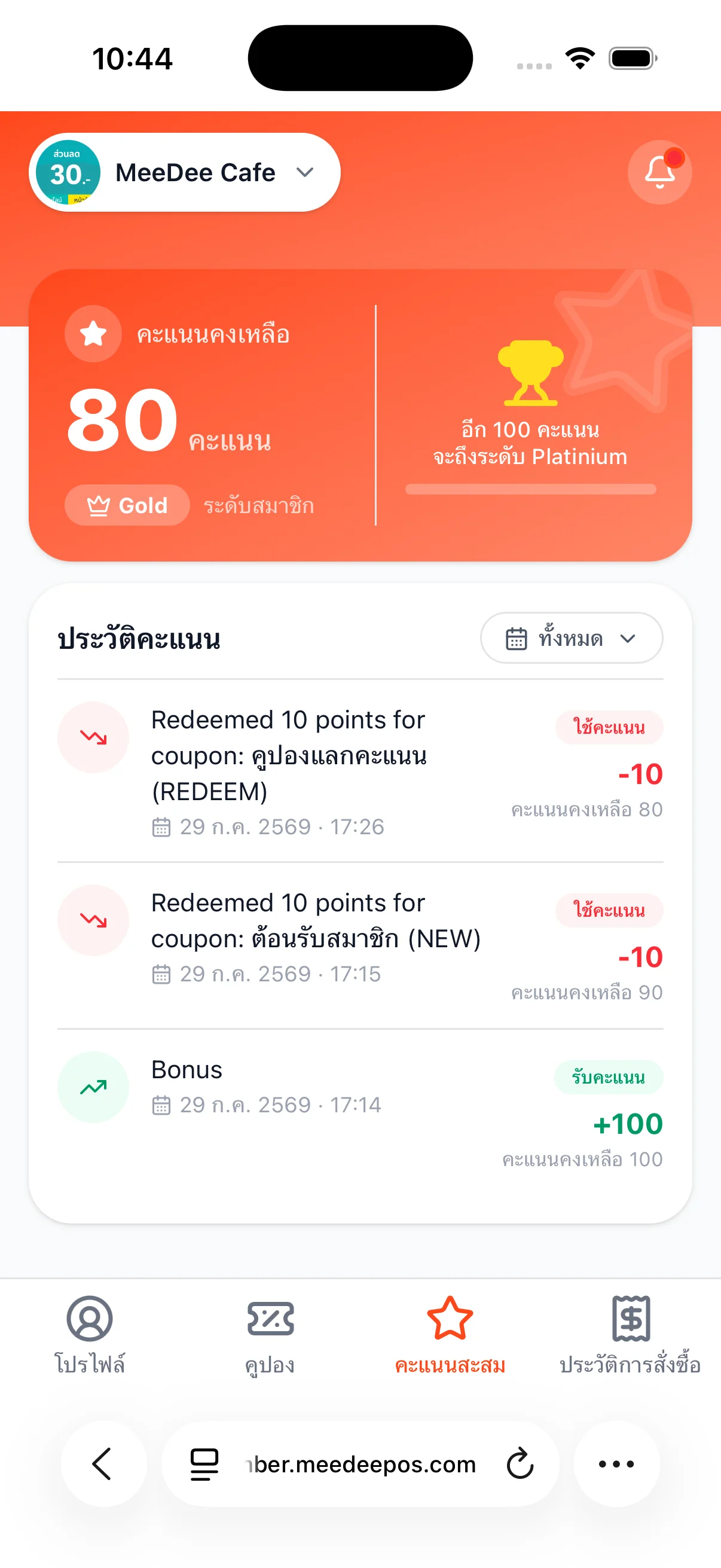
Points History
View every point earned and redeemed, and progress to the next tier
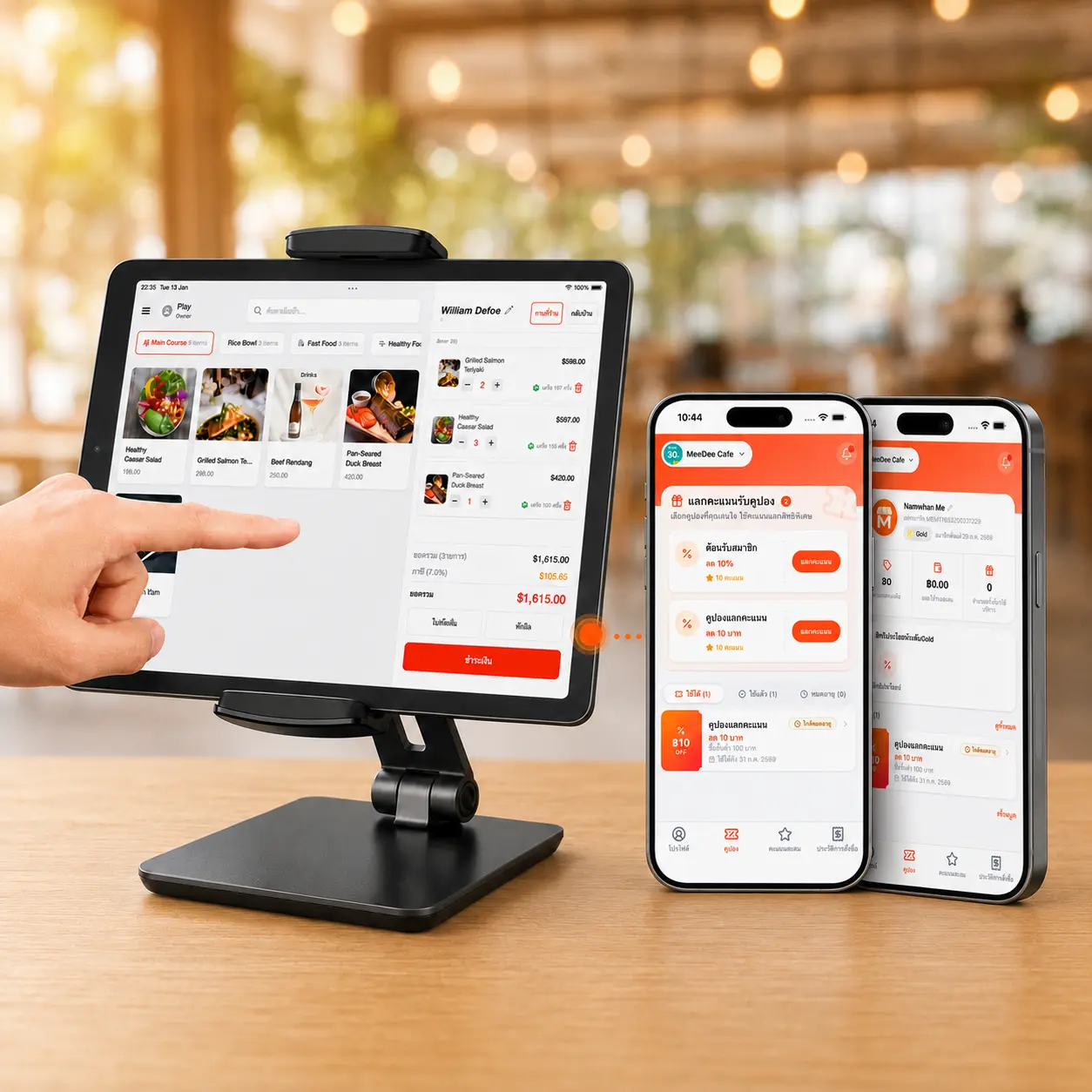
No Separate CRM to Integrate — It's Already Built Into MeeD POS
The membership and loyalty system works directly with the MeeD POS sales screen. Staff select the customer when closing a bill on the same tablet, and points and coupons update on the customer's member page instantly — no API setup or external CRM integration required.
- Customer data and points live in the same database as the POS — no cross-system syncing
- Staff select a customer and view purchase history right from the sales screen
- Points and coupons update on the customer's phone in real time after checkout
- One-time setup in the system — no separate CRM to build or integrate
What Businesses Is This For?
Membership and loyalty points work for shops and service businesses of every kind.
Restaurants
Earn points on every meal, encouraging regulars to come back, with welcome coupons for new members
Coffee Shops
Frequent buyers accrue points fast — a café loyalty program builds long-term connection
Retail Stores
Link customer profiles to purchase history, and plan promotions and coupons that target the right audience
Multi-Branch Businesses
Member data and points connect across every branch under the same account — earn and redeem anywhere
“Customers really love being able to see their own points and coupons anytime without asking staff — it's clearly brought regulars back more often.”
A Café Owner
Coffee Shop, Bangkok
See the overview forrestaurant POS orcoffee shop POS
Related Content
Related Articles
- ระบบสะสมแต้มร้านอาหาร คืออะไร ทำไมร้านเล็กก็ควรมี
- ระบบ CRM ร้านอาหาร คืออะไร ต่างจากระบบสมาชิกยังไง
- Loyalty Program มีกี่แบบ แบบไหนเหมาะร้านคุณ
- วิธีทำให้ลูกค้ากลับมาซื้อซ้ำด้วยระบบสะสมแต้ม
- สมัครสมาชิกร้านผ่าน LINE ไม่ต้องโหลดแอป ดียังไง
- ระบบ POS ร้านอาหาร — ฟีเจอร์ครบสำหรับร้านนั่งทาน
- ระบบ POS ร้านกาแฟ — สะสมแต้มลูกค้าประจำ
- ระบบ POS ร้านขายอาหารสัตว์ — สะสมแต้มให้ลูกค้ากลับมาซื้อซ้ำ
Documentation
Frequently Asked Questions
Which plan includes membership and loyalty points?
Full CRM and loyalty points are included in Pro and Business, as listed on the pricing page. Coupons start with Starter. Try free for 30 days; plans start at THB 250/month afterwards.
Do customers need to download an app to view points?
No — customers open the member page via a mobile browser instantly, viewing remaining points, tier, and every coupon with no extra app to install.
Can I set my own earn and redemption rates?
Yes — the shop sets its own rates, like every ฿100 = 1 point and every 100 points = ฿1, with a minimum purchase to earn points. Change it anytime without affecting points already earned.
Do points expire?
It depends on the shop's settings. If no expiry date is set, points never expire. Check and adjust this in the CRM settings menu.
Can one customer earn points at every branch?
Yes — member data and points connect across every branch under the same account, so customers can earn and redeem at any location.
How is a points-redeemed coupon used in-store?
After redeeming a coupon, the system generates a QR code with a text code for the customer. Staff scan the QR or enter the code in the POS to apply the discount instantly at checkout.
I forgot to select the customer before checkout — can I add points retroactively?
Yes — staff with Owner or Admin permissions can go to the customer menu and adjust points retroactively, with the adjustment recorded in the points history.
Can the membership system work through LINE?
Yes — the system supports LINE LIFF. The shop can put the member page URL in its own LINE Official Account Rich Menu button, and customers can tap it to view points and coupons instantly.
Ready to Launch Membership for Your Shop?
Try MeeD POS with membership and loyalty points free for 30 days — no credit card required.
Start Your 30-Day Free Trial