Order & Pay
Pay Before Eating, Skip the Queue
A QR Order & Pay system for food and beverage (F&B) businesses — customers scan, order, and pay instantly on their own, with no counter queue to wait in.
Order and Pay in One Step, No Waiting for the Bill
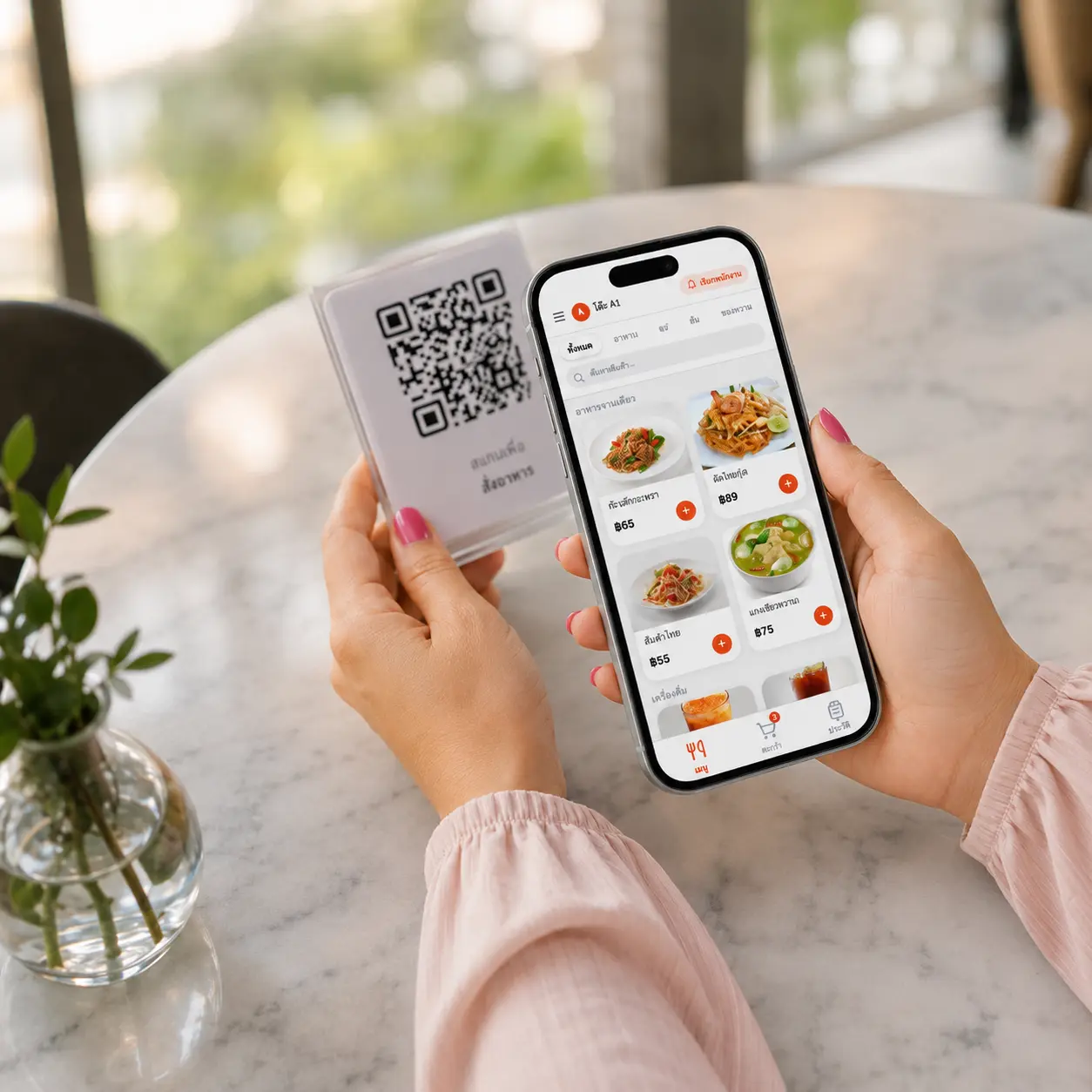
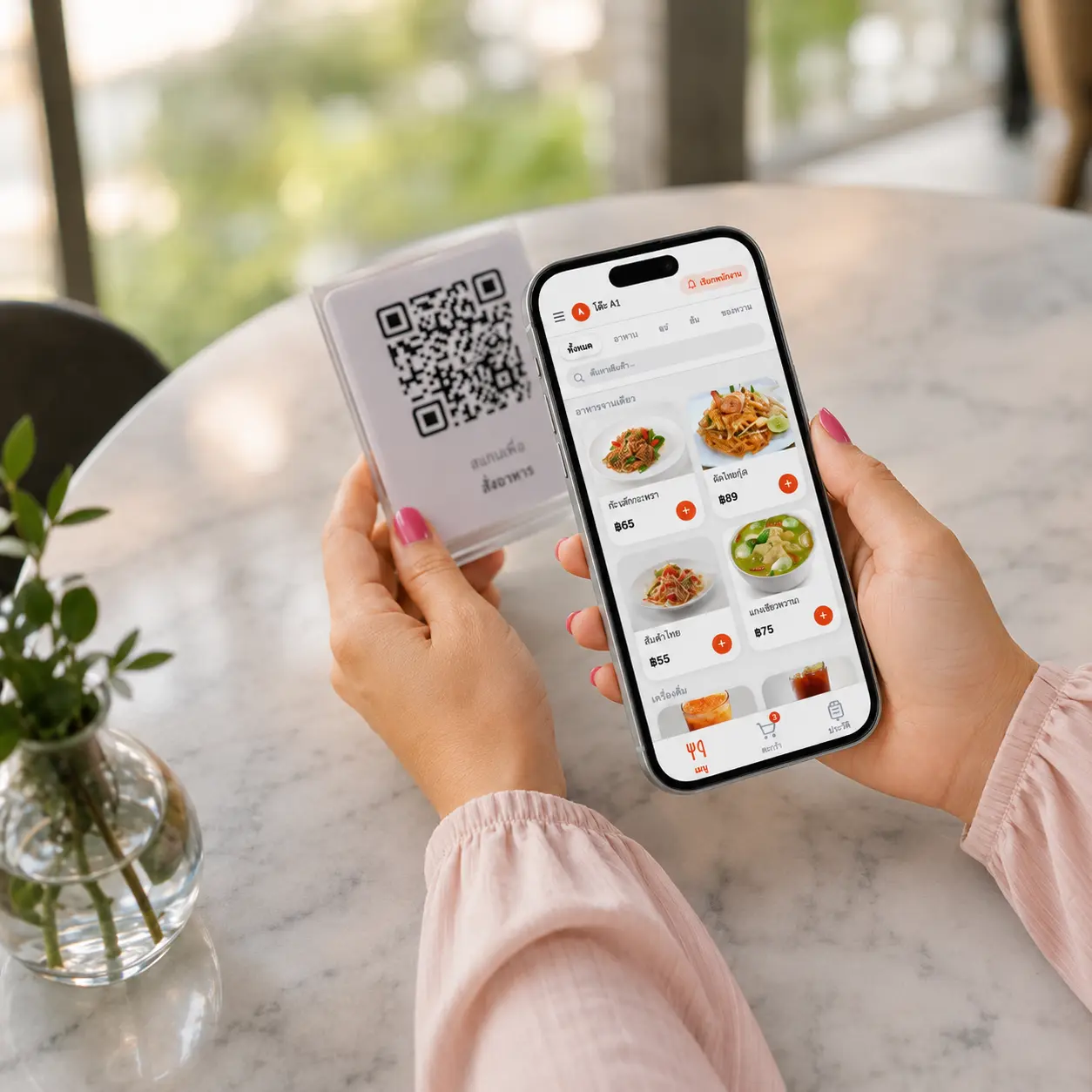
QR Order & Pay is a system where customers scan a QR code to order food and pay instantly, before the kitchen starts preparing it — a "pay before eating" model, unlikestandard QR Order, where staff collect payment at the end of the meal.
It's built for food and beverage (F&B) businesses with long peak-hour queues, since customers can order and pay from their own phone without lining up at the counter. Paid orders flow into the POS and print to the kitchen automatically. While they wait, customers get order status updates directly via LINE.
- Customers pay instantly when ordering, no waiting for staff to charge them
- Orders reach the POS and print to the kitchen automatically (can be toggled)
- Order status notifications sent directly to customers via LINE
- Fewer counter queues, faster table turnover
How It Works
Just 7 steps, from scan to customer notification.
1. Customer Scans the QR Code
Scan the QR code on the table or at the counter — the ordering page opens instantly in the browser, no app download required.
2. Choose Items
Customers pick what they want and customize options themselves, with no need to wait for staff to take the order.
3. Pay Instantly
Payment goes through by QR before the order reaches the kitchen — a "pay before eating" model that cuts the risk of unpaid orders and closes out bills faster.
4. Order Reaches the POS
Once payment succeeds, the order is sent straight into the shop's POS app — staff see it right away and can start preparing.
5. Automatic Order Printing
The system automatically prints the order ticket to the kitchen or bar — automatic printing can be turned on or off per the shop's settings.
6. Staff Update Order Status
Staff mark the order's status in the POS app — preparing, ready to serve — so the customer can track progress.
7. Customer Gets a LINE Notification
Every time the order status changes, the system sends a notification directly to the customer via LINE — they know the moment food is ready without watching a screen.
Complete Order & Pay Features
Built for food and beverage (F&B) businesses that want shorter queues and faster table turnover.
Pay Before Eating
Customers pay instantly when ordering, before the kitchen starts — unlike standard QR Order, where staff collect payment at the end.
Order via QR, No Queueing
Customers scan, order, and pay from their own phone, with no need to line up at the counter during rush hours.
Automatic Kitchen Order Printing
Turn automatic printing on or off as needed — paid orders are sent straight to the kitchen or bar.
LINE Order Notifications
Customers get order status updates directly via LINE, with no need to watch a screen or ask staff.
Orders Reach the POS the Moment They're Paid
Fewer reconciliation steps, since every order that enters the system has already been paid.
Faster Table Turnover
No waiting for staff to collect payment at the end of the meal — customers can leave the moment they're done, helping shops with long queues turn tables faster.
Before enabling QR Order & Pay
How is it different from QR Order?
Customers choose items and pay before the order is processed. With eat-first QR Order, staff collect payment later.
Which plan includes it?
QR Order & Pay is available from Pro. A 30-day trial is available. Check plan details and test the workflow with the team before using it in your shop.
What is needed for automatic payment confirmation?
Automatic bill closing requires a supported payment-provider setup. For Beam, the merchant must apply and be approved before the team can help configure an API key. Provider terms and fees apply.
Choose the Model That Fits Your Shop
MeeD POS supports both models — use whichever fits your business.
Read the full comparison at Pay Before Eating vs. Pay After Eating: Which One Should You Choose?
Who Is It For?
Order & Pay helps food and beverage businesses with long peak-hour queues the most.
Coffee Shops
Customers order and pay from their phone, no counter queue during rush hours.
Fast Food Shops
Faster table turnover, since staff never have to collect payment at the end.
Bubble Tea Shops
Customers scan and order right from the queue, easing crowding at the counter.
Shops with Long Peak-Hour Queues
Spread ordering and payment out to customers' phones, easing the single-counter bottleneck.
Related Content
Related Articles
Documentation
Frequently Asked Questions
How is QR Order & Pay different from standard QR Order?
Standard QR Order is a "pay after eating" model — customers order via QR, and staff collect payment at the end through the POS app as usual. QR Order & Pay is a "pay before eating" model — customers pay instantly when ordering, before the order reaches the kitchen. Shops can use whichever mode suits them. See standard QR Order at QR Order System
Are these LINE notifications the same as shift LINE notifications?
No — shift notifications (sales summaries, cash totals) go to the owner or staff. Order status notifications in QR Order & Pay go directly to the customer who placed the order, so they know what stage their order is at. See shift LINE notification settings at LINE Notification Setup Guide
Can I turn automatic order printing on or off?
Yes — shops can turn automatic order-ticket printing on or off themselves in the printer settings page. Useful for shops with separate prep stations that want the kitchen to see orders the moment payment is made. See how to set it up at Printer & Auto-Print Setup Guide
What kind of business is this suited for?
Food and beverage (F&B) businesses that want to cut counter queues — coffee shops, bubble tea shops, fast food, or any shop with peak-hour lines — since customers can order and pay from their own phone without lining up.
If a customer already paid and wants to order more, what happens?
The customer scans the QR code again, orders more, and pays for the new round instantly — each paid order is sent to the POS separately, per payment round.
How much does it cost?
The QR Order & Pay feature is included from the Pro plan up, same as standard QR Order. Try it free for 30 days first.
Ready to Cut Queues with Order & Pay?
Try MeeD POS with QR Order & Pay free for 30 days — no credit card required.
Start Your 30-Day Free Trial