Restaurant order
taking appfor your waiters
Open tables, take orders with options and notes, and send them to the kitchen from the table. No paper pad and no walk back to the counter. Works with MeeD POS on iPhone and Android.
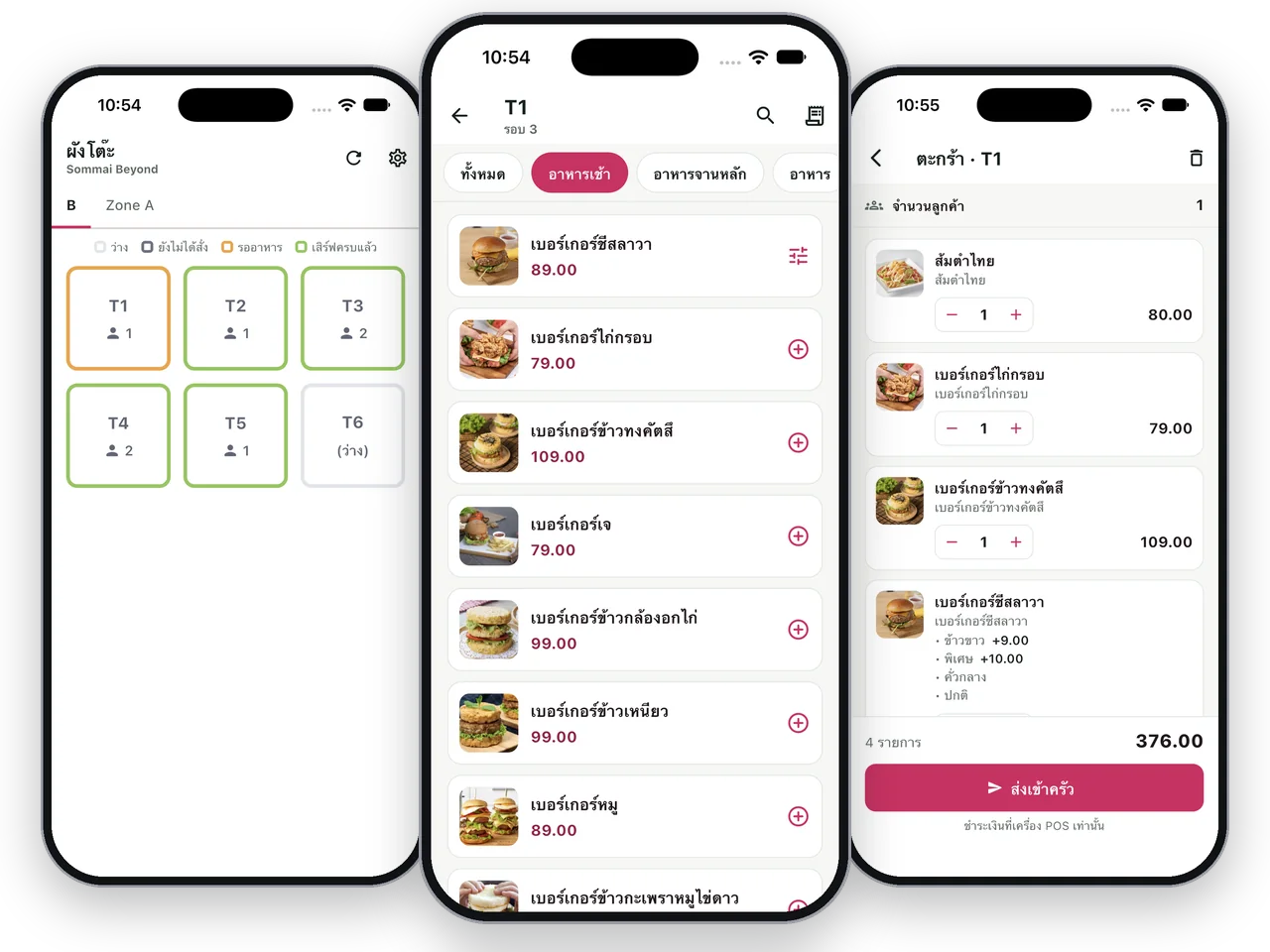
Table status by colour
Free, not ordered, waiting for food and all served
Send from the table
Order slips print at the POS as your store has set up
Built for a team
See who is ordering at which table
iPhone and Android
iOS 15 or later, or Android 7.0 or later
MeeD Staff at a glance
MeeD Staff is the order taking app for restaurant and café teams that run MeeD POS. Waiters open tables and take orders on a phone, then send them to the kitchen from the table. Payment is taken at the POS.
- Suited to
- Restaurants and cafés where staff take orders at the table, especially dine-in venues with several zones
- Devices
- iPhone (iOS 15 or later) or Android phone (7.0 or later), used in portrait
- Works with
- MeeD POS, with app access switched on for each staff account and a staff device added to the branch
- Sending orders
- Orders go from the phone to MeeD POS; slips print at the POS on the printer your store has set up
- Payment
- Payments, discounts and bill cancellations are handled at the POS only
- Connection
- Opening tables and sending orders need a connection; the saved floor plan and menu stay viewable if the signal drops
What is the MeeD Staff order taking app?
A restaurant order taking app, or waiter app, lets servers take the order on a phone at the table instead of a paper pad. The items go straight into the POS, so nobody has to walk back and key them in again.
MeeD Staff is the staff app for MeeD POS for restaurants. Waiters see tables by zone, open a table with its guest count, pick dishes by photo and category, add options and notes such as "no vegetables", and check the cart before sending it to the kitchen.
- Fewer trips between the tables and the counter
- Guests can order in several rounds on the same table bill
- Options and notes travel with each dish, with no handwriting to decode
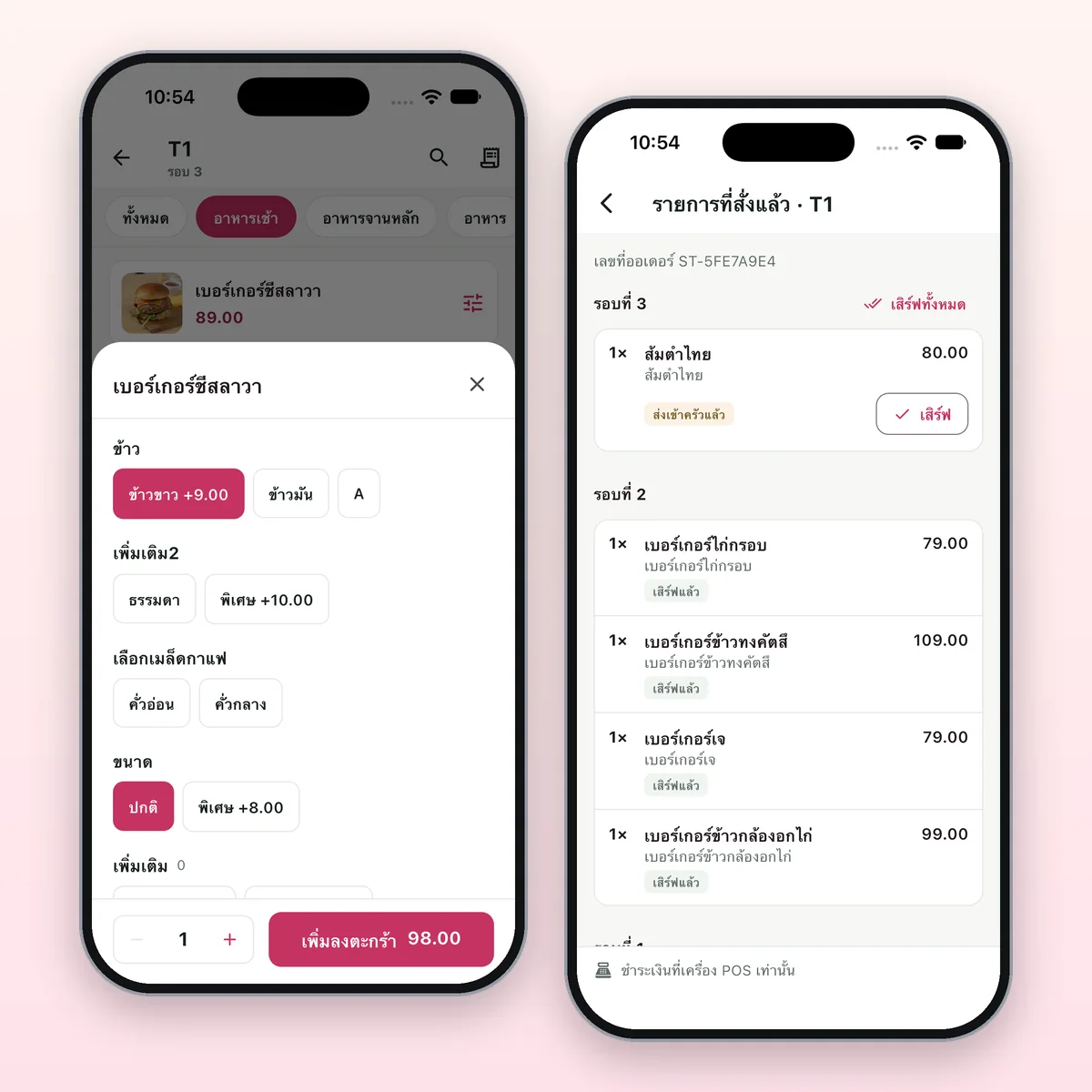
How to take an order at the table
Four steps from seating a guest to serving the food
1. Pick the table
Browse the floor plan by zone, tap the table and set the guest count.
2. Choose dishes
Browse categories or search, choose sizes and options, and add notes.
3. Check and send
Read back items, quantities and total, then send the round to the kitchen.
4. Track and serve
See items by round, mark them served, and take payment at the POS.
The MeeD Staff screens your team works with
Check tables, pick dishes, send to the kitchen and track serving
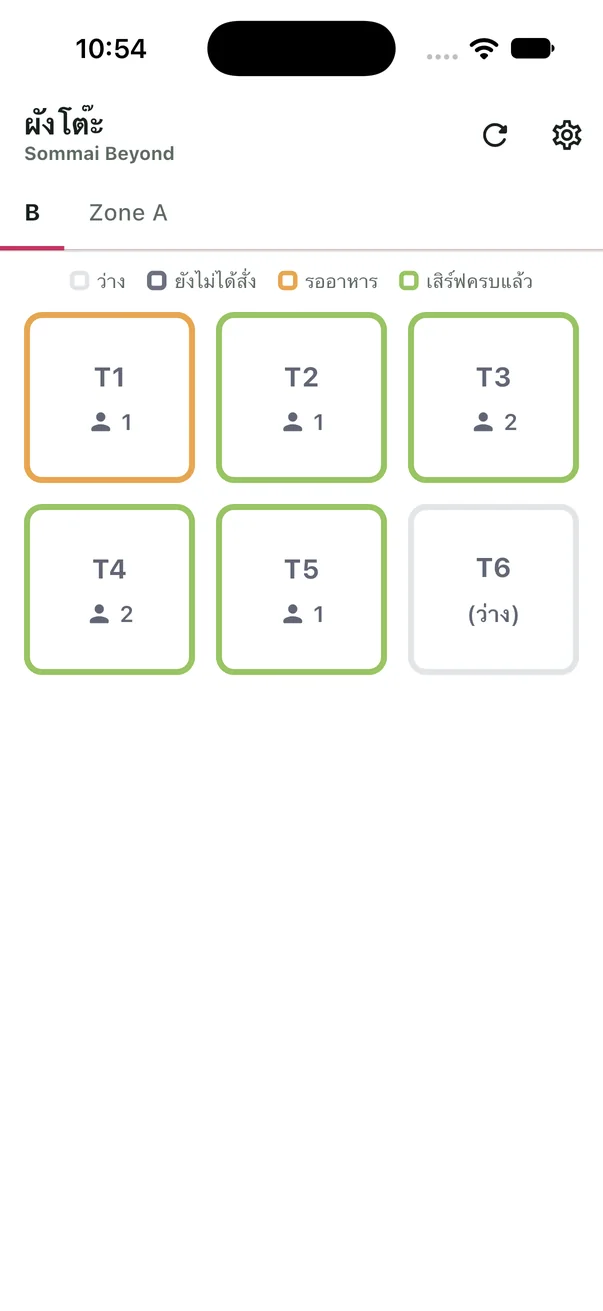
Floor plan
Tables by zone with guest counts and a status colour.
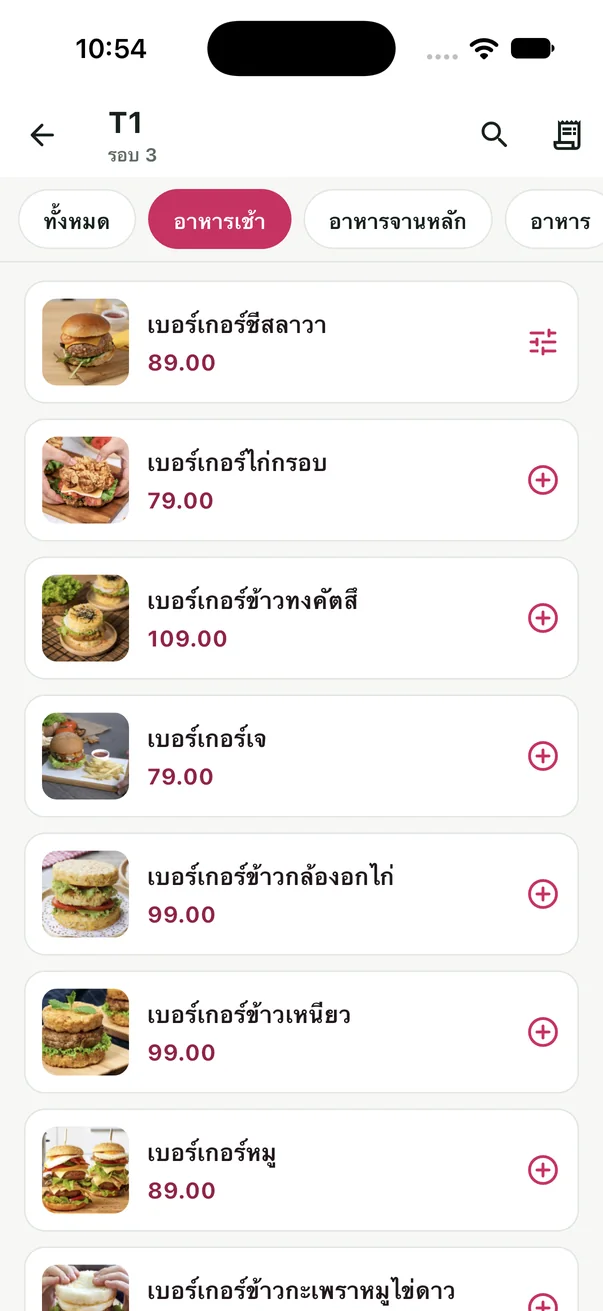
Menu
Photos, names and prices by category, with search.
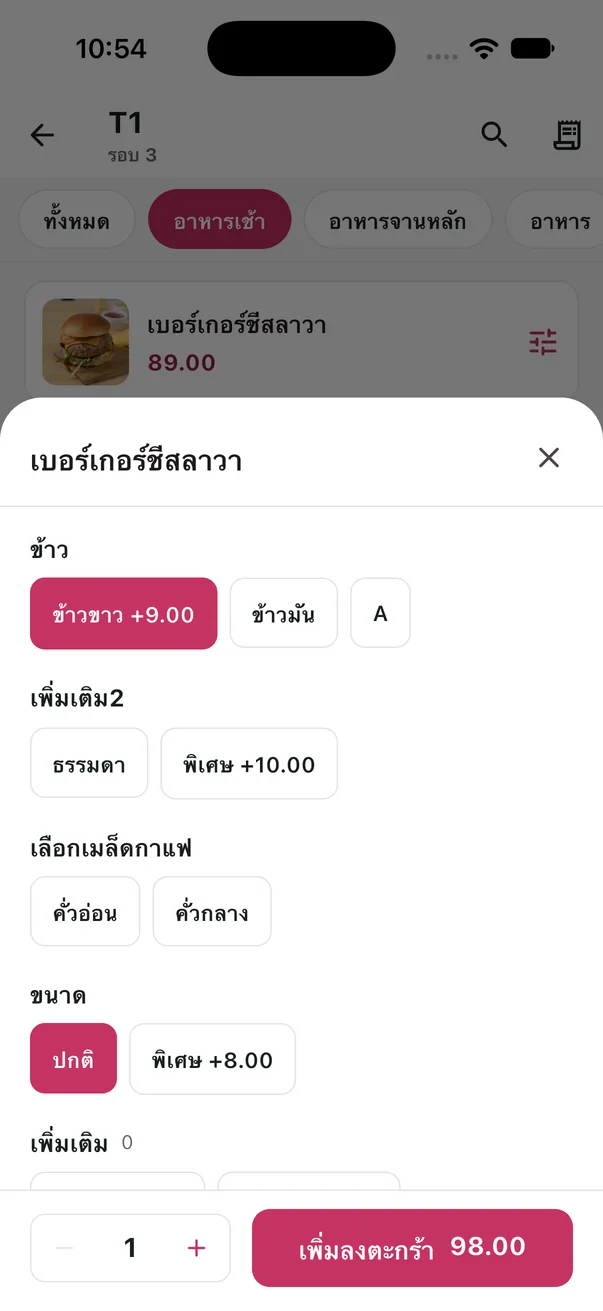
Options
Sizes and add-ons update the price, with room for a note.
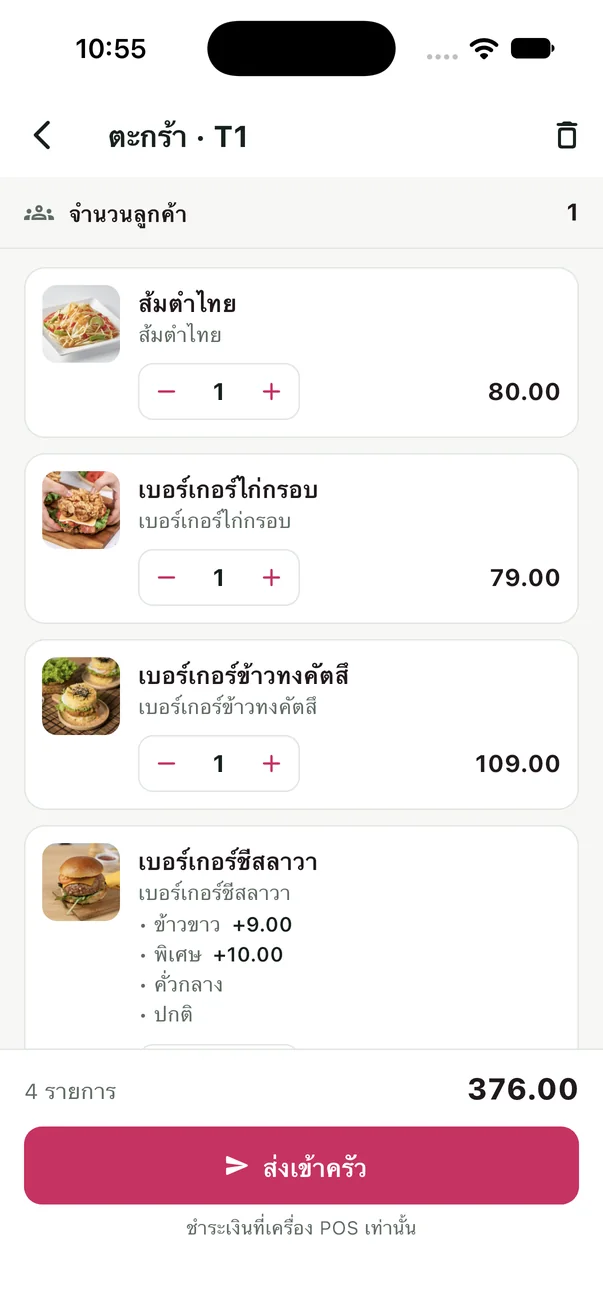
Cart
Check items, quantities and total before sending.
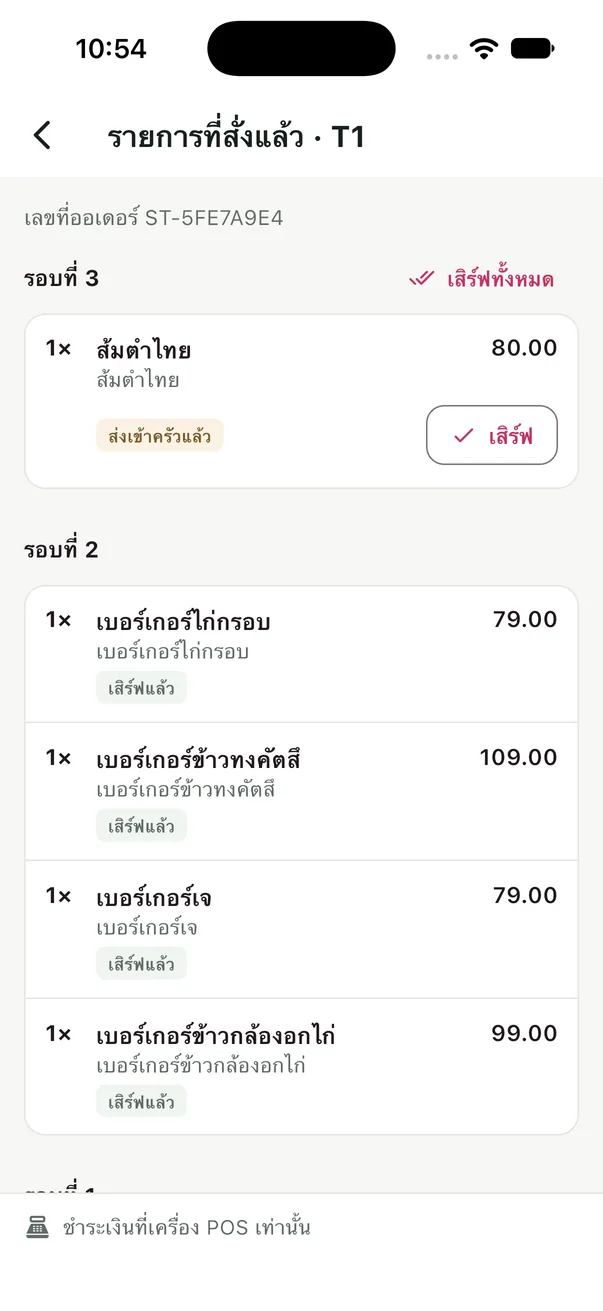
Ordered items
Listed by round, showing what was sent and what was served.
App screenshots with sample data. The app supports Thai and English.
Table management and ordering features for waiters
Front-of-house work from one phone
Floor plan by zone
Colour shows free tables, tables not yet ordered, waiting for food and all served. Refresh for the latest status.
Set up your floor planMove, merge and split tables
Change tables, merge or split them, and cancel a table with nothing ordered.
Options and notes
Pick the sizes, levels and toppings your store defines, and add notes for the kitchen.
QR for guest ordering
Show a table's QR on the staff phone so guests can scan and keep ordering, for stores using QR ordering.
No clashing or duplicate orders
One device orders at a table at a time. A manager can take over with a PIN. Resending after a dropped connection does not duplicate the order.
Table bill
Every round, including orders from other devices, with discount, service charge, tax and total.
What you need to start with MeeD Staff
Each phone is set up once, then staff open the app and keep working.
- MeeD POS with your menu and floor plan set up
- A staff device added to the branch for each phone
- App access switched on for each staff account
- A one-time sign-in with the staff member's own account, then pick branch and device
- An order slip printer set up, with the POS on and connected during service
- Wi-Fi or mobile data covering the ordering area
MeeD Staff, QR Order or Kiosk?
The difference is who places the order. Choose by how your store serves guests.
| Compare | MeeD Staff | QR Order | Kiosk |
|---|---|---|---|
| Who orders | Your staff | Guests at the table | Guests at the ordering point |
| Device | Staff phone | Guest's phone | Touchscreen provided by the store |
| Suited to | Table service | Guests choosing for themselves at the table | Pay-first counters with queue pickup |
Paper pad or order taking app?
The waiter's job, step by step
Which stores suit a waiter app
Stores where staff still lead the ordering
Busy dine-in restaurants
Move to the next table without returning to the counter.
Several zones or floors
Send orders from outdoor or upstairs areas and view tables by zone.
Cafés with table service
Take drink orders with options and notes at the table.
Guests who prefer a person
Run it alongside QR ordering so guests can still order with staff.
Order taking app FAQ
Before your team starts using MeeD Staff
Does it run on Android and iPhone?
Yes. It runs on iPhone with iOS 15 or later and Android 7.0 or later, in portrait, with Thai and English.
Do we need MeeD POS?
Yes. MeeD Staff is the ordering app that works with MeeD POS, using your store's menu, floor plan and orders. See MeeD POS plans
Can staff take payment in the app?
Staff can view the bill and total. Payments, discounts and bill cancellations are handled at the POS.
How do orders reach the kitchen?
After sending, a POS that is on and connected prints the order slip on the printer your store has set up. The app does not connect to a printer. Set up kitchen printers
What happens if the connection drops?
The saved floor plan and menu stay viewable. Opening tables and sending orders need a connection. Resending does not create a duplicate order.
Can two waiters order for the same table?
One device orders at a table at a time. Others see who is ordering there, and a manager can take over with a PIN.
How is it different from QR ordering?
With MeeD Staff your staff place the order. With QR ordering guests use their own phone. They can be used together, and staff can show the table QR from the app. See QR code ordering
How many staff phones can we use, and what does it cost?
Each phone is added to the branch as a staff device, and the number available depends on your plan. Send us your table and staff count on LINE for a plan recommendation and setup.
Let your team order from the table
Tell us about your tables, zones and staff, and we will suggest a MeeD Staff setup for your floor.
Book a MeeD Staff demo on LINE